Amazon has become a massive advertising platform. Amazon ad revenue is forecast to approach $94–$100 billion by 2026, reflecting sharp annual growth.
This explosive growth means more sellers and brands are running ads, and competition (hence costs) are rising. Amazon Ads uses a pay-per-click (PPC) model for most campaigns: advertisers set bids and budgets, but only pay when customers click their ads.
Advertising on Amazon typically costs between $0.80 and $1.40 per click. While Amazon has no mandatory minimum ad spend, a monthly budget of $1,000 to $1,500 is a practical starting point to gather enough data for effective campaign management.
Actual costs can vary widely depending on the ad format, keyword competition, product category, and campaign objectives. This guide breaks down exactly how Amazon charges for ads and shows step-by-step how to estimate the budget and costs for your campaigns.
What Amazon Advertising Costs Sellers Today
There is no fixed price for Amazon ads. The system operates like a dynamic auction where sellers bid against each other for shopper attention. The primary model is cost-per-click (CPC), meaning you only pay when a shopper clicks your ad.
Your CPC can vary significantly based on your product category, target keywords, and seasonality. Bidding on a broad, high-volume keyword like “running shoes” will cost more than a specific phrase like “women’s trail running shoes size 8” due to higher competition.
1. Breaking Down the Numbers
Recent industry data shows the average Amazon CPC falls between $0.81 and $1.39. However, most sellers experience a wider range, from $0.70 to $3.00 per click. In competitive niches like supplements or consumer electronics, bids can exceed $5.00.
Sponsored Products, the most common ad type, typically average $0.80–$1.20 per click. Sponsored Brands, which focus on top-of-page visibility, can range from $1.10–$2.50.
The key metric for managing your spending is the Advertising Cost of Sales (ACoS). This percentage shows how much you spent on ads to generate one dollar in sales.
ACoS Formula: (Total Ad Spend / Total Ad Sales) x 100
A lower ACoS indicates more profitable campaigns. For example, spending $20 on ads to generate $100 in sales results in a 20% ACoS. Understanding this metric is the first step toward managing your budget effectively. For a deeper look at the calculations, see our detailed guide on Amazon CPC.
2. Amazon Ad Cost at a Glance
This table breaks down the main ad types and their expected costs to help you set realistic budget expectations.
| Ad Type | Average CPC Range | Common Use Case |
|---|---|---|
| Sponsored Products | $0.80 – $1.20 | Driving direct sales for specific products from search results. |
| Sponsored Brands | $1.10 – $2.50 | Building brand awareness and promoting a collection of products. |
| Sponsored Display | $0.70 – $2.50 | Retargeting shoppers who viewed your products but didn’t buy. |
Understanding the Main Amazon Ad Formats
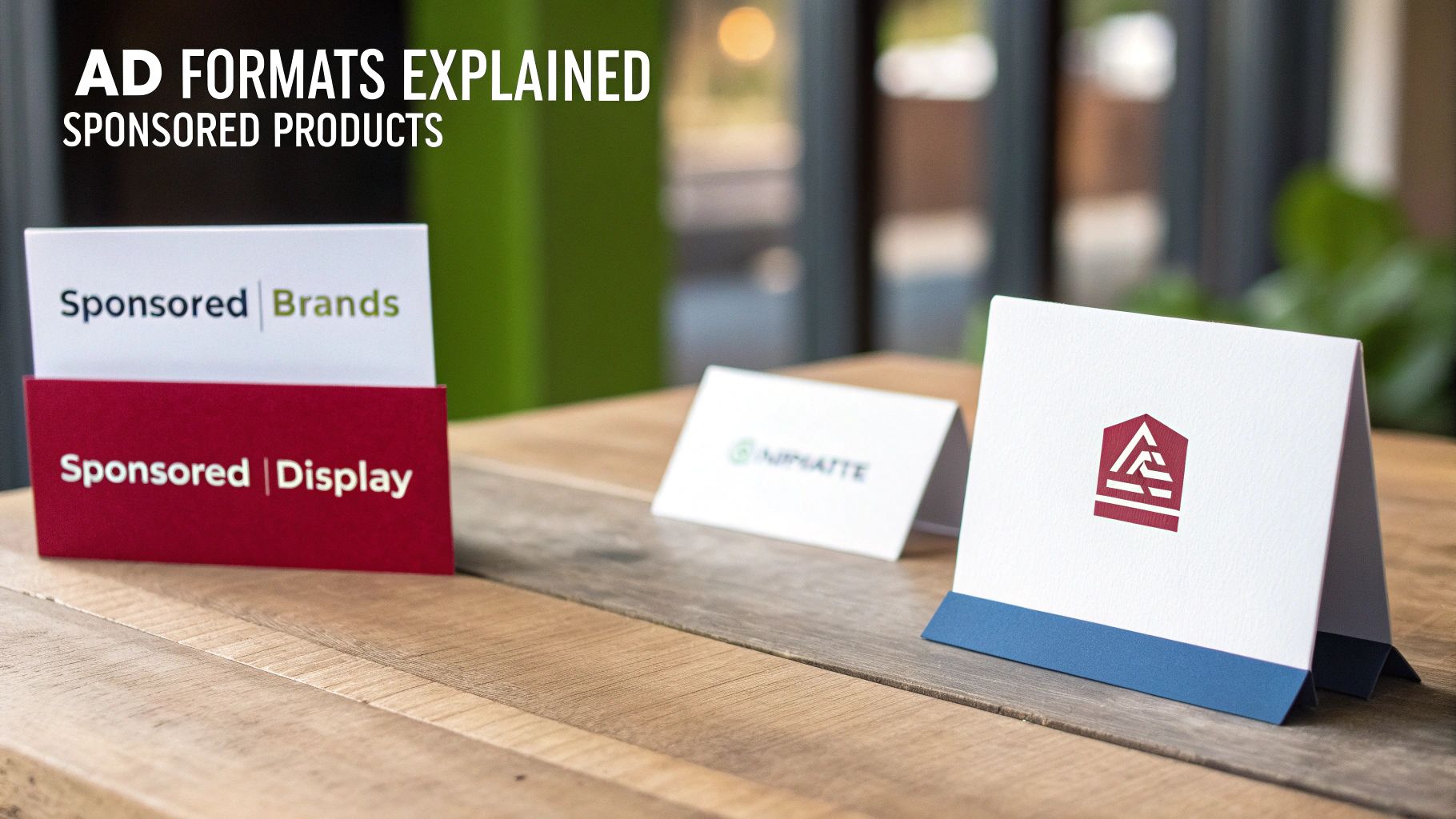
Amazon offers several ad formats for sellers and vendors, and costs depend on the format. Here are the Amazon ad formats.
1. Sponsored Products
CPC ads that promote individual listings on Amazon’s search result pages and product detail pages. These are the most common ad type for sellers. You only pay when a shopper clicks your ad.
2. Sponsored Brands
Ads featuring a video or brand logo and multiple products, usually at the top of search results. These also use CPC (or CPM for video variants). They are designed for brand awareness and cross-selling.
3. Sponsored Display
Retargeting or product-targeted ads that appear on Amazon pages and third-party sites. These use either CPC or CPM pricing depending on the targeting strategy. Sponsored Display ads can charge per click or per thousand impressions.
4. Amazon Demand-Side Platform (DSP)
Programmatic display, video, and audio ads served both on and off Amazon. DSP campaigns typically use CPM (cost per thousand impressions), not CPC. Industry benchmarks place average DSP CPM around $5.65. DSP is generally used by brands with larger budgets for broad awareness, with video campaigns often requiring $10,000+ minimums.
Across these formats, Sponsored Products and Sponsored Brands ads are CPC-based, meaning you pay only for clicks. Amazon runs a second-price auction: if you bid $2.00 on a keyword but the next highest bid is $1.25, you pay $1.26 per click.
Sponsored Display and DSP campaigns often charge per impression (CPM). In all cases, advertisers control spend by setting daily budgets and maximum bids; ads stop running once the budget is exhausted.
Key Factors That Influence Your Ad Spend
Your ad spend is a dynamic figure influenced by several variables. Understanding these factors is the first step toward creating a budget that works for your business. It explains why two sellers with similar products can have very different results, with one achieving a 20% ACoS while another struggles with a 50% ACoS.
Here are the main factors that affect your ad costs.
1. Product Category and Competition
The level of competition in your product category is the most significant factor affecting your ad costs. Some niches are more saturated and expensive than others.
Categories like supplements, beauty, or consumer electronics are known for high keyword bidding costs. These markets have many sellers willing to pay a premium for top ad placements, which increases the CPC for everyone. It is not uncommon to see a CPC of $3.00 or more.
In contrast, categories such as office supplies or niche craft materials generally have lower competition. With fewer sellers bidding on the same keywords, CPCs can be more manageable, sometimes falling below $0.70.
2. Seasonality and Major Shopping Events
Your ad costs will fluctuate throughout the year based on shopper demand, which peaks during major sales events.
During Q4, which includes Black Friday and Cyber Monday, CPCs can increase by 50% or more as brands increase their ad spend to attract holiday shoppers. Other events like Prime Day, Valentine’s Day, or the back-to-school season also cause temporary cost increases in related categories.
3. Keyword Targeting and Match Types
The keywords you target directly impact your CPC. More importantly, the match type you use determines how much control you have over your ad spend.
Here’s a quick summary:
- Broad Match: This gives Amazon the most flexibility to show your ad for a wide range of related searches. It’s useful for discovering new keywords but can lead to wasted spend on irrelevant clicks if not monitored closely.
- Phrase Match: This is a balanced option. Your ad appears for searches that include your target phrase, providing a good mix of reach and relevance.
- Exact Match: This is the most restrictive and often the most efficient match type. Your ad is only shown for searches that perfectly match your keyword. Clicks typically cost more but tend to have the highest conversion rates.
A common mistake is to rely too heavily on broad match without a strong negative keyword list, which can quickly drain your budget on clicks from shoppers who are not interested in your product.
4. Bidding Strategy and Ad Placement
Your chosen bidding strategy also significantly affects your ad costs. You can instruct Amazon on how aggressively to bid for specific ad placements, and it will adjust your bids accordingly. For example, bidding for a “Top of search” placement is almost always more expensive than appearing on product pages.
A thorough understanding of different Amazon bidding strategies is beneficial here. A “Dynamic bids – up and down” strategy allows Amazon to increase your bid for high-converting placements, which can be effective but also costly. A “Fixed bids” approach offers more predictable control over your CPC but may cause you to miss out on valuable opportunities.
5. Product Listing Quality
Amazon’s ad algorithm favors relevant, well-converting products. High quality listings (with good titles, images, reviews) get more clicks and conversions, improving “quality score.”
A higher quality score lowers your effective CPC. For example, listings with professional images see 93% more clicks than those without , which often leads to lower CPC and better ad efficiency. Conversely, stock-outs or poor reviews can raise your bid requirements.
6. Product Lifecycle
New products typically cost more to advertise initially, because sellers are often willing to run at a higher ACoS to build visibility and ranking.
Go with higher budgets and more aggressive bids during the first 60–90 days, for example $50–$100 per day per product or roughly $1,500–$3,000 per month per new SKU.
As a product moves into the growth stage (around 4–9 months), the focus usually shifts toward efficiency, with target ACoS levels around 25–35% and gradually reduced budgets.
Once a product reaches maturity (10+ months), many brands aim for ACoS in the 15–25% range and scale spend down accordingly while maintaining profitability.
7. Bidding Environment
Even when you set a maximum bid, the actual CPC you pay is determined by the auction. If competition is light, you may win clicks well below your bid; if competitors bid aggressively, the clearing price can approach or slightly exceed your target expectations.
For example, a $2.00 bid might result in a $1.50 CPC in a weak auction, or require closer to $2.30 when rivals push bids upward. Using Amazon’s suggested bid ranges and monitoring performance closely helps prevent consistent overbidding.
There is no fixed “price” for Amazon ads. You pay what the auction environment demands. The objective is to identify bids that achieve sales and ranking goals while staying within acceptable profitability thresholds.
How to Set a Realistic Advertising Budget
Every dollar spent on ads must be justified by margins, conversion rate, and sales objectives. When advertisers skip this math, they either overspend chasing volume or underspend and stall growth.
The formulas and examples that follow convert abstract metrics like ACoS and CPC into concrete limits that protect profitability while still allowing controlled growth.
Setting an appropriate budget is a critical part of the business growth and is linked to other proven strategies to grow your online business.
Below is the proven framework to calculate your Amazon ad budget.
1. Determine Break-Even ACoS
The first step is identifying the maximum ACoS you can afford without losing money. This requires calculating profit per unit and expressing it as a percentage of the selling price.
Formula:
Break-even ACoS = (Profit per Unit ÷ Selling Price) × 100%
If a product sells for $30 and total costs (COGS + Amazon fees) are $19.51, the profit per sale is $10.49.
Profit margin = 10.49 ÷ 30 ≈ 35%
Break-even ACoS = 35%
At a 35% ACoS, you break even, meaning you spend $0.35 in ads for every $1.00 in sales. Any ACoS above this level results in a loss. This calculation must be done at the ASIN level, since margins differ by product. High-margin products can tolerate higher ACoS, while low-margin products require stricter efficiency.
2. Set Target ACoS by Product Stage
Target ACoS should always remain below break-even and should reflect whether the priority is growth or profitability.
New Product Launch (0–3 months)
Many sellers accept 40–50% of break-even ACoS. For a product with a 35% break-even ACoS, this translates to roughly 28–32%. The intent is short-term sacrifice to build ranking and visibility. This phase typically lasts 60–90 days.
Growth Phase (4–9 months)
Targets often tighten to 70–80% of break-even. Using the same example, this means approximately 25–28% ACoS. Conversion rates improve during this phase, allowing a balance between growth and profit.
Mature Product (10+ months)
Most brands prioritize profitability, targeting 50–70% of break-even ACoS, or about 17–24% in this example. Budgets are lower and campaigns are more selective.
These ranges are guidelines, not rules, but consistently exceeding break-even ACoS on average guarantees losses.
3. Compute the Maximum CPC You Can Afford
Once target ACoS and conversion rate are known, you can calculate the highest average CPC that keeps performance within your profitability threshold.
Formula:
Max CPC = Selling Price × Target ACoS × Conversion Rate
(This is derived from ACoS = CPC ÷ (Selling Price × Conversion Rate).)
Below is the practical example to understand this.
- Selling price: $30
- Target ACoS: 25% (0.25)
- Conversion rate: 10% (0.10)
Max CPC = 30 × 0.25 × 0.10 = $0.75
Bidding above $0.75 on average would exceed a 25% ACoS. If market CPCs are higher, the only sustainable options are improving conversion rates through listing optimization or deliberately accepting a higher ACoS. Comparable examples from industry sources show similar outcomes, such as a $29.99 product at 25% ACoS and 12% conversion yielding a max CPC of $0.90.
This figure represents an average threshold. Individual clicks may cost more or less, but overall CPC must stay within this limit.
4. Determine Desired Sales Volume and Advertising Budget
Think about how many sales (orders or revenue) you want to drive with advertising in a given period. Your daily or monthly budget is then:
(Target Sales Revenue) × (Target ACoS).
Daily Budget = (Target Daily Orders × Selling Price) × Target ACoS
Here is the example to understand it.
If the goal is 20 orders per day at $30 each with a 25% ACoS:
Daily budget = (20 × 30) × 0.25 = $150
Monthly budget (30 days) = $4,500
New advertisers often start below this level and scale once performance stabilizes.
An alternative method is budgeting as a percentage of forecasted revenue. Many sellers allocate 20–35% of expected sales to advertising. For example, a $1,000 revenue forecast with a $300 ad budget implies a 30% ACoS, which aligns directly with the formula above.
5. Factor in Supporting Variables
Metrics such as CTR, impression volume, and organic lift refine forecasts, but they are secondary to the core calculations. If performance meets targets for sales and ACoS, budgets and bids can be increased. If ACoS exceeds limits, optimization or spend reduction is required.
By following this framework and monitoring ACoS, CTR, and conversion rate, advertising costs become a controlled financial input rather than an unpredictable expense. The foundation is strict alignment between ad spend and profit margins.
Figuring Out Your Real Advertising ROI
Knowing if your ad spend is actually growing your business is important. To move beyond simply asking “how much do I spend?” you need to focus on your return on investment. On Amazon, this means understanding two key metrics: ACoS and TACOS.
1. ACoS: The Direct Campaign Scorecard
ACoS (Advertising Cost of Sales) is the most direct measure of your ad campaign performance. It shows what percentage of the sales generated by your ads was spent on the ads themselves.
The formula is straightforward:
ACoS = (Ad Spend / Ad Sales) x 100
If you spend $10 on ads and generate a $50 sale, your ACoS is 20%. This is your primary metric for assessing the health of a specific campaign. A low ACoS indicates efficiency, while a high ACoS may suggest overspending or poor targeting.
Context is important. Amazon ads typically convert at a high rate of 9.5–10%, far above the average e-commerce rate of 1.3%. This means you might need only about 10 clicks to get a sale. If your average CPC is $0.90, a single order could cost you $9 in ad spend.
For new brands, an ACoS in the 30–50% range is common while gathering data. More established sellers often aim for a more sustainable 15–25%.
2. TACOS: The Big Picture Metric
ACoS has a significant limitation: it doesn’t show how your ads affect your organic sales. This is where TACOS (Total Advertising Cost of Sales) comes in. This metric provides a broader view by measuring your ad spend against your total business revenue, including both paid and organic sales.
Here’s the formula for TACOS:
TACOS = (Ad Spend / Total Sales) x 100
A decreasing TACOS over time is a sign of a healthy, scaling brand. It indicates that your ad spend is creating a positive feedback loop. Ads drive initial sales, which improves your organic ranking, leading to more organic sales. Your advertising is building a sustainable business, not just buying sales.
The accuracy of these calculations depends on the quality of your data. Consider using data quality solutions that transform analytics and ROI to ensure your numbers are reliable.
3. ACoS vs. TACOS: What’s the Difference?
These two metrics measure different aspects of your business. One focuses on your ads, while the other looks at your overall business health. Here’s a quick comparison.
| Metric | What It Measures | Why It Matters for Your Budget |
|---|---|---|
| ACoS | The efficiency of your ad spend relative to ad-generated sales only. | Helps you make tactical, day-to-day decisions to optimize specific campaigns and ad groups. |
| TACOS | The efficiency of your ad spend relative to your total business sales (ad + organic). | Shows you if your advertising investment is actually building long-term, sustainable growth for your brand. |
ACoS is for day-to-day optimization of bids and keywords. TACOS is for evaluating your overall marketing strategy.
4. Why You Absolutely Need Both Metrics
You cannot rely on just one of these metrics. They work together to provide a complete picture of your advertising performance.
ACoS is your micro-level tool for tweaking individual campaigns and ensuring they are profitable. TACOS is your macro-level compass for determining if your ad investment is creating a positive flywheel effect and reducing your reliance on paid traffic over time.
By tracking both, you can answer the two most important questions: “Are my ads efficient?” and “Is my business growing stronger because of them?”
How to Reduce Wasted Spend and Optimize Campaigns
Running Amazon ads requires continuous management. Sellers who achieve the best returns are constantly optimizing their accounts to eliminate waste and focus on what works. Wasted ad spend is the primary reason many sellers feel their campaigns are failing.
Most of this waste is due to common, fixable mistakes. By implementing a few optimization tactics, you can lower your costs and improve performance without increasing your budget. It’s about spending smarter, not just spending more.
1. Negative Keywords
One of the quickest ways to waste your budget is by paying for clicks from shoppers who are not your target audience. A strong negative keyword strategy is essential to prevent this.
Negative keywords tell Amazon which search terms you don’t want your ads to appear for. For example, if you sell premium leather dog collars, you should add terms like “cheap,” “nylon,” and “discount” to your negative keyword list. This prevents you from paying for clicks from bargain hunters.
Regularly review your Search Term Report. This report shows the exact phrases shoppers used before clicking your ad. If you find irrelevant terms that are costing you money, add them as negative keywords immediately.
2. Structure Campaigns by Match Type
Grouping all your keywords into a single ad group with the same bid is inefficient. A better approach is to structure your campaigns by match type: broad, phrase, and exact. This gives you more control over your bids and budget allocation.
- Broad Match Campaigns: Use these with low bids for keyword discovery. The goal is to find new, high-converting search terms, not immediate profit.
- Phrase & Exact Match Campaigns: This is where you place your proven, profitable keywords. You can bid more aggressively here because you know these terms convert, ensuring your budget is spent on valuable clicks.
This structure allows you to explore new opportunities while protecting your budget. Broad match campaigns can run in the background, feeding new keyword ideas into your high-performance exact match campaigns.
3. Use Bid Optimization to Your Advantage
Don’t let your bids run on autopilot. Amazon’s dynamic bidding strategies are powerful, but you need to guide them. Start by segmenting your campaigns based on their goals.
For a new product launch, you might use “Dynamic bids – up and down” to bid aggressively for top-of-search placements to gather data and visibility. For a mature, profitable campaign, switching to “Dynamic bids – down only” can protect your margins by preventing Amazon from overbidding when a conversion is less likely.
Also, adjust bids based on placement. If your data shows that ads on product detail pages convert better than those at the top of search, you can set a lower bid for top-of-search placements. This simple adjustment ensures you are not overpaying for clicks that convert less frequently. Actively managing these settings can significantly reduce your advertising costs on Amazon over time.
Frequently Asked Questions
Here are answers to some of the most common questions from sellers trying to determine the true cost of advertising on Amazon.
1. What Is a Good ACoS for a New Product?
For a new product, a “good” Advertising Cost of Sale (ACoS) will likely feel high. Expect to see numbers in the 30% to 50% range, and it’s not unusual for it to be even higher in the first few weeks.
At this stage, your goal is not immediate profit. You are investing in performance data, generating initial sales to improve your standing with Amazon’s algorithm, and encouraging early product reviews. Consider it an investment in learning which keywords convert.
Once your product gains organic momentum, you can shift your strategy toward profitability and aim for an ACoS below your profit margin, typically in the 15% to 25% range.
2. How Long Does It Take to See Results from Amazon PPC?
You will start seeing raw data, such as impressions and clicks, in your ad console within the first 24 to 48 hours. This initial feedback confirms that your campaigns are live and functioning correctly.
However, raw data is not the same as meaningful results. To gather enough information to make informed optimization decisions, you need to be patient. We recommend letting your campaigns run for at least two to four weeks before making significant changes. This provides enough data to identify which keywords are performing well and which are wasting your budget.
Achieving consistent profitability and seeing a significant impact on your organic sales rank is a longer process. Expect it to take 60 to 90 days of continuous management.
3. Can I Run Amazon Ads with a $10 Daily Budget?
Yes, you can technically run an ad campaign with a $10 daily budget, but it has significant limitations.
With such a small budget, you will likely exhaust your funds quickly, especially if your average CPC is around $1.00. This would give you only about 10 clicks per day.
With such limited traffic, it is nearly impossible to gather enough data to determine what is working. A $10 budget is only practical for a highly focused campaign targeting a few specific, long-tail keywords for a single product.
To get statistically significant results and learn at a reasonable pace, a starting budget of at least $30 to $50 per day is a more realistic entry point.