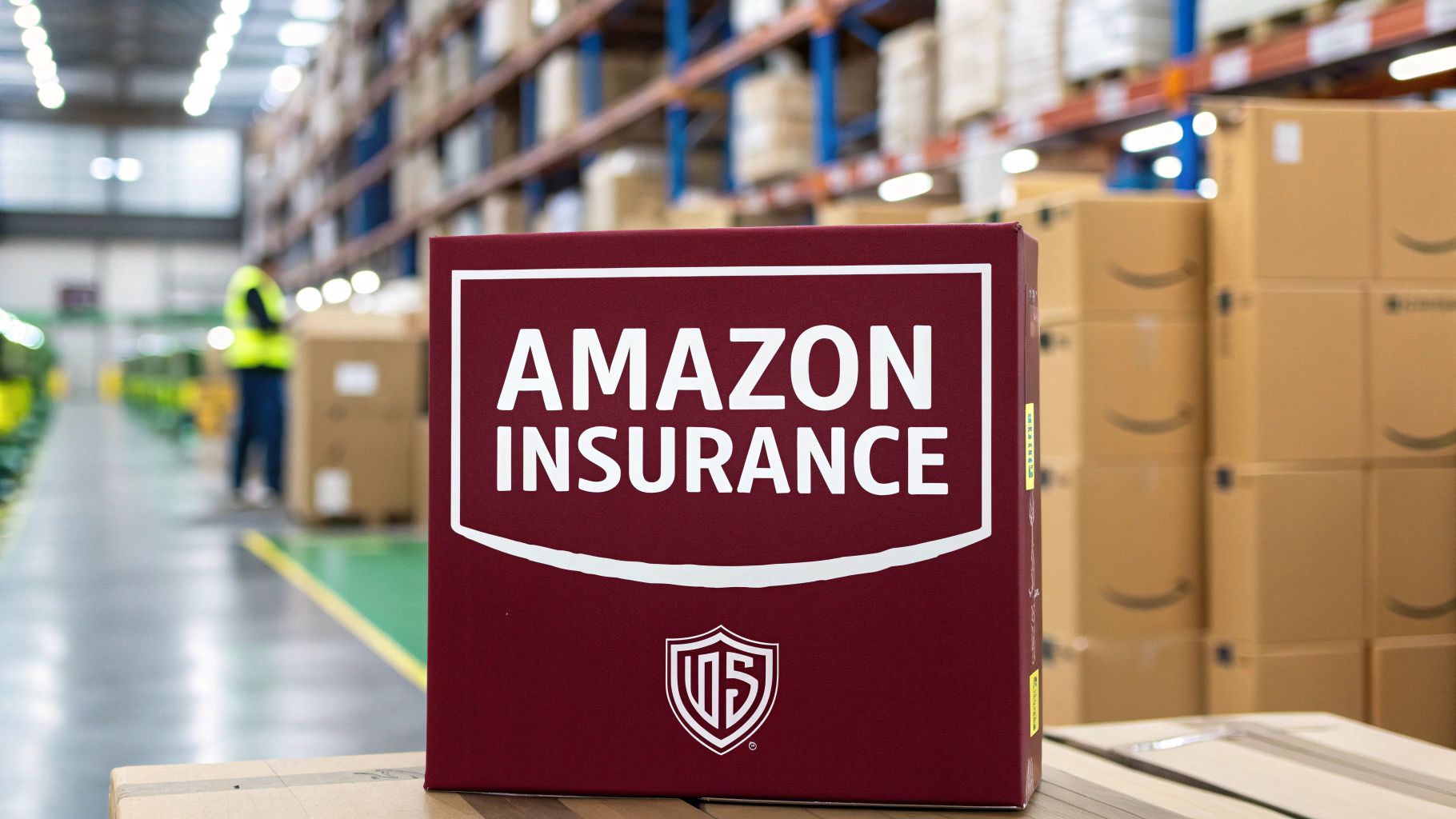
Amazon seller insurance is commercial liability coverage that protects you, the third-party seller, against claims arising from products you sell on the platform. It is not coverage Amazon provides for you. Amazon’s own policies protect Amazon. Your insurance protects your business when a buyer gets injured, a product malfunctions, or a lawsuit gets filed.
The most relevant policy type is commercial general liability (CGL), which covers bodily injury and property damage claims. Amazon requires this specifically, not homeowner’s insurance, not a business owner’s policy by itself, and definitely not a personal umbrella policy.
As of 2026, Amazon’s insurance requirement sits within Section 9 of the Business Solutions Agreement. It is legally binding once you accept those terms, which you did when you created your seller account.
Amazon’s Official Insurance Requirements for Sellers
The requirement has specific conditions, and sellers who try to interpret it loosely tend to fail the compliance check.
1. The $10,000 Monthly Sales Threshold
Once your store generates $10,000 or more in monthly gross sales, Amazon requires proof of valid commercial liability insurance within 30 days. This threshold is calculated on gross sales, not profit. A seller doing $10,500 in revenue with $1,000 in margin still hits the requirement.
Amazon sends a notification through Seller Central when you approach this threshold. Do not wait for a second notice. Sellers have had accounts suspended for ignoring the first email.
2. Minimum Coverage Amount
Amazon requires a minimum of $1,000,000 per occurrence and $2,000,000 aggregate for commercial general liability. Some product categories, particularly those involving food, supplements, or toys, may require higher limits depending on your insurance provider’s risk assessment. The aggregate is the total your insurer will pay across all claims in a policy year. The per-occurrence limit is what they pay per individual claim.
3. Named Insured Requirement
Your policy must list your business name exactly as it appears in Seller Central. If your account is registered under “Smith Home Goods LLC” and your policy says “Smith Home Goods,” that mismatch is grounds for rejection.
4. Amazon Must Be Listed as Additional Insured
This is the part sellers most commonly miss. The certificate of insurance (COI) you submit must explicitly name “Amazon.com Services LLC and its affiliates” as additional insured parties. A standard COI without this language will be rejected. Your insurer must add this endorsement to the policy before issuing the certificate.
5. Certificate of Insurance Format
Amazon requires the COI to be an ACORD 25 form. This is a standardized insurance certificate format used across the industry. Your broker or insurer can generate this. Do not upload a summary page or a policy declaration sheet. It must be the ACORD 25.
Why Amazon Requires This From Sellers
Amazon processes billions of dollars in third-party sales annually. Around 60% of Amazon’s total sales come from independent sellers. With that volume comes claims, injuries, and lawsuits.
When a buyer files a product liability claim, they often name every party in the supply chain: the manufacturer, the seller, and the platform. Amazon’s legal team spends significant resources defending claims that originated with third-party products. The insurance requirement shifts that liability burden back to sellers where it actually belongs.
There is also the Amazon A-to-Z Guarantee to consider. When Amazon pays a buyer out of that fund for a product-related claim and believes the seller was at fault, Amazon can deduct that amount from the seller’s disbursements. Sellers with valid insurance can route those claims through their insurer rather than eating the cost directly.
Types of Insurance Relevant to Amazon Sellers
Different policies cover different risks, and brokers do not always lead with what you actually need. Here is what each one does and where it fits.
1. Commercial General Liability (CGL)
This is the core policy Amazon requires. It covers bodily injury and property damage that results from your products. If a customer says your candle caused a fire or your supplement caused a reaction, CGL is the policy that responds.
A standard CGL policy does not cover product recalls, professional errors, or damage to your own inventory. It covers third-party harm.
2. Product Liability Insurance
This term is used interchangeably with CGL in many conversations, but technically it refers to a specific endorsement or standalone policy that focuses exclusively on harm caused by your products. Some insurers bundle this into CGL. Others sell it separately. When Amazon says “product liability,” they are describing coverage that is typically within a CGL policy.
3. Commercial Property Insurance
This covers your physical inventory, whether stored at home, a warehouse, or a 3PL. Amazon’s FBA warehouses have their own insurance, but their liability to you as a seller is capped and limited. Amazon reimburses you for inventory they lose or damage based on their own reimbursement policy, which uses the lower of your cost or a fair market value estimate. That is not the same as insurance.
If you have significant inventory in transit or at a non-FBA location, commercial property coverage fills that gap.
4. Business Owner’s Policy (BOP)
A BOP bundles general liability and commercial property into one package, usually at a discount compared to buying them separately. It does not automatically satisfy Amazon’s insurance requirement on its own unless the general liability component meets Amazon’s specifications and includes the Amazon additional insured endorsement.
5. Cyber Liability Insurance
This is increasingly relevant for sellers who store customer data through their own storefronts or email lists. It is not required by Amazon, but a data breach that exposes buyer information can result in significant legal exposure. Sellers with substantial off-platform operations should consider this.
6. Umbrella / Excess Liability Insurance
An umbrella policy sits on top of your primary CGL and kicks in when a claim exceeds your base policy limits. For sellers in high-risk categories like supplements, electronics, or children’s products, a $1M per occurrence limit may not be enough. An umbrella adding another $1M to $5M in coverage is relatively inexpensive and provides meaningful protection.
How Much Does Amazon Seller Insurance Cost
Insurance pricing depends on several variables: your product category, annual revenue, claims history, and how many SKUs you carry. There is no single rate, but sellers consistently report a range that breaks down by business size.
1. Small Sellers (Under $250K Annual Revenue)
Sellers in this range typically pay between $400 and $1,200 per year for a qualifying CGL policy through providers that specialize in e-commerce. Low-risk categories like books, clothing, and home decor sit at the lower end. Categories with any physical risk, supplements, tools, baby products, come in higher.
2. Mid-Size Sellers ($250K to $1M Annual Revenue)
Annual premiums in this range run from $1,200 to $3,500 on average. At this level, insurers start looking more closely at your SKU list, manufacturer certifications, and whether you are importing directly from overseas. Sellers sourcing private label products from Chinese manufacturers without having the product independently tested pay more.
3. High-Volume Sellers (Over $1M Annual Revenue)
At this scale, premiums typically range from $3,000 to $10,000+ annually. Some sellers in high-risk categories like electronics or supplements pay more. The math still works strongly in favor of having insurance. A single product liability suit, even a frivolous one, can cost $50,000 to $250,000 in legal fees before settlement.
4. Per-Product or Short-Term Policies
Some newer insurtech providers offer per-SKU or monthly coverage, which can be cost-effective for sellers testing new products before scaling. These are not always structured to meet Amazon’s requirements, so read the policy carefully before submitting the COI.
Best Insurance Providers for Amazon Sellers in 2026
Several providers have built products specifically for e-commerce and marketplace sellers. The market has matured significantly, and you no longer need to go through a generalist commercial broker who has never heard of Seller Central.
1. Thimble
Thimble offers on-demand commercial liability insurance by the hour, day, month, or year. For Amazon sellers, their annual policies can be structured to include the Amazon additional insured endorsement. The digital-first process means COIs are generated instantly, which matters when Amazon puts a compliance deadline on your account. Thimble is well-suited for smaller sellers who want flexibility.
2. Next Insurance
Next Insurance built its entire model around small business coverage in specific categories. Their e-commerce product covers product liability, and they can add Amazon as an additional insured. The application takes under 10 minutes and COI delivery is immediate. Premiums are competitive for sellers under $500K in revenue.
3. CoverWallet (AON)
CoverWallet is now part of AON and functions as an insurance marketplace, letting you compare quotes from multiple carriers in one application. This is useful for sellers in higher-risk categories where shopping around for rates matters. Not every quote they return will meet Amazon’s specifications, so verify the additional insured endorsement before selecting.
4. Embroker
Embroker targets e-commerce businesses and has a streamlined process for generating ACORD 25 certificates with Amazon-specific endorsements. Their pricing is slightly higher than direct-to-consumer alternatives but their support for more complex seller situations, multiple brands, high SKU counts, is noticeably better.
5. InsureShield (UPS Capital)
InsureShield focuses on cargo and shipment coverage rather than product liability, making it more relevant as a supplement to a primary CGL policy than a replacement. Useful for sellers with significant inventory in transit.
6. Traditional Commercial Brokers
Sellers with over $1M in revenue or complex product lines often benefit from working with a commercial broker who can negotiate terms across multiple carriers. A broker familiar with Amazon’s requirements will know to include the additional insured language and generate the ACORD 25 without being prompted.
How to Submit Your Insurance Certificate to Amazon
The submission process is handled entirely through Seller Central. It is straightforward but has specific steps that trip sellers up.
1. Access the Insurance Manager
Log into Seller Central and navigate to the “Insurance Manager” section under Settings. Amazon added this dedicated section specifically to centralize compliance. If you received a compliance notification, there will also be a direct link in the notification email.
2. Upload the ACORD 25 Certificate
Upload the certificate as a PDF or image file. Confirm that the document includes your legal business name, your insurer’s name and NAIC number, the effective and expiration dates, the coverage amounts, and “Amazon.com Services LLC and its affiliates” listed as additional insured.
3. Verification Timeline
Amazon’s compliance team typically reviews submissions within 5 to 7 business days. They may request a corrected certificate if something is missing. Do not assume silence means approval. Follow up if you do not receive a confirmation within 10 business days.
4. Annual Renewal
Your COI expires with your policy. Amazon will notify you before the expiration and expect an updated certificate. Set a calendar reminder 30 days before your policy renews to request a new COI from your insurer and upload it before the expiration date. A lapse in coverage, even for a single day, can trigger a compliance flag.
What Happens If You Don’t Have Insurance
Sellers who skip insurance do not just risk a fine. They risk losing their account, their inventory access, and in serious cases, their personal assets.
1. Account Suspension
Amazon can and does suspend selling privileges for insurance non-compliance. A suspension means your listings go dark, your FBA inventory is frozen, and your disbursements may be held. Reinstatement requires proof of valid insurance plus a Plan of Action explaining how you intend to maintain compliance going forward. Most sellers wait two to four weeks to get reinstated after their first suspension for this reason.
2. Personal Liability Exposure
Without a corporate liability policy, a successful product liability claim can reach your personal assets. An LLC protects you to a point, but that protection is not absolute. Courts have pierced the corporate veil in cases where sellers commingled personal and business funds or failed to maintain basic corporate formalities. Insurance is a second layer of protection beyond your LLC.
3. Amazon’s A-to-Z Claims
When Amazon approves a buyer’s A-to-Z claim related to a defective or dangerous product, Amazon can seek reimbursement from the seller. Without insurance, that cost comes directly from your account balance or future disbursements. Claims can run from a few hundred dollars to thousands.
4. Product Recall Costs
A product recall, particularly for items involving safety risks, involves notifying buyers, logistics costs, and potential regulatory interaction with agencies like the CPSC. Basic CGL does not cover recall costs. Sellers in higher-risk categories should ask their broker about product recall endorsements.
Insurance Considerations by Product Category
The product you sell matters significantly to both your insurance requirements and your premium rates.
1. Supplements and Health Products
Supplement sellers face the highest insurance scrutiny. Insurers want to see third-party testing certificates, FDA compliance documentation, and proper labeling before binding coverage. Amazon’s own policies for supplements include additional documentation requirements through the Dietary Supplement Verification Program. Premiums for supplement sellers are typically 1.5x to 2x higher than comparable sellers in general merchandise.
2. Children’s Products and Toys
Products for children under 12 require CPSC compliance and must pass ASTM F963 testing. Insurers treat these categories as elevated risk due to the potential severity of injuries. COIs for toy and children’s product sellers are scrutinized more carefully. Some carriers will not write coverage for certain toy categories without documented third-party testing.
3. Electronics
Electronics involve fire risk, battery failure, and electrical hazard claims. Sellers sourcing unbranded electronics from overseas without proper UL or CE certification will find it difficult to get affordable coverage. Some carriers exclude battery-related incidents specifically, so read the policy exclusions carefully.
4. Food and Grocery
Food sellers need coverage that explicitly includes contamination and foodborne illness claims. Standard CGL policies may exclude these or treat them as a separate peril. Sellers in this category should confirm their policy language covers food-specific claims before assuming it does.
5. Private Label Products
Private label sellers carry more liability than resellers because they control the product specification. When a private label product causes harm, the seller is often treated as the manufacturer in a legal context, even if the product was produced overseas. This makes comprehensive CGL coverage especially critical for private label operations.
How Amazon Seller Insurance Interacts With FBA
When Amazon stores your inventory in their fulfillment centers and fulfills your orders, Amazon handles the physical logistics. That does not mean Amazon covers your liability.
Amazon’s FBA service terms include limited liability language that protects Amazon, not you. If your product causes harm after leaving an FBA warehouse, that claim attaches to you as the seller. Amazon’s fulfillment of the order does not transfer your product liability to Amazon.
Amazon’s Lost and Damaged Inventory Policy covers reimbursement for inventory Amazon loses or damages within their own facilities. The reimbursement rate is based on their calculated value, not your retail price or replacement cost. For high-value inventory, additional cargo or property insurance provides better protection.
Sellers using FBA and running high inventory values should calculate their maximum potential inventory value in Amazon’s warehouses and confirm their property coverage is sufficient. Amazon caps their reimbursement per unit based on their own calculation, which frequently undervalues premium products.
Amazon’s Seller Protection Fund and How It Relates to Insurance
In 2021, Amazon launched a seller protection program for certain A-to-Z claims. This program covers sellers for A-to-Z claims where the buyer dispute is not related to product quality or safety. It is specifically for logistics and delivery disputes where the seller followed Amazon’s policies.
This is not a replacement for insurance. The seller protection fund does not cover product liability, injury claims, or situations where your product is at fault. It is a narrow protection that addresses a specific type of buyer dispute. Many sellers confuse this with broader insurance coverage and underestimate their exposure.
Frequently Asked Questions
Do I need Amazon seller insurance if I sell under $10,000 per month?
Amazon does not require it below the $10,000 monthly sales threshold, but that does not mean you have no liability. A product injury claim can occur at any sales volume. Many sellers in low-risk categories choose to carry basic coverage regardless of the requirement.
Can I use my existing business insurance for Amazon?
Only if it meets Amazon’s specific requirements: $1M per occurrence CGL coverage, “Amazon.com Services LLC and its affiliates” listed as additional insured, and issued on an ACORD 25 form. Many existing business policies do not include the Amazon additional insured endorsement. Ask your insurer to add it.
How long does it take to get insurance for Amazon?
Through providers like Next Insurance or Thimble, you can get a policy and download your COI in under 30 minutes. Traditional brokers may take several days to bind coverage.
What happens if Amazon rejects my certificate of insurance?
Amazon will send a notification through Seller Central identifying what is missing. The most common issues are the wrong business name, missing additional insured language, or incorrect coverage amounts. Contact your insurer, get a corrected COI, and resubmit. You typically have a short window to fix this before suspension.
Does Amazon FBA count as proof of Amazon selling insurance?
No. FBA is a fulfillment service. It has nothing to do with liability insurance. Sellers enrolled in FBA still need their own independent CGL policy meeting Amazon’s requirements.
Is product liability the same as general liability?
In practice, Amazon uses these terms to refer to the same underlying coverage need. Product liability is the specific risk; commercial general liability is the policy type that covers it. Your CGL policy should include products and completed operations coverage.
How do I renew Amazon seller insurance?
Renew your policy with your insurer before the expiration date. Once renewed, request an updated ACORD 25 COI and upload it to Insurance Manager in Seller Central. Do this before the expiration date, not after.
Can I get monthly insurance instead of annual?
Some providers offer monthly or short-term policies. Verify that any short-term policy includes the Amazon additional insured endorsement and meets the coverage minimums. Monthly policies are more expensive per month than annual policies and are generally better suited for testing new product lines.
What if I sell on Amazon as an individual, not a business?
Individual sellers can still get commercial general liability insurance. The policy will list your name as the insured. You still need the Amazon additional insured endorsement and the ACORD 25 form. Operating as a sole proprietor with no LLC means your personal assets have less protection, which is an additional reason to carry insurance.
Final Thoughts
Amazon seller insurance is part of the cost of doing business on the platform. The minimum investment for a qualifying policy starts well under $1,000 per year for most sellers, and the protection it provides against even a single product claim is significant. More importantly, it is a requirement, not a recommendation.
Get the right policy type, confirm the additional insured endorsement is on the COI, upload the ACORD 25 to Seller Central, and renew before expiration. Those four steps keep your account compliant and your business protected.