
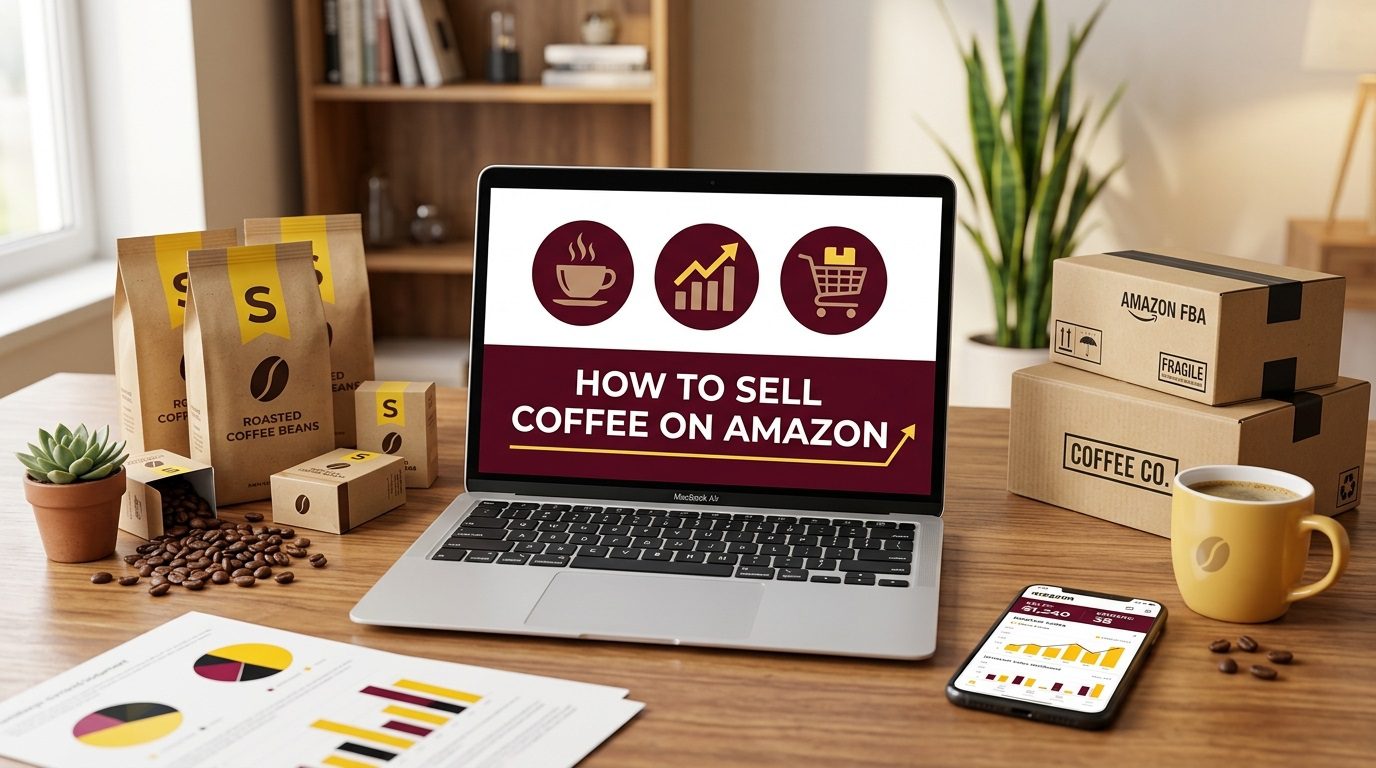
Coffee is one of the most replenishable categories on Amazon. A single Subscribe & Save customer buying a 12 oz bag every month generates roughly $300 in annual revenue at a $24.99 price point. That is why boutique roasters, private-label brands, and wholesale distributors all compete in Grocery & Gourmet Food.
This article is a practical guide for sellers who are serious about listing coffee. It covers category approval, FDA and Amazon compliance, sourcing and packaging, FBA cost math, listing optimization, and a launch strategy built around Amazon PPC.
Category Approval
Coffee sits in Amazon’s Grocery & Gourmet Food category, which is restricted. You cannot list it until Amazon approves your account for that category. The approval process is not a formality. Amazon uses it to filter out sellers who cannot prove that their products are safe, authentic, and properly sourced.
How to Apply
In Seller Central, go to Catalog > Add a Product and search for a coffee ASIN. If you see “Apply to sell,” you need approval. If you see “Sell this product,” you are already ungated for that item. The application usually asks for one or more of the following: invoices for 10 or more units dated within the last 180 days, a brand authorization letter, product photos, safety certifications, FDA or USDA compliance documents, and a business license. The exact request depends on whether you are reselling an existing brand or manufacturing your own.
Private-Label Approval
If you are launching your own brand, Amazon will typically want FDA facility registration for your roaster or co-packer, a food safety certificate such as HACCP or a GFSI-recognized audit, and a valid UPC or GTIN for each SKU. If you are importing roasted coffee, you may also need to show FSVP documentation and Prior Notice records. Amazon’s Consumer Product Compliance team can request these documents at any time after you go live, so keep them current and easy to access.
Reseller Approval
Resellers need legitimate invoices from authorized distributors and a brand authorization letter when Amazon asks for it. Retail receipts are not accepted. If the brand you want to sell is already gated, do not try to list around it. Amazon will suspend the listing and may hold your inventory.
Amazon can re-gate a category, request updated compliance documents, or suspend a listing if your account health drops. A single late shipment or a customer complaint about food safety can trigger a documentation review. Keep your invoices, certifications, and supplier contact details organized in a folder you can access within 24 hours.
Compliance and Certifications
Compliance is the foundation of selling coffee on Amazon. It is not a one-time box to check. FDA rules, state laws, and Amazon policies all apply at the same time.
FDA Food Facility Registration
Any facility that manufactures, processes, packs, or holds food for U.S. consumption must register with the FDA under 21 CFR Part 1 Subpart H. If you are a private-label seller, your roaster or co-packer is the facility that must register, not your Amazon account. But you are responsible for verifying that registration is current.
FSVP for Imported Coffee
If you import coffee into the United States, you are likely the FSVP importer under 21 CFR Part 1 Subpart L. That requires you to maintain a written Foreign Supplier Verification Program for each foreign supplier. The program needs a hazard analysis, supplier verification activities, corrective action procedures, and two-year recordkeeping. This is separate from Amazon’s category approval, and it is enforced by FDA, not Amazon. Amazon does not verify your FSVP status at the time of listing, but a compliance hold or import detention will stop your inventory from reaching FBA.
Prior Notice
Imported food shipments must file FDA Prior Notice before arrival. The window is eight hours for ocean freight, four hours for air, and two hours for road. The Prior Notice must include the manufacturer’s FDA registration number and the correct FDA product code. Errors here cause port holds that delay inventory by days or weeks.
Food Safety Audits
Amazon may request a current food safety certificate for your manufacturer. The most common requests are a GFSI-recognized certificate or a HACCP certificate from an accredited third-party body. These are not always required for every application, but Amazon increasingly asks for them when the product is flavored, has functional ingredients, or when the seller has limited account history. Have the certificate ready before you apply.
Labeling Requirements
Your labels must comply with FDA food labeling rules under 21 CFR Part 101. The package must include the statement of identity, net quantity in U.S. and metric units, a current Nutrition Facts panel, a complete ingredient list in descending order by weight, and allergen declarations for all nine major allergens including sesame. The manufacturer, packer, or distributor name and U.S. address must also appear. All required text must be in English. Amazon listing content, including the title, bullets, and A+ Content, is treated as labeling extension. A claim that is legal on the package but unsupported in the listing, or vice versa, can create a compliance problem.
Certifications and Claims
If you want to use “USDA Organic,” “Fair Trade,” “Rainforest Alliance,” “Kosher,” or “Non-GMO Project Verified,” you need the certifying documentation and the logo must match the certifier’s usage rules. Do not put “organic” on the bag or in the listing because your supplier told you the beans are organic. You need the certificate. The same applies to origin claims. “Single origin Ethiopia” must be backed by traceability records.
State Rules and Prop 65
California Proposition 65 requires warnings for products that may expose consumers to listed chemicals. Coffee sold in California has been the subject of Prop 65 litigation, and many brands carry a roasted coffee warning. If you sell across multiple states, design your labels for the strictest state. A single state-level violation can force you to pull inventory from the entire marketplace.
FBA Expiration Rules
Amazon treats coffee as an expiration-dated product. In Seller Central, set “Is Product Expirable?” to true. Each unit must show the expiration date in MM-DD-YYYY or MM-YYYY format in at least 36-point font. The outer carton must repeat the date and include a lot code. Each case you send to FBA must contain units with the same expiration date. Mixing dates in one box causes rejection or unplanned service fees.
For beverages such as coffee, Amazon’s policy requires a minimum of 270 days between the date the inventory arrives at the fulfillment center and the printed expiration date. Units that are within 50 days of expiration are marked for disposal and cannot be returned. That 270-day window is your operating constraint. It determines how much inventory you can send, how long you can store it, and how fast you must sell it.
When Compliance Fails
Compliance fails when sellers use Amazon approval as the only gate. Amazon approval does not mean your product is FDA-compliant. It also fails when sellers use a residential kitchen, make a health claim, or repeat a certification they cannot document. A “gluten-free” or “keto” claim without meeting the regulatory threshold is a suspension risk, even if the physical label is clean.
Business Models
Most coffee sellers on Amazon choose one of three models. Each has a different risk profile, margin, and operational requirement.
Private Label
Private label is usually the best model for coffee. You create the brand, control the roast and packaging, and own the customer relationship. The downside is higher upfront cost. You pay for a minimum production run, custom bags, labels, and UPCs before you make a sale. The upside is margin. A 12 oz private-label bag priced at $24.99 can deliver 30% to 35% net margin after all Amazon fees if the cost stack is tight. You also build an asset that can be sold or expanded to retail.
Wholesale
Wholesale is buying roasted coffee from an existing brand and reselling it. The barrier is authorization. Amazon may ask for invoices and a brand authorization letter. Margins are lower, often 10% to 20%, and you compete with other resellers on the same listing. If the brand starts selling itself , your margins can be squeezed out. Wholesale works best when you have an exclusive distribution agreement or a relationship with a brand that does not want to manage Amazon itself.
Resell or Arbitrage
Resell or online arbitrage is rarely viable for coffee. Expiration dates make stale inventory a constant risk, and most arbitrage sellers cannot produce the documentation Amazon demands. We have seen sellers buy clearance coffee at retail, list it, and then have the inventory disposed of because it arrived at FBA with fewer than 270 days remaining.
| Model | Control | Upfront Cost | Typical Net Margin | Best For |
|---|---|---|---|---|
| Private label | High | Medium to high | 25% to 35% | Sellers building a brand |
| Wholesale | Low | Low to medium | 10% to 20% | Sellers with supplier relationships |
| Resell/arbitrage | Very low | Low | Negative to 10% | Not recommended for coffee |
Sourcing and Production
The supplier you choose determines your margin, quality consistency, and whether you can meet the 270-day FBA expiration window.
Contract Roaster vs. Co-Packer
A contract roaster roasts your green coffee to your profile and ships it to you in bulk. You handle packaging, degassing, and FBA prep yourself. This gives control but adds labor and a packaging line. A co-packer handles sourcing, roasting, bagging, sealing, labeling, and sometimes palletizing for FBA. This is the faster path for most sellers, but the minimum order quantities are higher and you are dependent on the co-packer’s calendar.
Lead Times and Reorder Math
Typical co-packer terms for a 12 oz bag start at 500 to 1,000 units, with a 30 to 45 day production lead time from green coffee receipt to pallet ready. Add 5 to 10 days for freight to your prep center or directly to Amazon, plus 1 to 3 weeks for Amazon receiving during peak season. That puts your replenishment pipeline at least 60 days from roast decision to available inventory.
If your co-packer is overseas, add 30 days for ocean freight and customs clearance. For coffee, domestic roasting is usually the better choice because freshness and the 270-day FBA window matter more than per-unit labor savings.
Use this reorder point formula:
Reorder point = (daily unit sales × total lead time in days) + safety stock
If your 12 oz SKU sells 20 units per day and your total lead time is 60 days, you need 1,200 units in the pipeline. Add 10 days of safety stock and you should reorder when FBA available inventory hits 200 units, not zero. Running out of stock kills ranking because competitors capture the search position and you lose Subscribe & Save subscribers.
Quality Control
Quality control is not a one-time step. Request samples from three potential roasters and cup them side by side. Define the roast profile in writing: temperature curve, drop temperature, batch size, and target moisture loss. The first production run should match the sample. After that, ask for a roast log with each batch. If the roast drifts, the reviews will drift with it. A single bad batch can generate 10 negative reviews that sit on the listing forever.
The biggest sourcing risk is over-ordering to chase a lower per-unit price. Coffee loses freshness after roasting. Sitting in FBA for more than 180 days triggers aged inventory surcharges and risks disposal before you sell it. Freshness is your value proposition, so do not handle inventory like a commodity you can hold indefinitely.
FBA Prep and Packaging
Your packaging is part of the product and part of the compliance. It must protect the coffee, display the right information, and survive Amazon’s receiving process.
Bag Specifications
The bag must have a one-way degassing valve to prevent bloating, a heat seal that survives humid warehouses, and a barrier layer that protects against oxygen and moisture. Nitrogen flushing extends shelf life and is standard for premium coffee. Glass jars and novelty tins look premium but they add weight, breakage risk, and higher FBA fees. They also increase the chance of Amazon adding a non-SIPP packaging fee.
Labels and FNSKU
Every unit needs an FNSKU label. If you register the brand in Amazon Brand Registry, you can use the manufacturer barcode exemption, but most private-label sellers print FNSKUs and apply them at the co-packer or prep center. Each unit must show the expiration date in MM-DD-YYYY or MM-YYYY format in at least 36-point font. The outer carton must repeat the expiration date and include a lot code.
Case-Level Expiration Rules
When you create a shipment in the Send to Amazon workflow, Amazon will ask for the expiration date per case. All units in one case must share the same date. Mixing roast dates in one box causes rejection or unplanned service fees. If you have multiple SKUs, each case should contain only one ASIN when possible. If you must combine, every ASIN in the box must share the same expiration date.
Inbound Placement
Amazon charges an inbound placement fee when it distributes your inventory to multiple fulfillment centers. For a 12 oz large-standard coffee bag, the 2026 placement fee for a large standard item under 1.5 lb ranges from $0.20 to $0.50 per unit. You can reduce or eliminate this by splitting your shipment yourself, but that requires sending inventory to five or more locations. For most small coffee sellers, the partial-split option is the practical middle ground.
Cost and Fee Breakdown
Before you order 1,000 bags, you need to know whether your price leaves any profit after the stack is applied.
FBA Fee Stack Example
Here is the math for a 12 oz private-label coffee bag priced at $24.99, assuming it is a large standard item weighing 12 oz shipped.
| Line item | Amount |
|---|---|
| Selling price | $24.99 |
| Referral fee (Grocery & Gourmet Food >$15 = 15%) | –$3.75 |
| FBA fulfillment fee (large standard, 8 to 12 oz) | –$4.20 |
| Fuel and logistics surcharge (3.5% of fulfillment fee) | –$0.15 |
| Inbound placement fee (partial split, large standard) | –$0.35 |
| Monthly storage (30-day hold, ~0.09 cu ft at $0.78/cu ft) | –$0.07 |
| Total Amazon fees | $8.52 |
| Landed product cost (roasted, bagged, labeled) | –$4.50 |
| Inbound shipping to Amazon | –$0.75 |
| Packaging and inserts | –$0.60 |
| PPC spend per unit (launch phase, ~$2,000/month on 800 units) | –$2.50 |
| Net profit per unit | $8.12 |
| Net margin | 32.5% |
Grocery & Gourmet Food charges 8% for items priced at $15.00 or less, and 15% for anything above $15.00. So a $14.99 bag pays $1.20 in referral fees and a $15.01 bag pays $2.25. The extra two cents costs you $1.05 per unit. Either price below $15 and accept the lower absolute margin, or price comfortably above $15 and build the extra 7% into your cost stack.
Storage and Aged Inventory
A 12 oz bag stored in FBA from October through December costs roughly $0.22 per unit instead of $0.07 because Q4 storage rates for standard-size items are $2.40 per cubic foot versus $0.78 in the off-season. If the bag sits past 181 days, the aged inventory surcharge kicks in. That starts at $0.50 per cubic foot and rises to $6.90 per cubic foot after 12 months. Coffee is perishable in the eyes of the customer; you cannot let it sit that long.
This margin holds only if the product actually sells at $24.99 and your ACoS stays near the target. If the category is dominated by $12.99 bags, you will not win the price-conscious shopper. If your bag weighs more than 12 oz or uses oversized packaging, the fulfillment fee jumps and the margin collapses. If your cost stack does not leave at least 25% net margin after all fees, you are one bad batch or one fee increase away from losing money.
Listing Optimization
A coffee listing competes on trust, taste, and clarity. The best advertising strategy will not help if the product page does not convert.
Title, Bullets & Backend Keywords
Amazon now requires product titles in most categories to be 75 characters or fewer, including spaces. Focus on the most important information first: primary keyword, product type, brand, size, quantity, or key differentiator.. Any details that do not fit within the 75-character limit should be moved to Item Highlights.
Amazon has introduced a new Item Highlights field with up to 125 searchable characters. Use this space for important product details such as roast level, origin, certifications, flavor notes, material, compatibility, or intended use. This field is indexed and appears alongside the title.
Bullets should answer the questions real shoppers have:
• What is included in the package?
• What are the key features and benefits?
• What materials or ingredients are used?
• What certifications or standards does it meet?
• How should the product be used or stored?
• What makes it different from similar options?
Write naturally for shoppers rather than repeating keywords already used elsewhere in the listing.
Amazon’s Backend Search Terms field now supports up to 500 bytes. Use this space for alternate spellings, use cases, and search terms not already included in the title, Item Highlights, bullets, or other indexed attributes. Avoid repeating words already present in the listing and prioritize high-intent search terms.
Images and Video
You need a pure white background main image at least 1,000 pixels on the longest side, a lifestyle shot, a close-up of the roast beans, a nutrition and ingredients panel, and a “what’s in the box” image. A 30 to 60 second brewing video can lift conversion because it shows the product in motion. Generic stock photography and keyword-stuffed titles kill conversion. A title that reads like spam will also suppress performance.
A+ Content and Brand Store
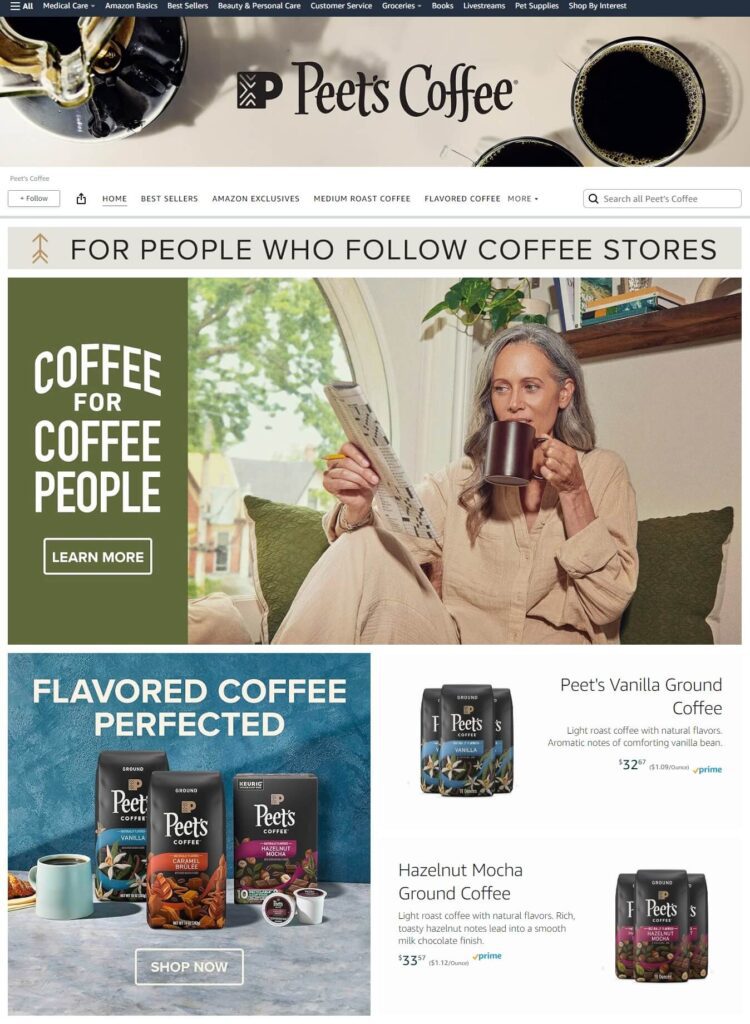
If you are Brand Registered, use A+ Content to add comparison charts, origin maps, and brand story. For a private-label brand, build an Amazon Brand Store. It gives you a landing page for Sponsored Brands traffic and a place to cross-sell whole bean, ground, and decaf variants. Without Brand Registry, you cannot build either, so file your trademark early.
The most common mistake is launching without Brand Registry. Without it, you cannot build A+ Content, you cannot run Sponsored Brands, and you have almost no defense against hijackers. Another common mistake is making unverified health claims. If your A+ Content says “increases energy” or “burns fat,” expect a compliance flag. The same applies to images that imply medical benefits.
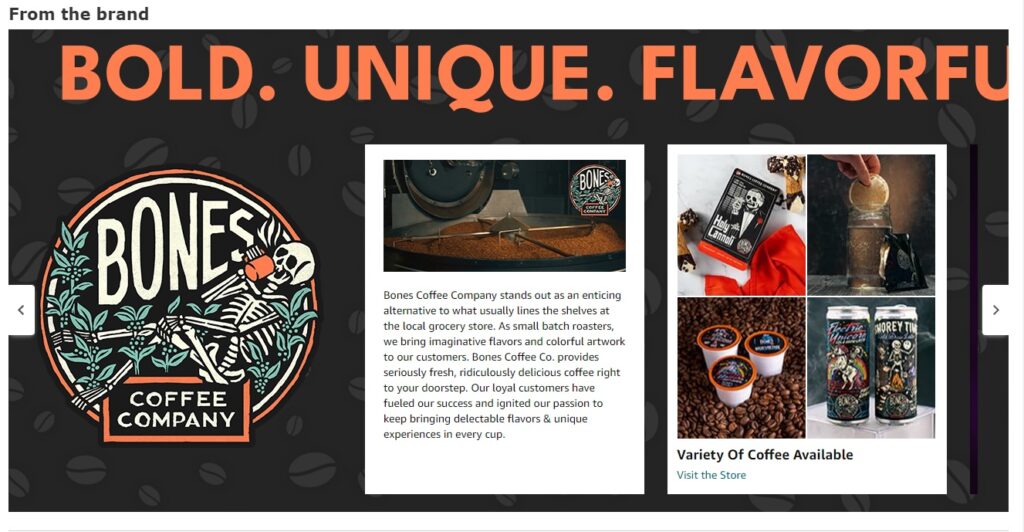
Engaging Amazon Brand Story
Your Amazon Brand Story is an opportunity to connect with customers on a deeper level. For sellers engaged in selling coffee on Amazon, this is your chance to share your journey, values, and what sets your coffee apart. A compelling brand story can build customer loyalty and differentiate your brand in the crowded online coffee market.
Launch Strategy and PPC
A coffee product launch is not separate from advertising. In the first 30 to 45 days, Amazon’s algorithm needs sales velocity, reviews, and conversion data to rank your listing. Sponsored Products is the fastest way to generate that data in a controlled way.
Pre-Launch Checklist
Before you go live, confirm your listing is complete: title, bullets, backend keywords, seven to nine images, A+ Content, and a competitive price.
Enroll in Amazon Vine before inventory goes live so reviewers can start writing as soon as the product is available. The $0 tier gives up to two reviews at no cost. The $75 tier gives 3 to 10 reviews, and the $200 tier gives 11 to 30 reviews. For coffee, the $75 or $200 tier is usually worth it because early reviews drive conversion.
Set a launch ACoS target of 30% to 40%. Early sales are about ranking, not immediate profit. Make sure your gross margin before ads can absorb that spend. If your gross margin is $11.99 on a $29.99 product, your break-even ACoS is 40%. On a $24.99 coffee bag, you need to know your exact gross margin before you set the launch budget.
Week 1-2: Data Collection
Launch four Sponsored Products campaigns simultaneously from day one:
- Automatic Campaigns: Create four separate auto campaigns for close match, loose match, substitutes, and complements. Let Amazon discover converting keywords and ASINs.
- Manual Broad Match: Include 20 to 30 researched keywords. Bid slightly higher than suggested to capture variations and long-tail opportunities.
- Manual Phrase Match: Use the same keyword list as broad at suggested bids for more controlled targeting.
- Manual Exact Match: Use your 5 to 10 top priority keywords. Bid 10% to 20% higher than suggested for placement on those terms.
Expect high ACoS in the first two weeks, often 60% to 100%. You are buying data and algorithmic signals, not immediate profitability. Use dynamic bids down only during this phase to control spend while you learn.
Add negative keywords from day one. For coffee, the obvious negatives are “coffee maker,” “espresso machine,” “coffee table,” and any brand names you do not own. Without negatives, you will spend budget on shoppers who never intended to buy coffee beans.
Week 2-3: First Optimization
Move keywords that generate sales into dedicated higher-budget campaigns. Pause or negate non-converting terms with 10 or more clicks. The structure should look like this:
- High performers: 5 or more sales at acceptable ACoS → increase bids 20% to 30%.
- Moderate performers: 1 sale or good click-through rate → maintain or slightly increase bids.
- Poor performers: 10 or more clicks, no sales → reduce bids 40% or pause.
Week 3-6: Scaling
Build separate campaigns for your best-performing keywords with higher daily budgets. Keep auto and broad campaigns running at reduced budgets for ongoing discovery. Add any new winners to your focused campaigns. Target ACoS should drop from 60% to 100% to 40% to 50% by week 6 as organic ranking improves.
Sponsored Brands and Display
Once you have traction with Sponsored Products, launch Sponsored Brands campaigns targeting your primary keywords. Headline search ads appear at the top of results and capture high-intent traffic. After week 2, add Sponsored Display campaigns for remarketing. Target shoppers who viewed your product or competitor products but did not purchase. A reasonable budget allocation is 70% Sponsored Products, 20% Sponsored Brands, and 10% Sponsored Display.
Coupons and Pricing
Pair PPC with a launch coupon, typically 10% to 15% off. Coupons appear in search results and improve click-through rates. For coffee, a $24.99 bag with a 15% coupon is $21.24. If the category average is $16.99, that coupon may not be enough to make you competitive.
In that case, either lower your launch price temporarily or improve your differentiation. A discount launch helps you gain traction in crowded markets; a full-price launch protects brand positioning when you have strong differentiation.
Reviews and Social Proof
Use the Request a Review button in Seller Central 5 to 7 days after delivery. Automated tools can handle the timing. Include a simple thank-you insert asking for honest feedback, but never offer compensation. The goal is to get 30 to 40 reviews by week four. That is the range where conversion rates stabilize and PPC becomes more efficient.
When This Launch Fails
This launch fails if you run out of stock during the first 30 days. A stockout resets the algorithm and wastes the ad spend. It also fails if your conversion rate is below 5% after two weeks, which usually points to a problem with your main image, price, or keyword targeting. Finally, a $5 daily budget is too low to generate meaningful data. Launch spend needs to be enough to produce statistically significant traffic within the first two weeks.
For more detail on keeping ad spend efficient, read our guide to Amazon ACoS.
Inventory Management
Coffee is a replenishable product, so your inventory strategy is as important as your launch strategy. Amazon’s Restock Inventory report shows how many days your current FBA stock will last based on recent sales velocity.
For coffee, we recommend keeping 30 to 45 days of supply at FBA and another 30 to 45 days in production or transit. Less than 28 days of historical supply used to trigger the Low Inventory Level Fee, but Grocery items are currently exempt from that fee. Do not rely on the exemption; the underlying problem is still a stockout risk.
Inventory Performance Index
Your IPI score affects storage limits. IPI is based on excess inventory, stranded inventory, sell-through rate, and in-stock rate. Keep it above 400 to avoid restrictions. Coffee sellers hurt their IPI by sending too much inventory at once and letting it age. Because of the 270-day FBA window, you cannot wait out slow sales. You need to move stock before it gets old.
Aged Inventory Risk
Review the Aged Inventory Surcharge report every two weeks. Anything approaching 150 days should be promoted, bundled, or removed. If a SKU is clearly not moving, create a removal order before it hits the 181-day surcharge threshold. The cost of removal is almost always lower than the cost of letting inventory sit and paying long-term storage fees.
Subscribe & Save
Coffee is a replenishment product. A customer who likes your roast will buy again in 30 to 45 days. Amazon’s Subscribe & Save program turns that into a subscription.
Enrollment and Discount
Enroll once you have at least 90 days of sales history and a stable supply chain. Offer a 5% to 10% discount. Each subscription locks in future revenue and improves inventory forecasting because the orders are predictable. Decaf and ground versions of your top sellers are usually the best candidates because they are evergreen.
Lifetime Value
A customer who subscribes to a 12 oz bag every 30 days generates $300 in annual revenue at $24.99 per bag. If your Subscribe & Save take rate hits 10%, that revenue becomes far more stable than one-time purchases alone. You can also use Subscribe & Save to justify a higher initial price because the discount is locked in for the subscriber.
A spike in cancellations usually points to a quality issue, a shipping delay, or a price increase that broke the value equation. Subscribers are your most loyal customers, so their feedback is early warning data for the rest of the business.
The Limitation
Subscribe & Save only works if your inventory is consistent. Missing a subscription shipment because you are out of stock causes cancellations and hurts your account health. It also does not work for seasonal or limited roasts. If you rotate origins every quarter, a subscription customer will receive a different product than they signed up for, which generates complaints.
Conclusion
Selling coffee on Amazon is all about building a product that can survive Amazon’s compliance, FBA, and fee systems while still tasting good enough to earn repeat buyers. The three decisions that matter most are: choose private label only if you can control the supply chain and documentation; price around the $15 Grocery referral threshold instead of stumbling over it; and run a 30-day PPC launch with enough inventory to avoid a stockout.
Your next step today is to open the Amazon Revenue Calculator, enter your exact bag dimensions and weight, and calculate the net margin at three price points: $14.99, $19.99, and $24.99. If none of them clears 25% after product cost, inbound freight, and a 35% launch ACoS, fix the cost stack before you order inventory.