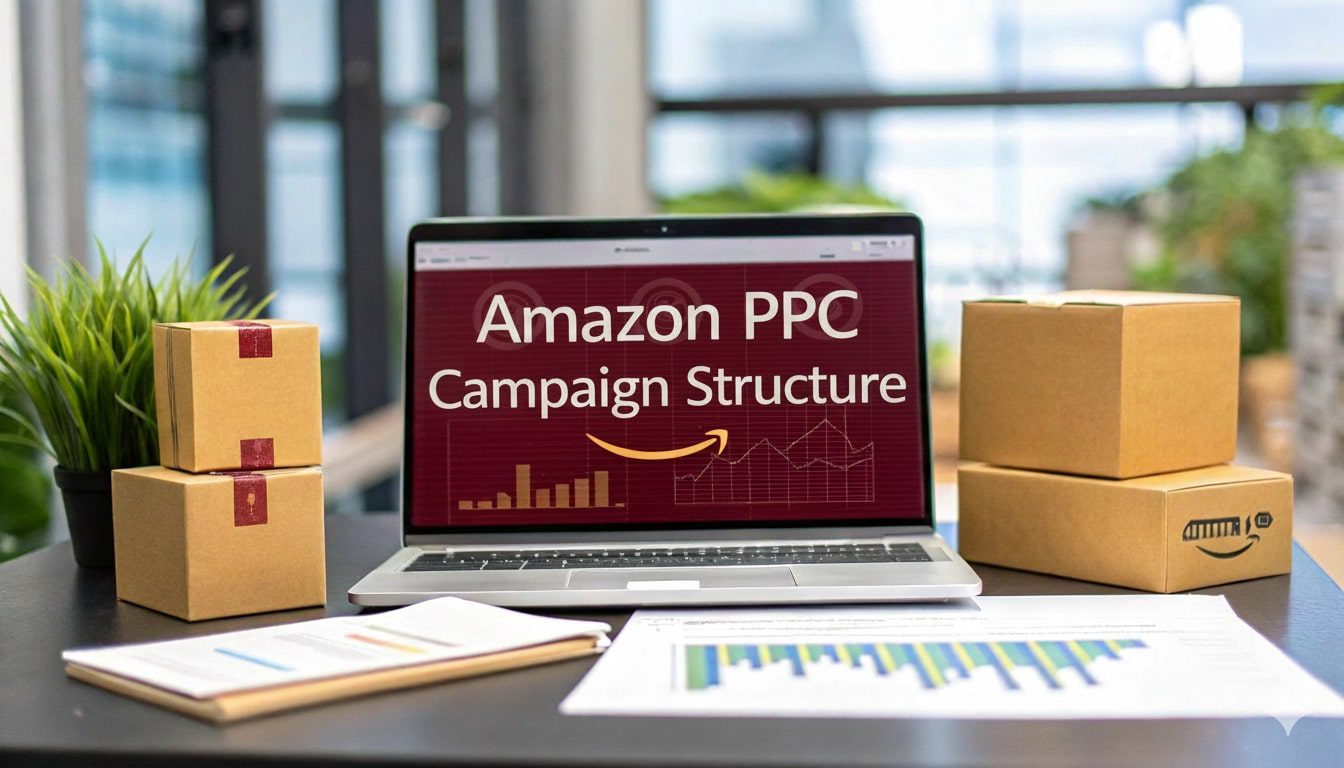
Amazon PPC campaign structure is the organizational framework you use to arrange your Sponsored Products, Sponsored Brands, and Sponsored Display campaigns into segmented, controllable groups based on targeting type, match type, product lifecycle stage, and business objective.
Why Structure Matters More Than Budget
Amazon PPC Campaign Structure controls where your money goes and how effectively you can read performance data. When everything lives in one or two campaigns, you cannot tell which match type, search term, or targeting method is driving results.
56% of Amazon sellers run PPC advertising, yet fewer than 30% segment campaigns by match type. That gap represents an enormous competitive advantage for sellers willing to build proper architecture.
The Cost of Poor Campaign Organization
Poor structure leads to three measurable problems: budget cannibalization (multiple campaigns bidding on the same term against each other), inaccurate reporting (blending branded and non-branded performance into one number), and optimization paralysis (too much noise to make confident bid adjustments).
The following list shows the most common symptoms of a broken campaign structure.
- ACoS fluctuates wildly week to week with no clear cause
- Top-performing keywords are buried inside large ad groups with 50 or more kewyords
- Automatic and manual campaigns target the same search terms simultaneously without negative keywords
- You cannot answer how much you spend on branded vs non-branded traffic
- Budget runs out before peak shopping hours because low-value clicks consume it first
Amazon PPC Campaign Types Explained
Amazon offers three primary ad formats under its PPC umbrella. Each format serves a different purpose in the buyer journey, and your campaign structure must account for all three. Using only Sponsored Products leaves significant traffic and conversion opportunities on the table.
The table below compares all three campaign types across key attributes.
| Attribute | Sponsored Products | Sponsored Brands | Sponsored Display |
|---|---|---|---|
| Placement | Search results, product pages | Top of search, brand strip | Product pages, off-Amazon (DSP-lite) |
| Targeting Options | Keywords, product targets | Keywords, product targets, categories | Audiences, product targets, views remarketing |
| Creative Control | Limited (product listing pulled) | Headline, logo, custom image, video | Custom image, headline, logo |
| Typical Share of Ad Spend | 70-80% | 10-15% | 5-15% |
| Best For | Direct conversions on proven terms | Brand awareness, category dominance | Retargeting, competitor conquesting |
Sponsored Products
Sponsored Products campaigns are the backbone of any Amazon PPC structure. They appear within search results and on product detail pages, closely resembling organic listings. Most sellers should allocate the largest share of their PPC budget here because Sponsored Products consistently deliver the highest conversion rates among Amazon ad formats.
Within Sponsored Products, you can run automatic targeting campaigns (Amazon chooses what triggers your ads) or manual targeting campaigns (you select keywords or ASINs). Your structure should include both, with a clear system for moving search terms from auto to manual.
Sponsored Brands
Sponsored Brands campaigns display a banner at the top of search results featuring your logo, a custom headline, and up to three products. They are available to brand-registered sellers only. These campaigns excel at driving branded searches and building top-of-funnel awareness.
In 2026, Sponsored Brands Video is one of the highest-performing ad placements on Amazon by click-through rate. Structure your Sponsored Brands campaigns separately from Sponsored Products, with dedicated budgets, because their role in the funnel is fundamentally different.
Sponsored Display
Sponsored Display campaigns reach shoppers both on and off Amazon using audience-based and product-based targeting. They are particularly effective for retargeting shoppers who viewed your product but did not purchase. Sponsored Display should have its own portfolio to prevent its spend from competing with conversion-focused Sponsored Products campaigns.
Sponsored Display also allows contextual targeting based on interests and shopping behaviors, which became significantly more powerful after Amazon expanded its audience segments in late 2025.
Auto vs Manual Campaign Segmentation
Every product in your catalog needs both an automatic and a manual campaign running simultaneously, connected by a negative keyword bridge. This is the structural foundation of Amazon PPC. Without it, none of the downstream optimizations, match type segmentation, search term harvesting, bid control work properly.
Automatic campaigns let Amazon’s algorithm decide which search terms and product pages trigger your ads. Manual campaigns give you direct control over every keyword or ASIN you target. Together they form a discovery-to-performance pipeline: auto finds what converts, manual scales it.
This two-campaign minimum is the starting point, not the ceiling.
How Automatic Campaigns Feed Manual Campaigns
The “search term isolation” workflow is the engine behind profitable Amazon PPC. Here is how it works in practice.
- Launch an automatic campaign for a product with a moderate daily budget
- Let it run for 7 to 14 days to collect search term data
- Pull the Search Term Report from Amazon’s advertising console
- Identify search terms that converted with an acceptable ACoS
- Add those search terms as exact match keywords in a manual campaign
- Add those same search terms as negative exact keywords in the auto campaign
- Repeat this process weekly or biweekly
This system ensures your automatic campaign continually discovers new opportunities while your manual campaign maximizes performance on proven terms. Without the negative keyword bridge in step 6, both campaigns bid on the same search terms, inflating your costs.
When to Use Each Campaign Type
The following table clarifies the role of each campaign type in a structured account.
| Campaign Type | Role | Budget Priority | Optimization Frequency |
|---|---|---|---|
| Auto (Close Match) | Discover high-relevance keywords | Medium | Weekly search term harvesting |
| Auto (Loose Match) | Discover broad keyword opportunities | Low-Medium | Biweekly harvesting |
| Auto (Substitutes) | Find competitor product page placements | Low-Medium | Biweekly harvesting |
| Auto (Complements) | Find cross-sell placement opportunities | Low | Monthly review |
| Manual Exact | Maximize ROI on proven keywords | High | Weekly bid adjustments |
| Manual Phrase | Expand reach with moderate control | Medium | Weekly bid adjustments |
| Manual Broad | Cast a wide net for new variations | Medium-Low | Biweekly review |
How to Structure Campaigns by Keyword Match Type
Match type segmentation is the second pillar of a clean Amazon PPC campaign structure. Amazon offers three match types for manual keyword campaigns: broad, phrase, and exact. Each match type controls how closely a shopper’s search query must relate to your keyword before your ad can appear.
Separating match types into their own campaigns (or at minimum, their own ad groups) is non-negotiable for accurate performance analysis. When match types are mixed inside a single campaign, Amazon’s algorithm tends to funnel most impressions to broad match keywords, starving your exact match terms of data.
Broad Match Campaigns
Broad match triggers your ad for search queries that contain your keyword in any order, along with synonyms, related terms, and variations. Use broad match campaigns for keyword discovery and top-of-funnel reach. Set lower bids here compared to exact match because conversion rates are typically lower.
A broad match keyword like “stainless steel water bottle” might trigger ads for “insulated bottle steel,” “metal water container,” or “steel bottle for gym.” The reach is wide, which is valuable for finding new converting terms but expensive if left unmanaged.
Phrase Match Campaigns
Phrase match triggers your ad when the search query contains your keyword in the exact order you specified, with additional words allowed before or after. Phrase match acts as a middle ground between broad and exact. It gives you more control than broad match while still allowing discovery.
For example, “stainless steel water bottle” as a phrase match keyword would trigger for “best stainless steel water bottle for hiking” but would not trigger for “steel bottle water stainless.” This makes phrase match useful for capturing long-tail search terms that include your core keyword.
Exact Match Campaigns
Exact match restricts your ad to search queries that match your keyword precisely (with minor variations like plurals). Exact match campaigns should receive your highest bids and carry your highest-performing keywords. These campaigns are where you concentrate budget on terms with a proven conversion history.
The following list shows how to use all three match types together in a coordinated structure.
- Broad match campaigns act as the discovery layer (lower bids, wider reach)
- Phrase match campaigns act as the validation layer (moderate bids, moderate control)
- Exact match campaigns act as the performance layer (highest bids, tightest control)
- Search terms that convert in broad or phrase campaigns get added as exact match keywords
- Those same terms get added as negative keywords in the broad or phrase campaign to prevent duplication
The Negative Keyword Architecture
Negative keywords prevent your ads from appearing for specific search terms. They are arguably the most underused structural tool in Amazon PPC. A well-built negative keyword architecture saves budget, prevents campaign cannibalization, and forces traffic to flow through the most efficient campaign path.
Without negative keyword funneling, your campaigns compete against each other in Amazon’s auction, and you pay more for the same click. This is the structural gap that separates amateurs from professionals.
Negative Exact vs Negative Phrase
Amazon allows two types of negative keywords: negative exact and negative phrase. Negative exact blocks only the precise search term you specify. Negative phrase blocks any search query that contains the specified phrase.
The table below shows when to use each type.
| Negative Type | Use When | Example |
|---|---|---|
| Negative Exact | Blocking a specific proven search term from one campaign to funnel it to another | Block “stainless steel water bottle 32oz” in auto campaign after adding it as exact match in manual campaign |
| Negative Phrase | Blocking an entire category of irrelevant queries | Block “plastic” in a stainless steel product campaign to eliminate all queries containing that word |
Negative Keyword Funnel Across Campaigns
The negative keyword funnel is the connective tissue of your entire campaign structure. It works like this: when a search term proves itself in a lower-control campaign (auto or broad), you promote it to a higher-control campaign (phrase or exact) and simultaneously add it as a negative in the original campaign.
Here is the complete funneling flow.
- Auto campaign discovers “insulated water bottle for kids”
- That term converts at a profitable ACoS over 5 or more clicks
- You add “insulated water bottle for kids” as an exact match keyword in your Manual Exact campaign
- You add “insulated water bottle for kids” as a negative exact keyword in your Auto campaign
- If you also run a Broad or Phrase campaign, add it as a negative exact there too
- Now that term can only trigger your ad through the Exact Match campaign, where you have full bid control
Additionally, use negative phrase keywords to block irrelevant traffic categories proactively. Review your Search Term Report weekly for queries that receive clicks but zero conversions, and add them as negatives. Common examples include competitor brand names you do not want to target, irrelevant product types, and terms indicating the wrong customer intent.
Separating Branded vs Non-Branded Keywords
Branded keywords are search terms that include your brand name. Non-branded keywords are generic product terms. Mixing these two keyword types inside the same campaign produces misleading performance data because branded keywords almost always convert at a much lower ACoS than non-branded keywords.
When combined, your branded keyword performance artificially deflates your overall ACoS, making it look like non-branded campaigns are more profitable than they actually are. This leads to over-investment in underperforming generic terms.
Create dedicated campaigns for branded keywords. Place your brand name and common misspellings as exact match keywords in a “Brand Defense” campaign. This lets you measure true brand search volume, protect your product detail pages from competitor ads, and see the real ACoS of your non-branded efforts.
The following table illustrates the typical performance difference.
| Metric | Branded Keywords | Non-Branded Keywords |
|---|---|---|
| Average ACoS | 5-12% | 20-45% |
| Conversion Rate | 15-30% | 5-15% |
| Click-Through Rate | 2-5% | 0.3-0.8% |
| Strategic Role | Defense, profit | Growth, market share |
| Recommended Budget Share | 5-10% of total PPC budget | 60-80% of total PPC budget |
Product Targeting and Competitor Campaigns
Beyond keyword targeting, Amazon PPC allows you to target specific ASINs (product listings) and categories. These product targeting campaigns deserve their own structural segment because their optimization levers and performance benchmarks differ significantly from keyword campaigns.
Product targeting campaigns are your primary tool for showing up on competitor product pages and capturing comparison shoppers.
ASIN Targeting Strategy
ASIN targeting lets you choose specific competitor products (or complementary products) where your ad will appear. Create a dedicated campaign for ASIN targets, separate from your keyword campaigns. Group targeted ASINs by relevance: direct competitors in one ad group, complementary products in another.
When selecting ASINs to target, prioritize the following criteria.
- Competitor products with lower star ratings than yours
- Competitor products priced higher than yours (your ad appears as the better-value alternative)
- Complementary products that your customer would logically also purchase
- Products with high traffic but weak listing content (poor images, sparse bullet points)
Category Targeting Strategy
Category targeting shows your ads across an entire product category or subcategory. This is a broader approach than ASIN targeting and works well for brand awareness and discovery. Use category targeting in a separate campaign with its own budget cap, because the wide reach can consume budget quickly.
You can refine category targets by price range, star rating, and brand. For example, if you sell a premium yoga mat, you could target the “Yoga Mats” category but filter to only show your ad on pages of products priced below $25, positioning your product as the upgrade option.
Portfolio-Level Organization
Amazon’s portfolio feature lets you group campaigns into labeled folders with optional budget caps. Portfolios are the top layer of your campaign structure hierarchy. Portfolios give you a single view of total spend and performance for a product line, brand, or strategic objective.
How to Group Campaigns Into Portfolios
The most effective portfolio grouping depends on your business model. The table below shows the three most common approaches.
| Portfolio Grouping Method | Best For | Example |
|---|---|---|
| By Product Line | Sellers with multiple distinct product categories | Portfolio: “Kitchen Knives” containing all SP, SB, SD campaigns for that line |
| By Objective | Sellers focused on different growth stages | Portfolio: “Product Launch Q1 2026” containing all launch campaigns |
| By Brand | Agencies or multi-brand sellers | Portfolio: “Brand A” containing all campaigns for that brand |
Campaign Naming Conventions That Scale
A consistent naming convention is one of the most overlooked elements of Amazon PPC campaign structure. When you manage dozens of campaigns, you need to identify the campaign type, match type, product, and targeting strategy from the name alone. A strong naming convention eliminates guesswork and makes bulk operations possible.
Use this naming template as a starting framework.
- Format: [Portfolio] | [Campaign Type] | [Targeting Type] | [Match Type] | [Product/SKU]
- Example: KitchenKnives | SP | Manual | Exact | ChefKnife8in
- Example: KitchenKnives | SP | Auto | Discovery | ChefKnife8in
- Example: KitchenKnives | SB | Video | Branded | ChefKnife8in
- Example: KitchenKnives | SD | ProductTarget | CompetitorASINs | ChefKnife8in
Keep the convention consistent across your entire account. Document it in a shared spreadsheet so that any team member or agency partner can interpret campaign names instantly.
Budget Allocation Framework
Budget allocation across campaigns is a strategic decision, not a guessing game. Your Amazon PPC campaign structure should include a clear framework for how much each campaign type receives relative to your total ad spend. Misallocated budgets are the most common reason structured campaigns still underperform.
The following allocation framework is a starting point for most sellers. Adjust based on your category, margin, and business goals.
| Campaign Segment | Recommended Budget Share | Rationale |
|---|---|---|
| Manual Exact Match (Sponsored Products) | 30-40% | Highest converting, most controlled |
| Manual Broad/Phrase (Sponsored Products) | 15-20% | Discovery and expansion |
| Automatic Campaigns (Sponsored Products) | 10-15% | Keyword mining and long-tail discovery |
| Sponsored Brands (including Video) | 10-15% | Top-of-funnel brand visibility |
| Sponsored Display | 5-10% | Retargeting and competitor conquesting |
| Product/ASIN Targeting | 5-10% | Competitor page placement |
| Branded Defense | 5-10% | Protect branded search traffic |
How to Distribute Budget Across Campaign Types
Start by setting your total monthly PPC budget based on your target Total ACoS (TACoS), which measures ad spend as a percentage of total revenue (not just ad-attributed revenue). A TACoS between 8% and 15% is typical for most Amazon categories in 2026, though this varies by margin and growth stage.
Allocate the largest share to your highest-converting campaigns first (manual exact match), then work outward to broader discovery campaigns. Review allocation monthly and shift budget toward campaigns that deliver below-target ACoS and away from campaigns that consistently overshoot.
Adjusting Budgets by Product Lifecycle Stage
A product in launch phase needs a different budget distribution than a mature product defending market share. The table below shows how allocation should shift.
| Lifecycle Stage | Discovery Budget (Auto/Broad) | Performance Budget (Exact/Phrase) | Brand/Display Budget |
|---|---|---|---|
| Launch (0-90 days) | 40-50% | 20-30% | 20-30% |
| Growth (90-180 days) | 25-35% | 35-45% | 20-30% |
| Mature (180+ days) | 15-20% | 45-55% | 25-35% |
| Clearance | 5-10% | 60-70% (exact only) | 20-30% (retargeting focus) |
Bid Strategies by Campaign Objective
Amazon offers three bidding strategies and additional placement modifiers. Your choice of bid strategy should align with each campaign’s role in your structure. Applying the same bid strategy across all campaigns ignores the fundamental differences in each campaign’s purpose.
Dynamic Bids: Down Only
Amazon reduces your bid in real time when a click is less likely to convert. It never increases your bid above your set amount. This is the safest strategy and works well for automatic campaigns, broad match campaigns, and any campaign where you want to limit risk.
Use “Down Only” as your default bid strategy for discovery-focused campaigns. It prevents Amazon from overspending on low-probability clicks while still allowing your ads to appear for relevant queries.
Dynamic Bids: Up and Down
Amazon both raises and lowers your bid based on conversion likelihood. It can increase your bid by up to 100% for top-of-search placements. Use this strategy selectively on exact match campaigns targeting high-converting, high-confidence keywords.
The risk with “Up and Down” is that Amazon may significantly increase your spend if it detects high conversion probability. Only apply this strategy to campaigns where you have sufficient historical data to trust Amazon’s algorithm and where your margins support higher CPCs.
Fixed Bids
Amazon uses your exact bid without any dynamic adjustments. Fixed bids give you maximum control but remove Amazon’s real-time optimization. Use fixed bids when you want predictable spend, such as in branded defense campaigns or tightly controlled competitor targeting campaigns.
Placement Modifiers
Regardless of your bid strategy, you can apply placement multipliers for “Top of Search (first page)” and “Product Pages” placements. These multipliers increase your bid by a percentage you choose (up to 900%) for specific placements.
The following table shows recommended placement modifier ranges by campaign type.
| Campaign Type | Top of Search Modifier | Product Pages Modifier |
|---|---|---|
| Exact Match (top performers) | 25-75% | 0-25% |
| Broad/Phrase (discovery) | 0-25% | 0% |
| Auto (discovery) | 0-20% | 0% |
| Branded Defense | 50-100% | 0-25% |
| Competitor ASIN Targeting | 0-20% | 25-50% |
Dayparting and Campaign Scheduling
Dayparting refers to adjusting bids or budgets based on time of day or day of week. Amazon’s native advertising console does not offer built-in dayparting as of early 2026, but third-party tools like Pacvue, Perpetua, and Scale Insights provide this functionality. Dayparting adds a time-based layer to your campaign structure that prevents wasted spend during low-conversion hours.
How Time-Based Adjustments Fit Into Structure
Analyze your campaign performance by hour and day of week using Amazon’s hourly reporting or a third-party analytics tool. Most Amazon categories see conversion rates peak during evening hours (6 PM to 11 PM local time) and on weekends. Conversion rates typically dip during early morning hours (1 AM to 6 AM).
If your daily budget consistently runs out before peak hours, dayparting helps. You can lower bids during low-conversion hours to preserve budget for peak times. Some tools allow you to pause campaigns entirely during specific hours and reactivate them during high-conversion windows.
Implementation options include the following.
- Use a third-party tool (Pacvue, Scale Insights, Perpetua) to set hourly bid multipliers
- Manually adjust daily budgets on a schedule (increase on high-performing days, decrease on low-performing days)
- Create separate campaigns for “peak” and “off-peak” if your tool supports campaign-level scheduling
Common Campaign Structure Mistakes
Even sellers who understand the principles of campaign structure make recurring mistakes. Identifying and correcting these mistakes often produces a bigger ACoS improvement than any bid optimization. The following are the five most damaging structural errors.
Mistake 1: Dumping All Keywords Into One Campaign
When 50 or more keywords with different match types share a single campaign, Amazon’s algorithm disproportionately serves impressions to a handful of terms. The rest get minimal traffic regardless of bid. You lose the ability to control budget at the keyword level and cannot accurately measure performance by match type.
Fix this by segmenting into separate campaigns with single ad group with no more than 5-10 keywords.
Mistake 2: Ignoring Negative Keywords Entirely
Without negative keywords, your auto and broad campaigns will continue bidding on irrelevant search terms indefinitely. They will also compete directly with your manual exact campaigns on the same search terms, driving up your cost per click.
Build a weekly habit of pulling Search Term Reports, identifying non-converting or irrelevant terms, and adding them as negatives. This single habit can reduce wasted spend by 15-30% in most accounts.
Mistake 3: No Naming Convention
Campaigns named “Campaign 1,” “Test,” or “New Campaign (3)” make reporting, filtering, and optimization nearly impossible at scale. Adopt a structured naming convention from day one and retroactively rename existing campaigns.
Mistake 4: Running the Same Structure for Every Product
A product with 1,500 reviews and a product with 3 reviews should not share the same campaign structure or budget allocation. Use lifecycle-based structuring as outlined earlier in this guide.
Mistake 5: Never Restructuring
Campaign structures built 12 or more months ago often no longer reflect your current product catalog, keyword data, or business goals. Schedule a full structural audit every 6 months to consolidate underperforming campaigns, update negative keyword lists, and reallocate budgets based on current data.
Frequently Asked Questions
What is the best Amazon PPC campaign structure?
The best structure separates campaigns by targeting type (auto vs manual), match type (broad, phrase, exact), and keyword intent (branded, non-branded, competitor). It uses negative keyword funneling to prevent internal competition and aligns budget allocation to each product’s lifecycle stage.
How many ad groups should an Amazon PPC campaign have?
Most campaigns should contain 1 ad group. Each ad group should hold no more than 5-10 keywords to ensure each keyword receives sufficient impressions and data.
What is the difference between automatic and manual campaigns in Amazon PPC?
Automatic campaigns let Amazon choose which search terms and product pages trigger your ads based on your listing content. Manual campaigns require you to select specific keywords or ASINs to target. Use automatic campaigns for discovery and manual campaigns for performance optimization.
How do I organize Amazon PPC keywords?
Group keywords by match type into separate campaigns or ad groups. Place proven high-converting terms in exact match campaigns with the highest bids. Use broad and phrase match for discovery of new terms. Add non-converting or irrelevant terms as negative keywords across all campaigns.
What is a good ACoS for Amazon PPC?
ACoS targets vary by product margin, category, and business objective. A general benchmark is 15-25% for profitable steady-state advertising, though launch campaigns may run at 40-60% ACoS intentionally to build ranking momentum. Calculate your break-even ACoS by subtracting all non-ad costs from your selling price and dividing by the selling price.
How much should I spend on Amazon PPC?
Set your PPC budget based on your target TACoS (Total Advertising Cost of Sale), which measures ad spend as a percentage of total revenue. Most established sellers target a TACoS between 8% and 15%. New product launches may temporarily run higher to build organic ranking and review velocity.
Should I use single keyword ad groups (SKAGs) on Amazon?
SKAGs work well for your top 5-10 highest-volume, highest-converting keywords where granular bid control matters most. For the rest of your keyword portfolio, grouping 10-20 thematically related keywords per ad group is more practical and easier to manage.
How often should I optimize my Amazon PPC campaign structure?
Perform search term harvesting and negative keyword updates weekly. Adjust bids weekly or biweekly. Review budget allocation monthly. Conduct a full structural audit every 6 months to consolidate, expand, or realign campaigns based on updated performance data and business goals.