Reselling on Amazon is a business model based on buying products at a low price and listing them on Amazon’s marketplace for a profit. It requires smart product sourcing, a clear understanding of seller fees, and a strategy to stand out from the competition.
The model is well-established. Third-party sellers are a major part of Amazon’s ecosystem, accounting for the majority of sales on the platform.
However, a smart sourcing strategy can quickly fall flat if your inventory gathers dust while competitors capture the sales. Amazon algorithm rewards products with: strong sales momentum, high conversion rate (CVR) and continuous transaction history. PPC for Amazon sellers suffices this need and obtain alogrithamic reward.
What Amazon Reselling Looks Like Today
The opportunity for sellers on Amazon remains significant. Independent sellers, many of whom began by finding deals in clearance aisles, now drive over 60% of all sales on the platform.
In 2023, U.S.-based sellers sold approximately 4.5 billion items, with the average seller generating over $250,000 in annual sales. The total number of sellers is projected to reach about 2.5 million globally by early 2025, showing sustained growth in the e-commerce sector.
1. The Foundation of a Reselling Business
Reselling involves finding undervalued inventory and making it available to Amazon’s large customer base. Instead of creating a new product or brand, you use the existing demand for popular products.
This works because Amazon provides the necessary infrastructure, including the website, customer traffic, and optional logistics services. This allows individual sellers to operate without the high costs of building their own e-commerce platform.
Success depends on a solid plan, starting with a sourcing method that fits your budget and time commitment.
Here is a comparison of the most common methods for reselling on Amazon.
2. Comparing Popular Amazon Reselling Models
| Sourcing Model | What It Is | Best For | Initial Cost |
|---|---|---|---|
| Retail Arbitrage | Buying discounted products from physical retail stores (like Target, Walmart) to resell online for a higher price. | Beginners, those on a tight budget, or anyone wanting to learn the ropes with minimal risk. | Low ($100 – $500). You can start with whatever you’re comfortable spending on inventory. |
| Online Arbitrage | Sourcing profitable products from other e-commerce websites (like eBay, department store sites) to flip on Amazon. | People who prefer shopping online and are good at spotting digital deals and using cashback tools. | Low to Medium ($500 – $2,000). Similar to retail, but you might buy slightly more volume. |
| Wholesale | Purchasing goods in bulk directly from manufacturers or official distributors at a wholesale discount. | Sellers ready to scale, handle larger inventory, and build relationships with suppliers. | High ($2,000 – $10,000+). Requires significant capital for minimum order quantities (MOQs). |
Each model has a different learning curve and profit potential. Many sellers start with arbitrage to learn the business before transitioning to wholesale.
Here’s a quick breakdown of these methods:
- Retail Arbitrage: This involves physically visiting stores and using a scanner app to find clearance items that are profitable on Amazon. Our guide on Amazon retail arbitrage explains this process in detail.
- Online Arbitrage: This is the same concept as retail arbitrage, but sourcing is done from a computer. You find deals on other websites and have the products shipped to you before sending them to Amazon.
- Wholesale: This involves buying products in case quantities directly from a brand or distributor. It provides a consistent supply of profitable inventory for sellers looking to scale.
This business model has grown from a simple way to make extra cash into a legitimate operation for many entrepreneurs. For more details on the entire process, this guide on how to sell on Amazon for retail growth success offers valuable insights.
Getting Your Amazon Seller Account Set Up
Setting up your Amazon seller account is the first major step. This account will be the control center for your entire reselling business, so getting the details right from the start will prevent future issues.
First, you must choose a selling plan. Amazon offers two options.
- The Individual Plan: You pay $0.99 for each item you sell. This is a good starting point if you plan to sell fewer than 40 items a month or want to test the platform without a monthly fee.
- The Professional Plan: This costs a flat $39.99 per month, regardless of sales volume. If you expect to sell more than 40 items a month, this plan is more cost-effective. It also provides access to advertising, advanced sales reports, and eligibility for the Buy Box.
1. Have This Information Ready
Before starting the sign-up process, gather all your necessary documents. Having everything on hand will make registration smoother and help you pass Amazon’s verification stage quickly.
Here’s what you’ll need:
- Bank Account Information: Amazon requires your account and routing numbers to deposit your earnings.
- A Chargeable Credit Card: This is for your monthly subscription fee (if you choose the Professional plan) and other selling fees.
- Government-Issued ID: A valid passport or driver’s license is needed to confirm your identity.
- Tax Information: You’ll need either your Social Security Number or your business’s Federal Tax ID Number.
- A Phone Number: This is for verification during the setup process.
Amazon’s verification process can be strict as a measure against fraud. Ensure every document you upload is clear, valid, and that the information on it exactly matches what you entered in the sign-up forms.
Understanding what Amazon looks for when verifying invoices and other documents can help you avoid common mistakes. After approval, you’ll get access to your dashboard, which is covered in our guide to what is Amazon Seller Central.
Finding Products to Sell
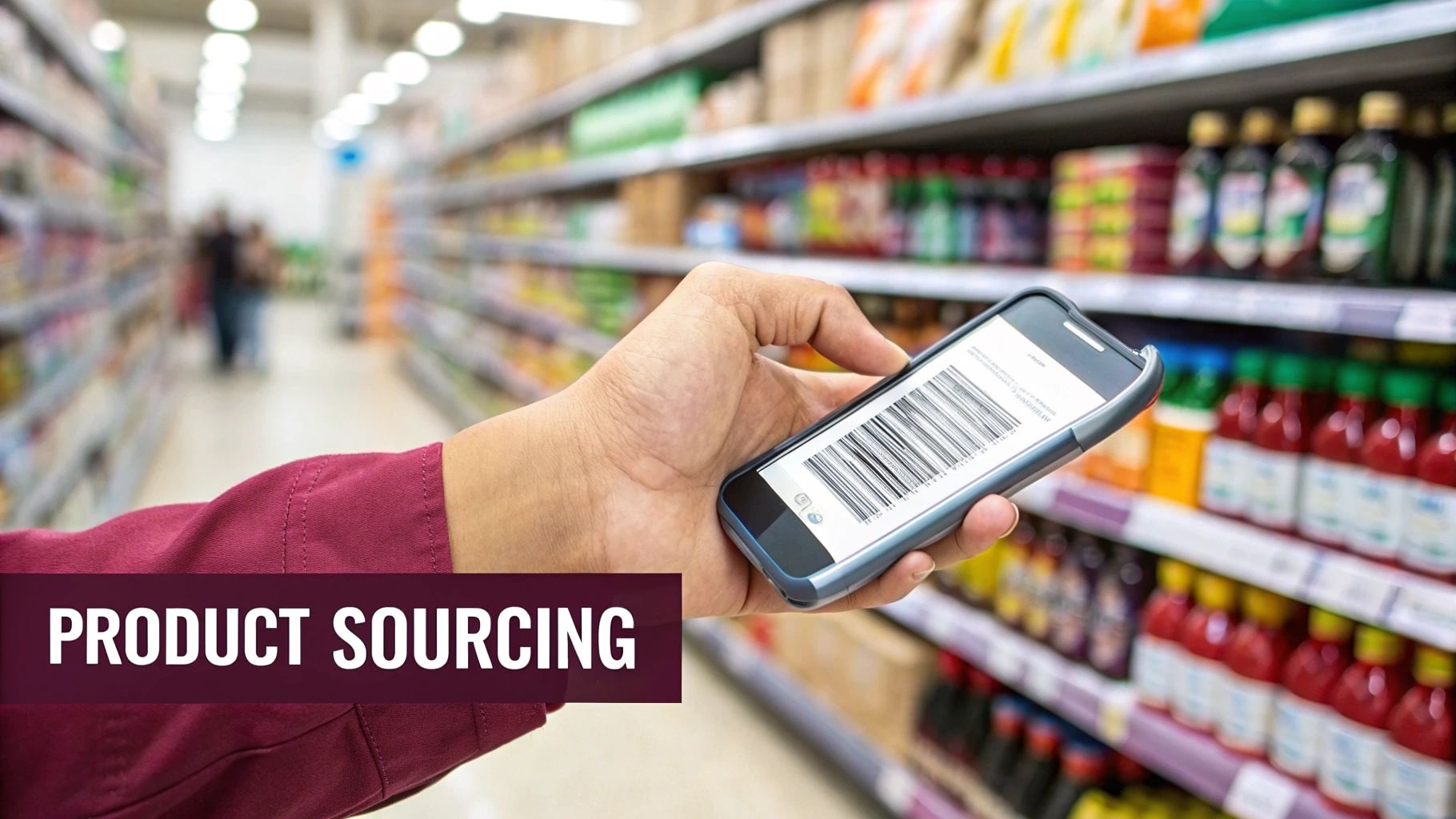
The success of your reselling business depends on the quality of your inventory. Without products that people are actively searching for, even the best account setup won’t generate sales.
For new sellers, retail and online arbitrage are the most accessible starting points.
Retail arbitrage involves visiting stores like Target or Walmart and using an Amazon seller scanning app to find profitable items in the clearance aisles. The app shows you the item’s selling price on Amazon, the associated fees, and your potential profit.
Online arbitrage follows the same principle but is done from your computer. You search e-commerce sites for deals and coupon codes that allow you to buy low and sell higher on Amazon.
1. Key Metrics for Sourcing
When you scan items, you need to look beyond the price tag. A few key data points will help you determine whether a product is a good investment or one to avoid.
Pay attention to these three metrics:
- Best Sellers Rank (BSR): This number indicates how well an item sells in its category. A lower BSR is better as it signifies more frequent sales. A product with a BSR of 5,000 in Home & Kitchen sells much faster than one ranked 250,000.
- Profit Margin: This is your net profit after all costs. You need to account for the product cost, Amazon’s 15% referral fee, FBA fees, and shipping. Aim for a return on investment (ROI) of at least 30-50%.
- Competition: The seller app shows how many other FBA sellers are on a listing. If there are 20+ sellers, you may face a price war. If there are only a few other sellers, the opportunity could be much better.
A product might seem like a great deal, but if its BSR is too high or the listing is saturated with sellers, it’s best to pass. It’s better to make a smaller, faster profit than to tie up capital in slow-moving inventory.
2. Brand and Category Restrictions
A common challenge for new resellers is “gating,” which is Amazon’s term for restricting the sale of certain brands or product categories. You can’t list major brands like Nike or Lego without being an authorized reseller.
Attempting to list a restricted item without approval will result in your listing being removed and could put your account at risk.
Before purchasing inventory, always use the Amazon Seller App to check if you are eligible to sell that specific product, brand, and category. For more information on finding products, our guide to Amazon FBA product research covers the entire process.
Tools like Jungle Scout or Helium 10 are useful for validating sourcing decisions with data on sales history and competition, reducing the guesswork involved.
How to Create Product Listings That Sell

Once you’ve sourced products, the Amazon listing acts as your salesperson. A product won’t sell if its detail page doesn’t persuade customers to make a purchase. Creating an effective listing is a fundamental skill for any reseller.
As a reseller, you will typically add your offer to an existing product listing rather than creating a new one. Your ability to win sales will depend on your price, fulfillment method (FBA is preferred), and seller rating.
It’s still important to understand what makes a good listing. This knowledge helps you identify opportunities where a high-demand product has a poorly optimized listing that you can improve upon.
1. The Anatomy of a High-Converting Title
The title is the first element a shopper sees in search results. A strong title should attract the right customers.
- Keyword Placement: Place your most important keywords in the first 80 characters. This ensures they are visible on mobile devices and are given more weight by Amazon’s A9 search algorithm.
- Structure: A reliable formula is: Brand + Main Keyword + Key Feature + Size/Color. For example: “KitchenAid Artisan Series 5-Quart Tilt-Head Stand Mixer with Pouring Shield – Empire Red”.
- Clarity: Avoid promotional language like “Best Seller” or “Hot Deal.” Use clear, descriptive terms that match what customers are searching for.
2. Writing Bullet Points That Solve Problems
After the title and main image, the bullet points are your next best opportunity to secure a sale. Each bullet point should communicate a benefit, not just a feature. Think about the customer’s problem and explain how your product provides a solution.
Instead of stating a feature like “Made of stainless steel,” frame it as a benefit: “Durable, Rust-Proof Stainless Steel Construction means you won’t have to replace it after one season.” This connects the feature to a direct benefit for the buyer.
To learn more about optimizing your product page, see our complete guide on Amazon listing optimization. It’s a helpful resource for both creating new listings and evaluating existing ones.
3. Winning the Buy Box with Smart Pricing
For resellers, your pricing strategy is focused on winning the Buy Box, the section on the product page where customers click to buy. Over 80% of sales occur through the Buy Box. If you’re not in it, your offer is unlikely to be seen.
While the lowest price is a major factor, Amazon’s algorithm also considers:
- Fulfillment Method: FBA offers are strongly favored over FBM.
- Shipping Time: Faster shipping is always better, and Prime eligibility is key.
- Seller Feedback Score: A higher rating builds trust and provides an advantage.
- Order Defect Rate: Keeping this metric low is critical.
Avoid simply lowering your price to be the cheapest. Use an automated repricing tool to stay competitive without sacrificing your profit margins. Set a minimum price based on your costs and let the software adjust your price to compete for the Buy Box.
This data-driven approach is what separates casual sellers from professionals. It’s a key reason why the number of sellers reaching $1 million or more in annual sales has nearly doubled to over 100,000 globally since 2021, even as the total number of active sellers has decreased.
Choosing Your Fulfillment and Shipping Strategy

How you manage inventory and shipping is a critical part of the reselling process. A good system leads to a smooth operation, while a poor one can result in logistical problems and customer complaints.
Amazon offers two main options: Fulfillment by Amazon (FBA) and Fulfillment by Merchant (FBM). Your choice will affect your workload, fees, and sales potential.
With FBM, you are responsible for all logistics. You store the inventory, pack and ship every order, and handle all customer service and returns. For a detailed comparison, our guide on Amazon FBA vs. FBM breaks down both models.
1. The Power of Fulfillment by Amazon (FBA)
Most resellers use FBA for a simple reason: you send your products in bulk to an Amazon fulfillment center, and Amazon handles the rest. They store your products, pick and pack orders, and manage all shipping and tracking.
The biggest advantage of FBA is that it makes your products automatically eligible for Prime shipping. This is a major sales driver, as many Prime members filter for items with two-day delivery.
FBA also means Amazon manages customer service and returns for your orders. This frees you from daily logistics so you can focus on finding more profitable products.
2. When Fulfillment by Merchant (FBM) Makes Sense
Although FBA is popular, FBM can be a better choice in certain situations. If you sell large, heavy, or oversized items, FBA storage and shipping fees can significantly reduce your profit margins. Fulfilling these orders yourself may be more cost-effective.
FBM also gives you more control over your inventory, which is useful if you sell on multiple platforms (like eBay or Shopify) and need to draw from the same stock. It prevents you from tying up all your capital in an Amazon warehouse.
3. Preparing Your First FBA Shipment
Sending your first shipment to Amazon is a straightforward process if you follow their rules. The most important step is properly labeling every item with an FNSKU barcode. This unique code links the product to your seller account.
Incorrect labeling is a common mistake that can lead to delays, extra fees, or lost inventory. Print clear labels and ensure they completely cover any existing UPC barcodes on the product’s packaging.
The scale of FBA allows resellers to access a massive market. Projections for 2025 indicate that shoppers will spend $846 billion on Amazon, with third-party sellers accounting for $433.7 billion in the U.S. alone. You can find more data on reseller profitability on Analyzer.tools.
Scaling Your Reselling Business
A few successful sales are a good start, but building a sustainable business requires a growth plan. To move from a side hustle to a full-time operation, you need to implement systems and think long-term.
First, you must constantly monitor your business metrics. The Seller Central dashboard provides the data you need to track your performance. Make it a habit to check it daily.
1. What to Monitor
Three key metrics will give you a clear picture of your business’s health.
- Sales Velocity: This measures how quickly your products are selling. A steady or increasing rate indicates solid demand and good inventory turnover.
- Profit Margins: You need to know your net profit on every item after all of Amazon’s fees. A healthy target for most resellers is a 20% margin.
- Account Health Rating: This reflects your standing with Amazon. A poor rating due to late shipments or order defects can lead to suppressed listings or account suspension. Maintaining a good rating is essential.
A common mistake is reinvesting all profits into the same type of inventory. True scaling involves diversifying your products and using your cash to improve your operations and reduce risk.
2. Putting Your Profits to Work
Once you have consistent income, you need a plan for reinvestment. Start by exploring related product categories where you can apply your existing knowledge. For example, if you are successful with kitchen gadgets, you might consider small home appliances.
For serious scaling, the path often leads from retail arbitrage to wholesale. Securing wholesale suppliers allows you to buy in bulk, leading to better margins and a more reliable inventory source. This marks the transition from being a product hunter to a business owner and prepares you for larger opportunities, like selling in international Amazon marketplaces.
Common Questions About Amazon Reselling
If you’re new to Amazon reselling, you likely have many questions. Here are answers to some of the most common ones from new sellers.
1. How Much Money Do I Need to Start?
You can start with a few hundred dollars using retail arbitrage, but a larger budget will give you a better chance of success.
A starting budget between $1,000 and $3,000 is recommended. This amount covers your Professional Seller account fee ($39.99/month), a good scanner app, your first inventory purchase, and basic shipping supplies. This cushion allows you to test different products and absorb early mistakes without financial stress.
2. Is Reselling on Amazon Still Profitable?
Yes, for sellers who treat it like a serious business. The marketplace is more competitive, but Amazon’s customer base continues to grow.
Profitability depends on your ability to source products with healthy margins while accounting for all fees. The data is positive: most sellers who persist are profitable, with average profit margins around 21%. Success is achievable with consistent effort.
3. What Are the Biggest Mistakes to Avoid?
New resellers often make the same mistakes. Avoiding these common pitfalls will give you a significant advantage.
- Ignoring the Fees: Forgetting to calculate Amazon’s referral fees, FBA fees, and storage costs before buying inventory is a quick way to lose money.
- Buying Restricted Products: Investing in inventory only to discover you’re not approved to sell that brand or in that category is a costly mistake. Always check for restrictions first.
- Ignoring Account Health: Don’t neglect your account metrics. A declining Order Defect Rate or other issues can lead to suppressed listings or account suspension.