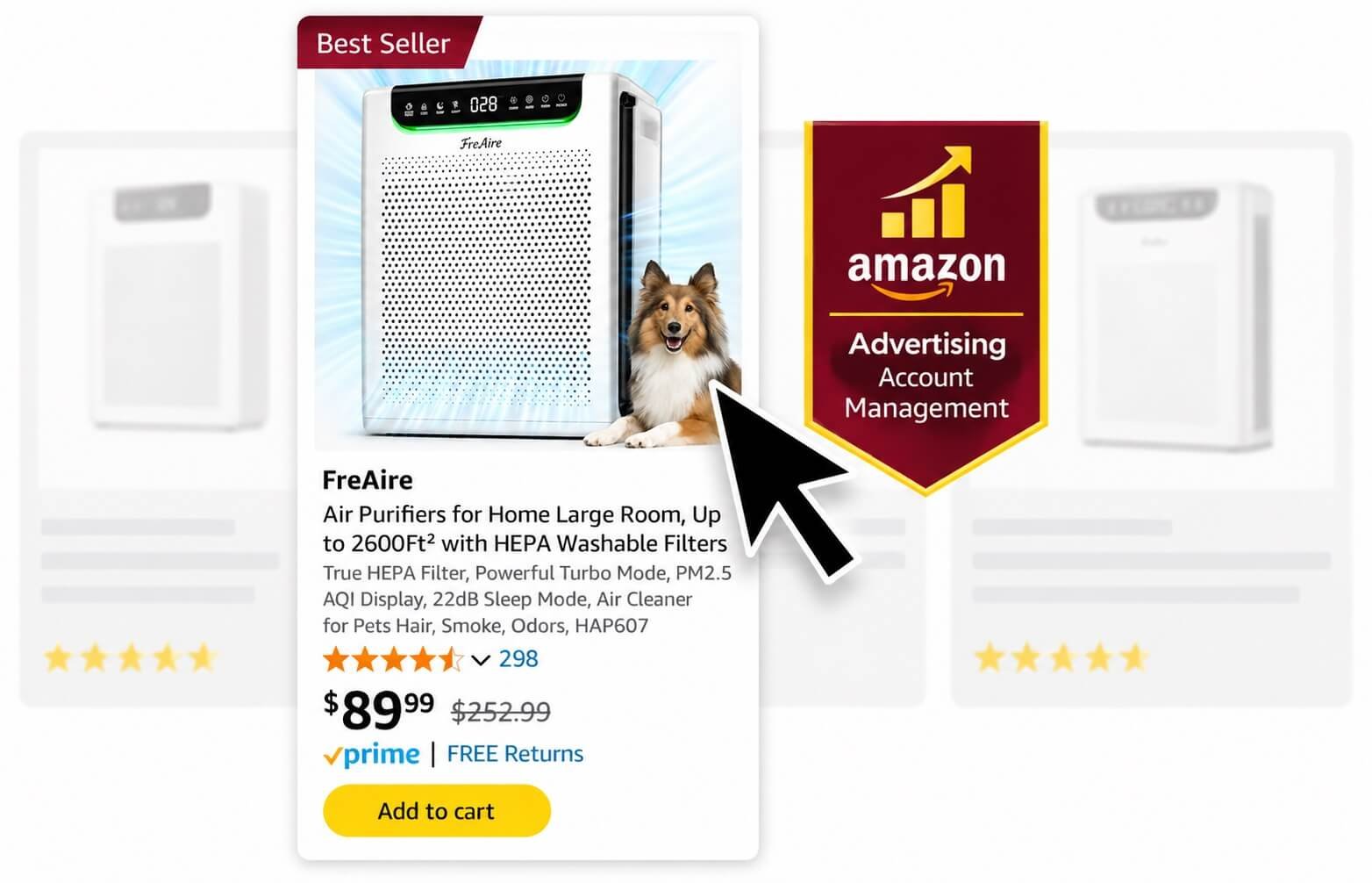
We manage Sponsored Products, Sponsored Brands and Sponsored Display at ASIN, keyword, target and placement level. Before scaling spend, we check the listing, break-even ACoS, search-term quality, conversion rate and organic rank so PPC decisions are tied to the product economics.
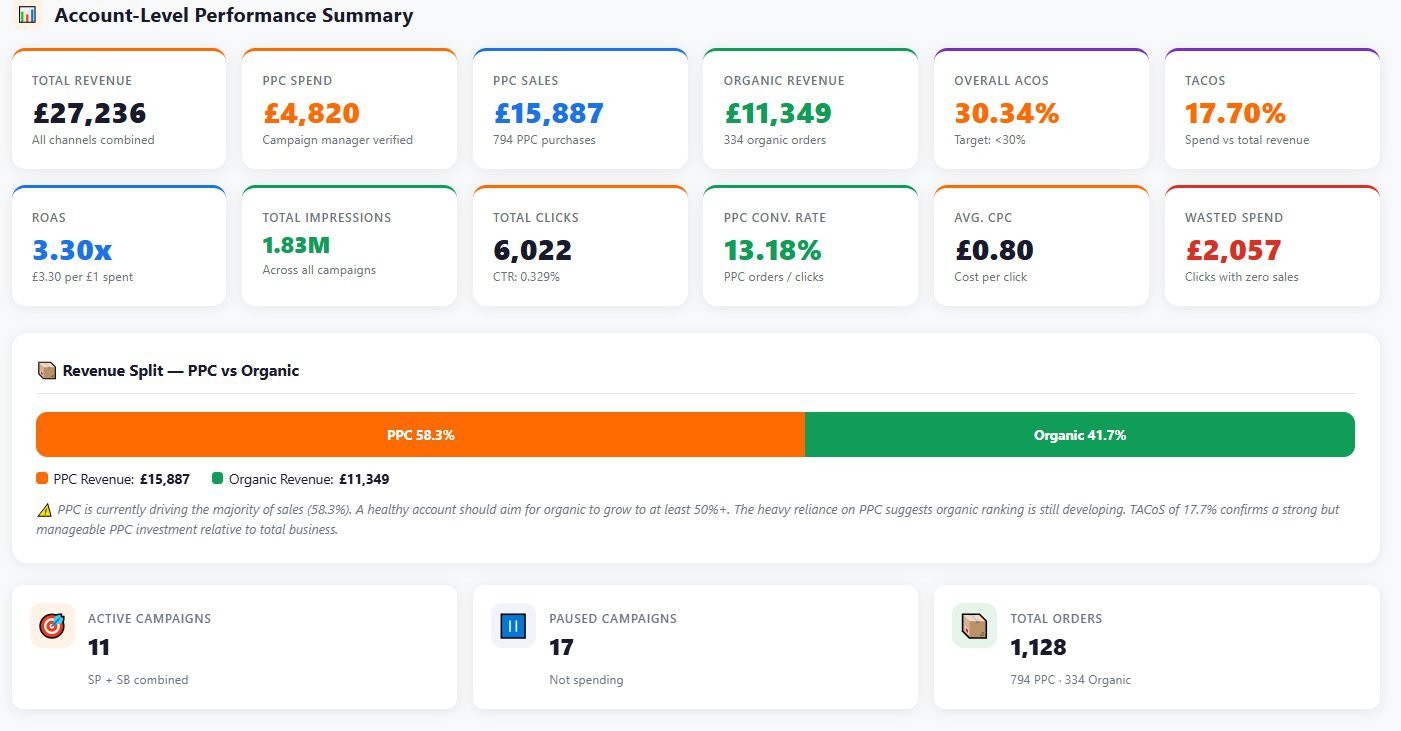
ACoS alone does not tell us whether PPC is healthy. We also read TACoS, CPC, CTR, CVR, budget utilization, placement performance and organic rank before deciding where spend should move.
Search TermsHarvest converting terms, add negatives and separate traffic type
Bids & PlacementsSet target bids, bidding strategy and placement adjustments
BudgetsFund campaigns by ASIN priority, CVR and return
ReportingTrack ACoS, TACoS, ROAS, CVR and changes made
Trusted by Amazon's fastest-growing brands and sellers
PPC Audit: What We Check First
Before changing bids, we check whether the listing can convert the traffic. Indexing, main image, price, reviews, Featured Offer and stock can move CVR more than another bid adjustment. Then we audit the advertising account against the economics of each ASIN.
Listing & offerIndexing, CTR, CVR, price, reviews, Featured Offer, stock, variations and A+ Content.
Campaign structureAuto and manual campaigns, match types, traffic separation, ASIN targeting and overlap.
Search termsConverters still in discovery, wasted queries and missing negative targeting.
ASIN economicsPrice, fees, COGS, promotions and break-even ACoS by product.
We keep campaigns that are working and only restructure that need more control. Indexing and organic rank issues may need Amazon SEO Services, while weak CTR or CVR may point to images, A+ Content covered under Amazon Creative Services.
Sponsored Ads We Manage
Our Amazon PPC services cover Sponsored Products, Sponsored Brands and Sponsored Display. Each ad type uses different targeting, placements and reporting, so we do not manage Amazon PPC advertising as one blended pool of spend. Sponsored Products usually carries most direct-response spend, Sponsored Brands covers branded and video placements, and Sponsored Display handles product-page and audience targeting.
Sponsored Products
SP
Sponsored Products usually carries the largest share of performance spend. We use automatic and manual targeting for search-term discovery, Exact control, product targeting, brand defense, competitor targeting and rank-focused campaigns.
Automatic targeting
Broad, phrase and exact keywords
ASIN and category targeting
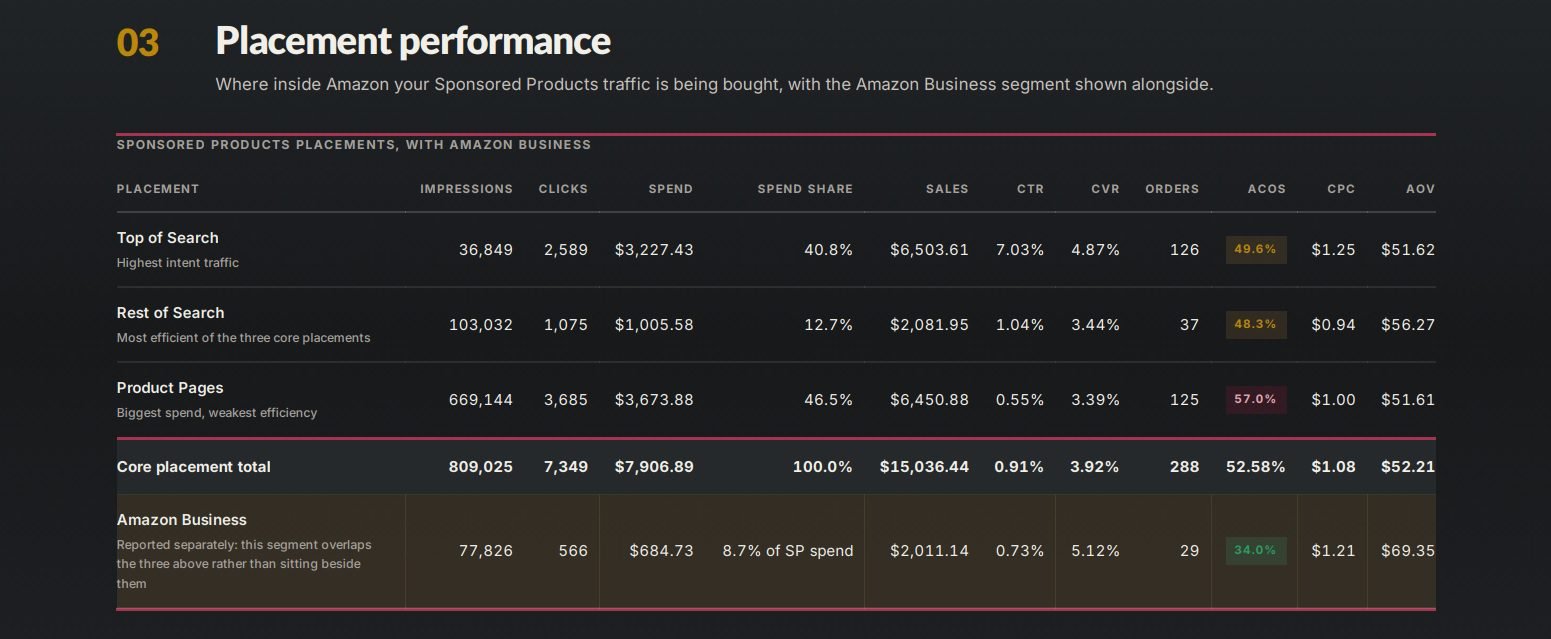
Top, Rest of Search and Product Page adjustments
Amazon and AMC audience bid adjustments where available
Sponsored Brands & Video
SB
Sponsored Brands covers branded search, category terms and video placements. We use Product Collection, Store Spotlight and video when the brand has the catalog, Store and creative to support them.
Sponsored Brands video
Product collection ads
Store Spotlight where available
Brand and category terms
New-to-Brand reporting
Sponsored Display
SD
Sponsored Display is used for product-page targeting and audience remarketing when that traffic can be measured separately from keyword campaigns.
Product-page targeting
Own-ASIN defense
Audience remarketing
Category audience tests
How We Structure Amazon PPC Campaigns
We do not put every keyword, ASIN and traffic type into the same campaign. Branded, generic, competitor, discovery and product-targeting traffic are separated when they need different bids, budgets, placements or ACoS targets. The exact build changes by account, but these are the campaign roles we use most often.
Close match · Loose match · Substitutes · Complements
Auto campaigns show us the search terms and product pages Amazon associates with the ASIN.
ManagementBid the four auto targeting groups separately when useful, review the Search Term Report, move converters into manual campaigns and add negatives after enough data.
MetricsSearch terms, ASINs, CPC, clicks, orders, CVR and ACoS.
Broad Match
Manual keyword targeting
Broad match is used to find new shopper language around relevant keywords without giving it the same bid as proven Exact traffic.
ManagementRun Broad separately from Phrase and Exact, keep discovery bids controlled, harvest converters and negate terms that should no longer stay in discovery.
MetricsSearch-term quality, CPC, CVR, orders and new converting queries.
Phrase Match
Manual keyword targeting
Phrase match keeps the core keyword together while allowing longer queries around it. It gives us tighter discovery than Broad.
ManagementUse it for longer-tail search terms, then move repeat converters into Exact when they deserve their own bid and placement control.
MetricsSearch-term relevance, CPC, CVR, orders and non-converting spend.
Exact Match & Organic Rank
Exact match · focused keyword groups
Exact campaigns hold the search terms we want to control most closely. Rank-focused terms stay separate so paid conversion, sales velocity and organic position can be read together.
ManagementKeep keyword groups focused, manage Top of Search independently and change bids from CPC, CVR, margin and the ranking objective.
MetricsTop of Search, CPC, CVR, ACoS, TACoS, ad sales and organic rank.
Brand Keyword Defense
Branded keywords
Branded searches are separated from generic traffic so a low branded ACoS does not hide weaker non-branded performance.
ManagementControl branded bids and budgets separately and watch whether competitors are taking meaningful paid coverage on brand terms.
MetricsBranded CPC, ACoS, order volume and paid coverage.
Competitor Keyword Targeting
Competitor brand & product terms
Competitor keywords are kept out of generic campaigns because their CPC and conversion rate usually behave differently.
ManagementTarget selected competitor terms, keep budgets controlled and cut terms that collect clicks without enough orders.
MetricsCPC, CVR, ACoS, orders and spend by competitor term.
Competitor ASIN Targeting
Specific competitor ASINs
We target individual competitor detail pages when our price, reviews, features or offer give the ASIN a reasonable chance to convert.
ManagementBuild exact ASIN targets separately from category targeting so low-performing competitor ASINs can be paused without affecting the rest of the campaign.
MetricsDetail-page CPC, CVR, orders and ACoS by ASIN.
Defensive ASIN Targeting
Own ASINs · cross-sell
Own-ASIN campaigns keep more of our catalog visible on our own detail pages and can support cross-sell between related products.
ManagementSeparate own-ASIN targets from competitor targeting and use bids that reflect the value of defense and cross-sell traffic.
MetricsCPC, orders, CVR and sales by own-ASIN target.
Category Targeting
Category · brand · price · review refinements
Category targeting is used when we want broader product-page coverage than a list of individual ASINs.
ManagementStart with the relevant category and refine by brand, price or review range when the category is too broad.
MetricsCPC, CVR, ACoS and orders by category refinement.
Catch-All Campaigns
Low-bid coverage · long-tail discovery
A catch-all gives low-volume queries and ASINs a controlled place to collect data without taking budget from the main campaigns.
ManagementKeep bids low, watch target overlap and move any proven query or ASIN into a campaign with its own bid and budget.
MetricsOrders, CPC, spend and targets that graduate out of catch-all.
Sponsored Brands
Brand, category and video placements managed separately from Sponsored Products.
Sponsored Brands Product Collection
Keyword or product targeting
Product Collection campaigns can put the brand, headline and multiple products into search placements when we want category or branded coverage beyond Sponsored Products.
ManagementSeparate branded and generic targeting, choose products that match the search intent and review New-to-Brand performance where available.
MetricsCTR, CPC, CVR, sales and New-to-Brand.
Sponsored Brands Video
Keyword or product targeting
Video is used when the product can explain its benefit quickly and the detail page already converts paid traffic.
ManagementTest keyword and product targeting separately, monitor the search terms and rotate creative when CTR or CVR starts to weaken.
MetricsImpressions, CTR, CPC, CVR, sales and New-to-Brand.
Sponsored Display & Audiences
Product-page reach, remarketing and audience-level controls where the account supports them.
Sponsored Display Product Targeting
Contextual product targeting
Sponsored Display product targeting is used for selected competitor, complementary and own product pages when we want display coverage outside Sponsored Products.
ManagementKeep contextual targets separate from audience campaigns so product-page performance can be read on its own.
MetricsReach, CPC or vCPM where applicable, CVR, sales and ROAS.
Sponsored Display Remarketing
Views & audience remarketing where available
Remarketing is used to re-engage shoppers who have already shown interest in the product or related products.
ManagementSeparate remarketing from prospecting and contextual targeting, then compare recency, audience and product performance where the account supports it.
MetricsReach, CVR, sales, ROAS and New-to-Brand where available.
AMC Audiences
Amazon audiences · AMC-built audiences
Sponsored Products audience bid adjustments let us bid differently for Amazon audiences or AMC-built audiences inside the campaign. We compare audience-level performance.
ManagementUse audience bid adjustments where supported and keep those changes separate from base-bid changes so we can see what the audience adjustment actually did.
MetricsAudience-level spend, sales, CVR and ROAS where available.
Negative targeting is built into the structure. We use Negative Exact, Negative Phrase and negative product targets to block irrelevant traffic, control overlap and move proven search terms or ASINs into campaigns where they can be managed directly.
Search Term Management
A target is what we bid on. The Search Term Report shows the shopper query or ASIN that actually produced the click. That is where we decide what deserves its own bid and what should be blocked.
Promote convertersMove repeat converters from Auto, Broad or Phrase into tighter manual or Exact campaigns.
Add negativesUse Negative Exact, Negative Phrase or negative product targets once the data supports it.
Separate intentKeep branded, generic and competitor traffic apart when CPC, CVR or target ACoS differs.
Check paid vs organicCompare PPC search terms with indexing, Brand Analytics, Search Query Performance and organic rank where available.
Bid, Placement & Budget Management
Once the campaigns are separated properly, we manage the controls that affect CPC, placement and how quickly each campaign spends through the day.
Keyword & target bidsSet from CPC, CVR, selling price, target ACoS and campaign purpose.
Bidding strategyUse Fixed, Dynamic down only, Dynamic up and down, or rule-based bidding where appropriate.
Top of SearchIncrease only when the placement earns the higher CPC through conversion, sales or rank value.
Rest of SearchRead separately because CPC, CVR and ACoS can differ sharply from Top of Search.
Product PagesManage detail-page placement independently when its conversion profile is different.
Daily budgetsKeep productive campaigns funded and move budget away from weak return.
How We Set ACoS Targets
There is no useful account-wide ACoS target. We estimate break-even ACoS by ASIN from selling price, Amazon fees, COGS, promotions and contribution margin, then set a working target for each campaign role. Brand defense, keyword ranking, product launch and competitor campaigns should not all be judged against the same number. TACoS shows whether paid spend is supporting total sales or the account is becoming more dependent on paid sales.
ACoS
Ad spend as a percentage of ad-attributed sales. We read it by campaign role, target and ASIN, not as one account-wide score.
Ad Spend ÷ Ad SalesTACoS
Ad spend as a percentage of total Amazon sales. The trend helps show whether paid sales are supporting total sales over time.
Ad Spend ÷ Total SalesBreak-even ACoS
The ACoS at which ad spend uses the contribution margin available before advertising.
Based on ASIN contribution margin
Our 3-Phase Amazon PPC Management Process
A launch cannot be managed like a mature ASIN. We move between scaling, optimization and maintenance as sales, organic rank, ACoS, TACoS and conversion data change.
Phase 1: Scaling Phase
Pull high-converting search terms from Search Term Reports and move them into focused manual targeting
Build focused manual campaigns with 1 campaign, 1 ad group and up to 5 keywords for tighter budget control
Raise bids or Top of Search adjustments on proven keywords when CVR, margin and rank objective support it
Keep profitable Sponsored Products campaigns funded so they do not run out of budget early
Launch Broad and Auto campaigns to discover new long-tail search terms
Phase 2: Optimization Phase
Find search terms with enough clicks and spend but no orders, then decide whether to reduce, negate or isolate them
Add Negative Exact matches where spend is not producing a return, and use Negative Phrase when the pattern is clearly irrelevant
Lower bids on keywords that move above their target ACoS to bring them back toward the target range
Reduce bids on keywords with strong CTR but weak CVR when the clicks are not producing enough orders
Reduce placement adjustments when the higher CPC is not producing acceptable ROAS
Pause keywords or ASIN targets that have repeatedly failed over a 60-day performance window
Phase 3: Maintenance Phase
Track ACoS, TACoS, sessions and net profit weekly to make sure performance is staying stable
Avoid drastic bid changes or bulk negations when the account is stable, because large changes make it harder to read what actually moved performance
Keep bid changes small, around 5% where appropriate, when a keyword moves away from its historical range
Shift more attention to conversion rate optimization such as listing images and A+ Content once PPC is stable
PPC Reporting: What Changed and Why
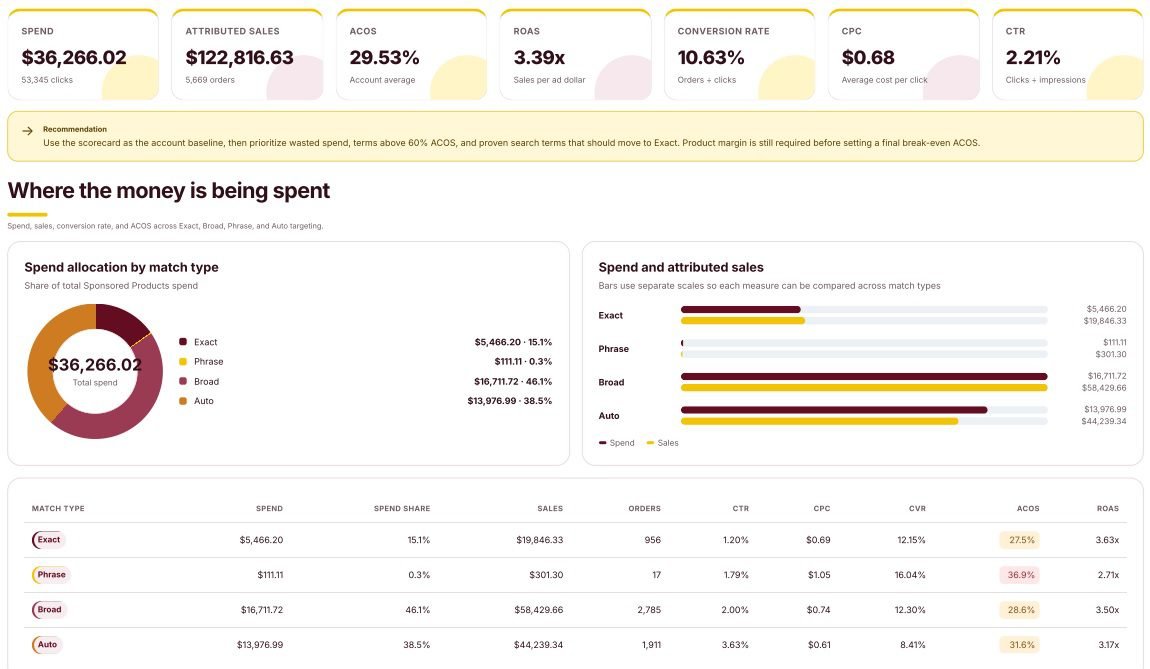
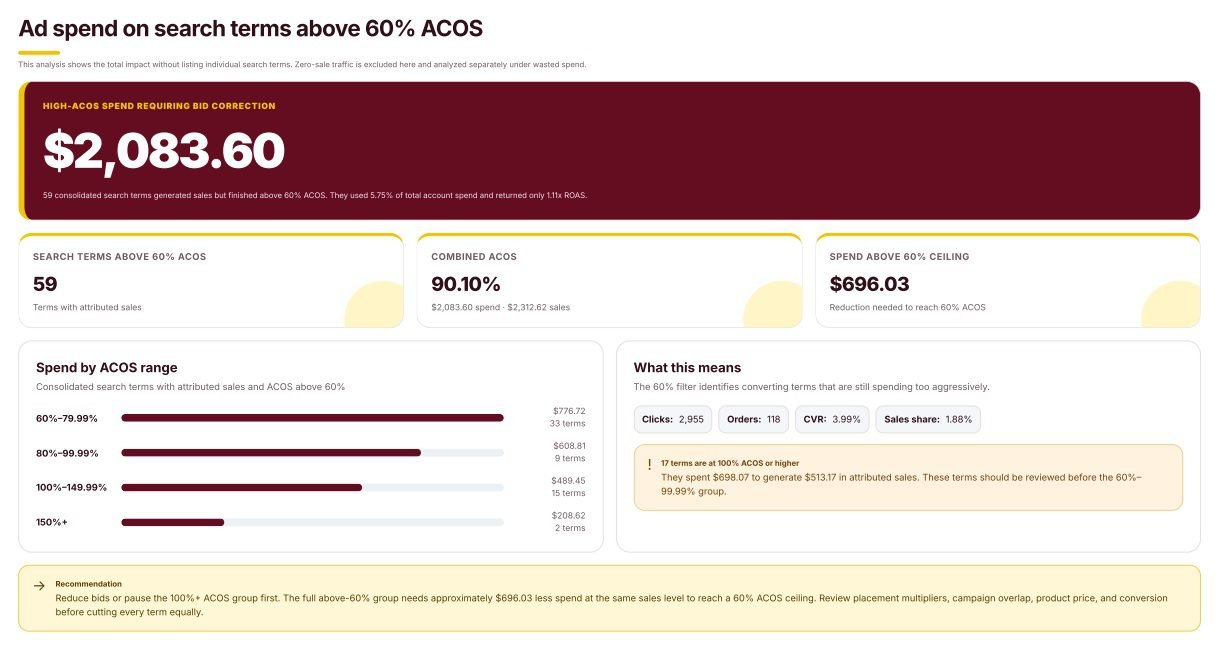
When you hire an Amazon PPC agency, the report should show what changed in the account, what the ads returned and what is being worked next. You should not have to read a raw Campaign Manager export to understand what happened.
Spend, sales & ROASSpend, ad sales, orders and return for the reporting period.
ACoS & TACoSAd efficiency plus the share of total sales supported by paid traffic.
CTR & CVRWhether the issue starts before the click or after the shopper reaches the listing.
Changes madeBids, placements, budgets, negatives, new campaigns and paused targets.
Next actionsThe campaigns, targets, placements or ASINs being worked next and why.
Amazon PPC Case Studies
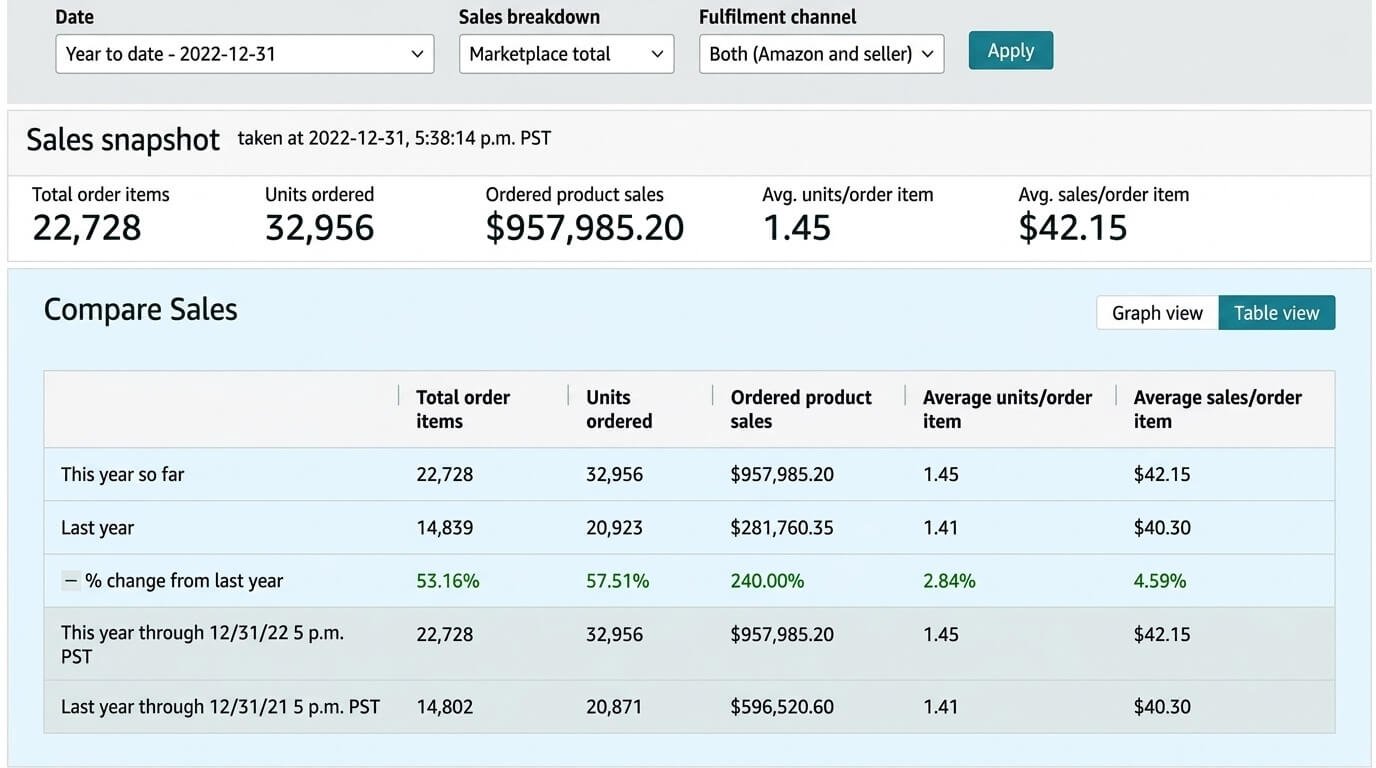
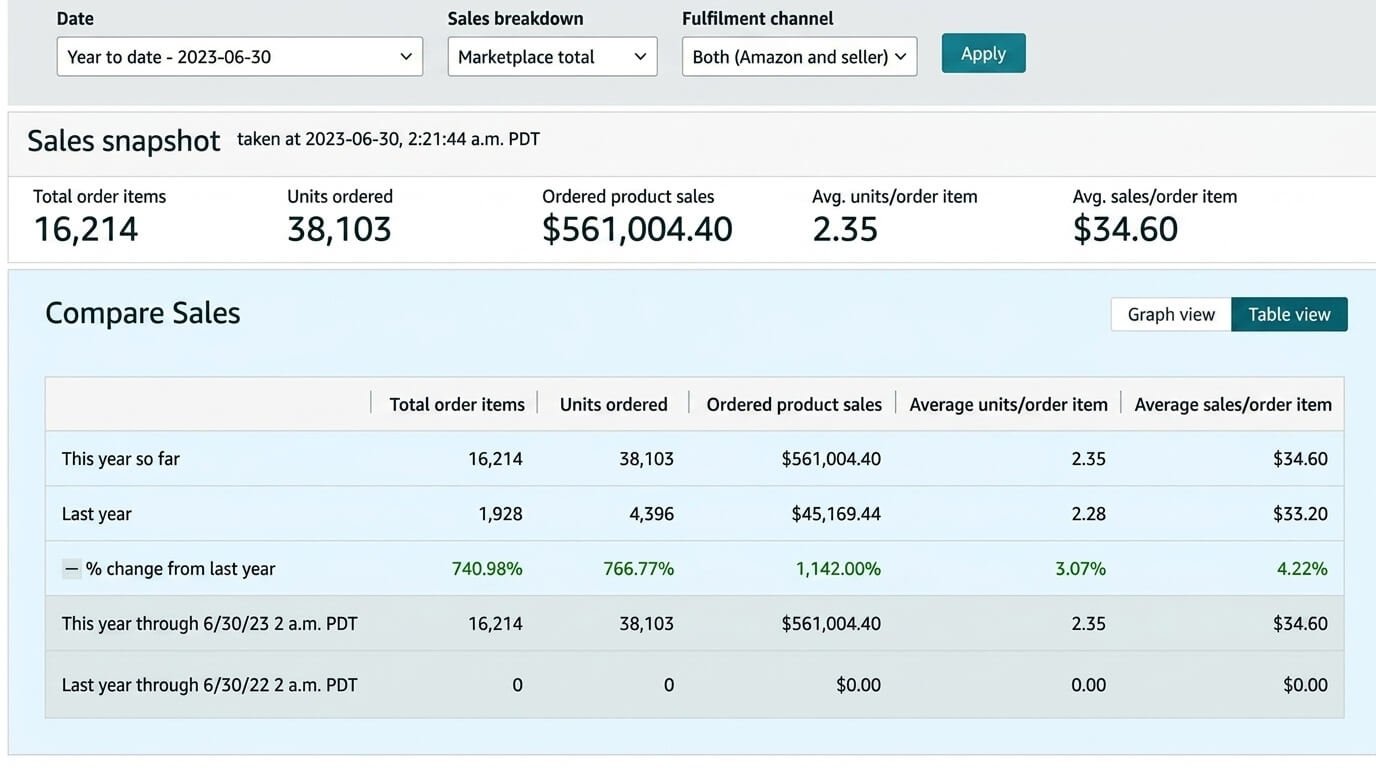
These results come from real account work where PPC was managed alongside listing, ranking or broader account changes. The case studies show what happened in those accounts; they are not performance guarantees.
32%
CTR improvement
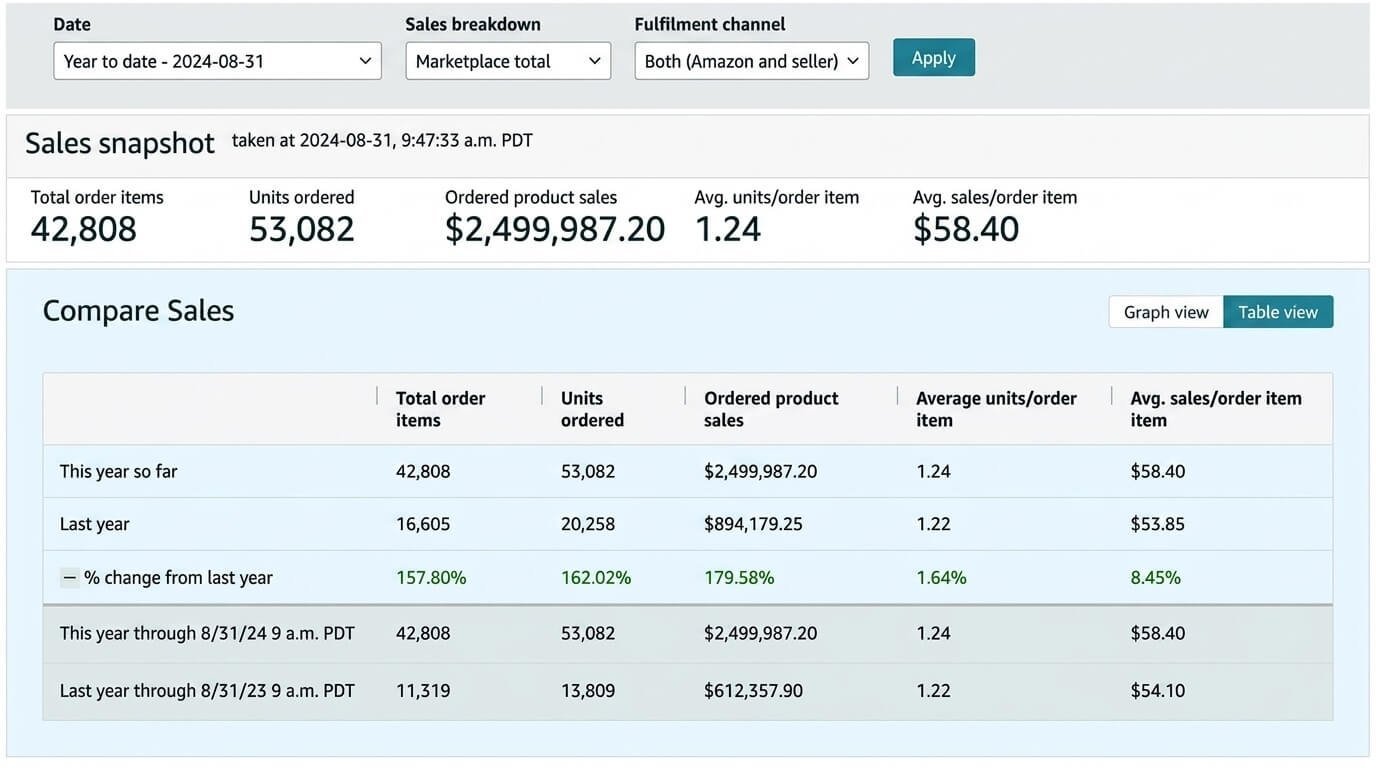
Seasonal PPC and external traffic helped generate $2.5M in revenue across eight months.
Send us the ASINs and marketplace. We review the listing and PPC account before the call so we can start with the areas that need attention.
Listing, offer and conversion issues affecting PPC performance
Campaign structure, match types, ASIN targeting and search terms
Bids, placements, budgets, ACoS and TACoS
The PPC changes we would prioritize first
Have a specific PPC issue you want us to review? Add it to the form so we can look at it before the call.
Request the PPC Audit
Share the ASINs, marketplace and a few account details. We normally reply within one business day.
We use the information only to prepare your PPC audit.
Amazon PPC Questions
Yes. We check indexing, CTR, CVR, price, reviews, images, offer and stock position first. If the listing is the reason clicks are not converting, changing bids will not fix the core problem.
No. Campaigns with useful history stay in place. We rebuild only where mixed intent, duplicate targeting, poor naming or bad structure is blocking clean bid and budget control.
Budget delivery and unusual spend are checked frequently. Search terms, bids, placements, negatives and audience adjustments are changed when there is enough data to support the decision. We do not force changes just to show activity.
Our Amazon PPC management services cover the core Amazon PPC ads: Sponsored Products, Sponsored Brands including video, and Sponsored Display. Management also includes campaign structure, keyword and ASIN targeting, search-term harvesting, negative targeting, bids, placements, budgets, audience adjustments and ACoS/TACoS reporting. Where supported, we also use Amazon or AMC audience bid adjustments inside Sponsored Products.
Yes. Our Amazon advertising management covers Seller Central and Vendor Central accounts. Reporting, catalog structure and available ad controls differ, so the setup is handled around the account type.
There is no universal good ACoS. Start with break-even ACoS, then adjust for the ASIN margin, lifecycle and campaign role. A branded defense campaign and a launch or ranking campaign should not be judged by the same target.
Non-converting spend, budget caps and targeting overlap can show up quickly. Search-term, bid and placement decisions need enough clicks and orders to be reliable. New launches usually need more discovery data than mature ASINs with established history.
A PPC manager owns the account. We use bulk files, reports and software to process data at scale, but campaign structure, search-term harvesting, negatives, bid changes, placements, budgets and strategy are reviewed by a person, not left to automation alone.
PPC can support sales velocity on a relevant keyword, but spend alone does not guarantee rank. We track paid conversion, indexing, organic position, competition and TACoS together before deciding whether to push a ranking term harder.
Yes. Branded, generic and competitor traffic usually have different CPCs, CVRs and acceptable ACoS levels. Keeping them separate makes bids, budgets and reporting much easier to read.
A PPC agency should manage campaign structure, keyword and ASIN targeting, search terms, negatives, bids, placements, budgets, ad types and reporting. It should also understand the listing, break-even ACoS, TACoS and organic rank so campaign decisions are tied to the economics of each ASIN.
Send the ASINs, marketplaces, recent ad performance and a rough product margin or break-even ACoS if you have it. If performance changed suddenly, tell us what changed around the same time: price, reviews, stock, listing, budget or campaign structure.