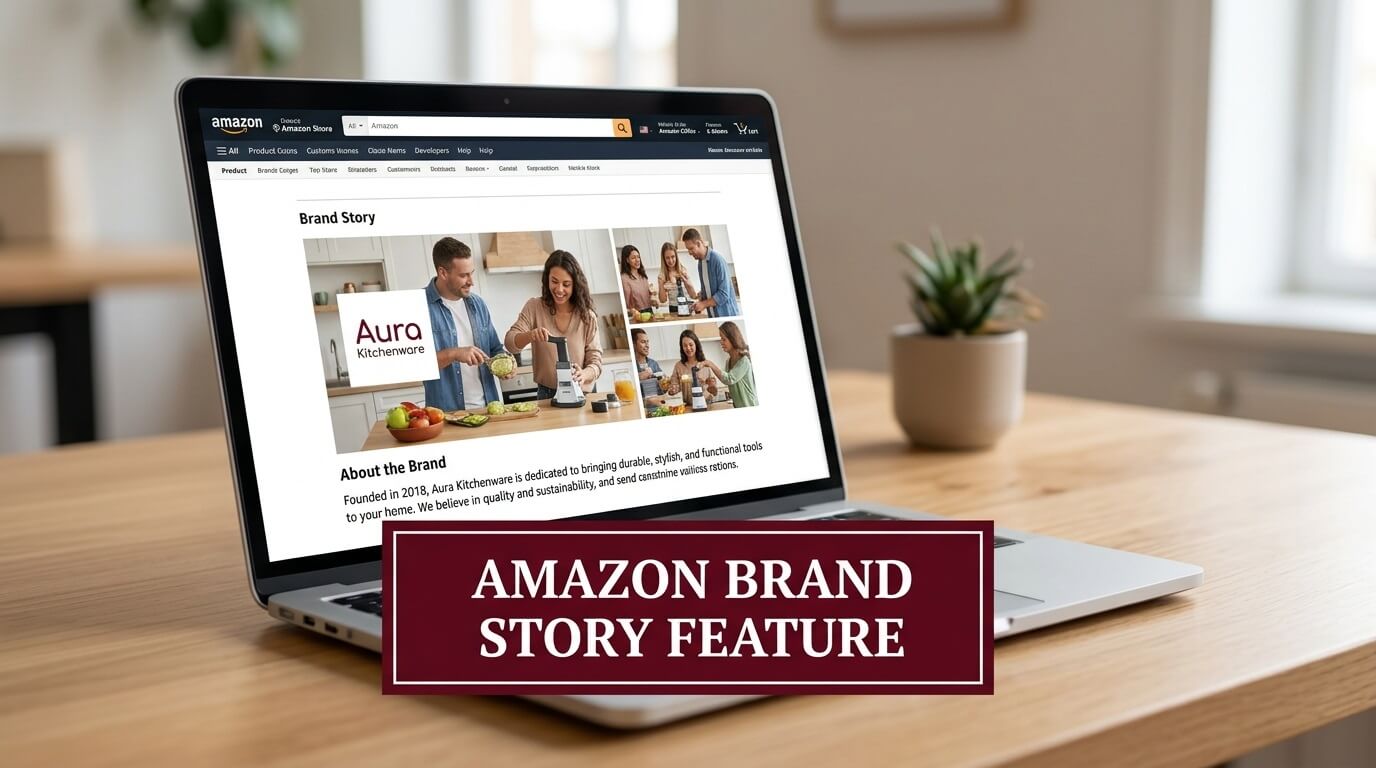
Amazon gives sellers a lot of places to talk about their products. The Brand Story is the one place to talk about the brand itself. It sits on every product detail page inside a section labeled “From the brand,” positioned as a swipeable carousel above your A+ Content. It is a dedicated brand presence tool that lets shoppers understand who they are buying from before they decide whether to buy at all.
The Brand Story is still the most underused section on the entire detail page, which makes it one of the clearest remaining opportunities to increase average order value without spending on ads.
What Brand Story Section Does
The Brand Story and A+ Content sections serve different purposes. A+ Content is built around your product. It explains features, compares your SKUs, answers objections about a specific item, and gives shoppers the detail they need to buy with confidence.
Brand Story is built around your company. It answers a different question entirely: why should a shopper trust this brand at all?
Brand Story can be assigned across every ASIN in your catalog simultaneously. The time you spend building it once pays across all your listings. Alternatively, you can build multiple Brand Story variations and assign them to different product categories or subcategories within your brand.
Who Has Access to the Brand Story Feature
1. Seller Central Eligibility
Access to the Brand Story feature requires active Amazon Brand Registry enrollment. Brand Registry, in turn, requires a registered trademark. A pending trademark also qualifies for provisional access, which shortens the waiting period significantly compared to going through a trademark attorney independently.
Once enrolled in Brand Registry, the Brand Story is created inside the A+ Content Manager, accessed through the Advertising tab in Seller Central. The tool is free to use with no separate charges.
2. Vendor Central Access
Vendors on Vendor Central receive automatic access to the A+ Content Manager, which includes the Brand Story feature. Navigation is slightly different: vendors access the tool through the Merchandising tab rather than the Advertising tab. The functionality, modules, and submission process are identical to Seller Central.
3. Why This Matters for Premium A+ Access
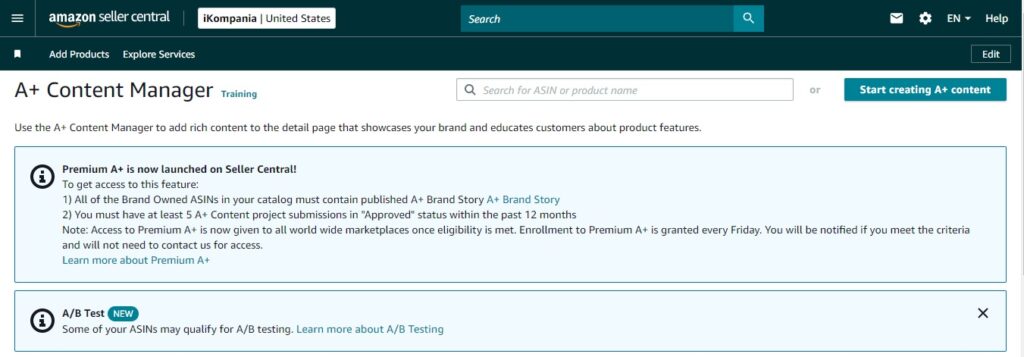
Brand Story is not a standalone feature. It is one of the two hard requirements for qualifying for Premium A+ Content. To access Premium A+, a seller must have a published Brand Story covering all brand-owned ASINs in their catalog, plus at least five approved A+ Content projects within the past 12 months. Amazon tightened these gates in Q4 2025 specifically to reduce low-quality submissions from brands trying to shortcut their way to Premium access.
Building your Brand Story is, therefore, a prerequisite for the highest-performing content tier available on the platform, not just an optional extra.
Every Brand Story Module with Full Specifications
Amazon currently offers four active module types for Brand Story, all housed within a mandatory background carousel. Here is a full breakdown of each module, what it does, and the exact specifications for both desktop and mobile.
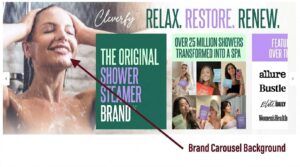
1. Brand Carousel Background
The background is mandatory. Every Brand Story requires it regardless of how many other modules you add. It is the persistent backdrop that shoppers see as they scroll left and right through your modules. The background image does not swap out between modules; it stays fixed while your cards slide over it.
Desktop image size: 1,464 x 625 pixels minimum Mobile image size: 463 x 625 pixels minimum
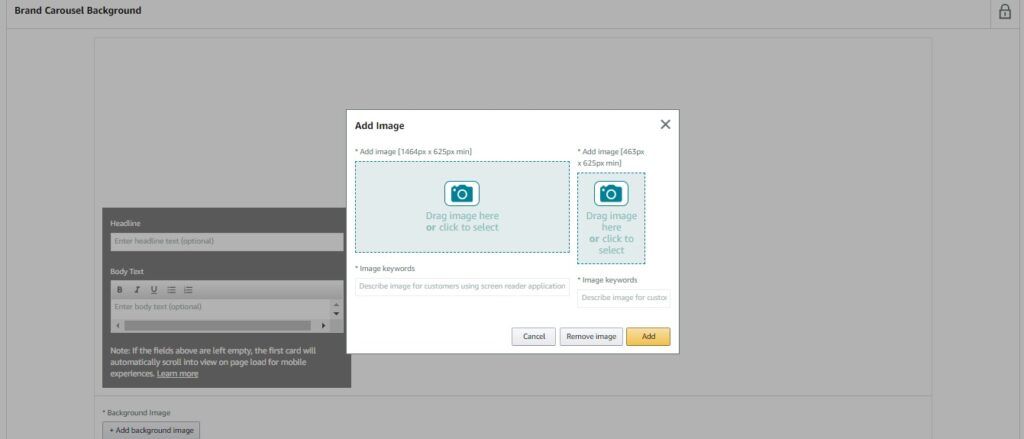
The right two-thirds of the desktop image should remain visually clean, because the first carousel module will overlap that area on load. Place your brand logo and any tagline in the top left or upper left-center of the background, where it stays visible regardless of which module is in view.
On mobile, the portion of the background visible to the left of the first module is narrow. Use a subtle directional cue in the background image, such as an arrow or a cropped product edge pointing right, to encourage swiping.
2. Brand Logo and Description Card
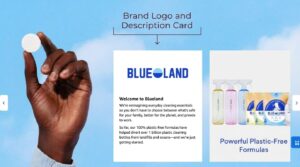
This module takes a small image, ideal for your brand logo, and pairs it with a substantial block of copy. There is no separate headline field. Any brief heading must be written into the body text itself.
Desktop and mobile image size: 315 x 145 pixels minimum
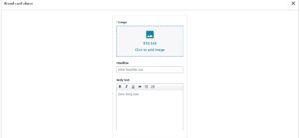
Use this module to communicate who you are in three to four sentences maximum. The copy should state what the brand does, who it serves, and one concrete detail that makes you different from factory-direct competitors. “Independently tested in an ISO-certified lab” or “family-operated since 2017, with every formula developed by an in-house pharmacist” carries more purchase weight than vague language about passion or quality. Keep the logo image clean with a transparent or solid white background so it reads clearly across different device screen brightness levels.
3. Brand ASIN and Store Showcase
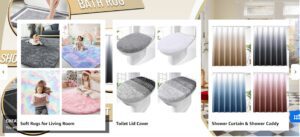
This is the cross-selling module. It holds four product images in a grid layout, each linked directly to the corresponding ASIN’s product detail page. It also accepts an optional store link that generates a “See all” button pointing shoppers to your Amazon Storefront.
Desktop and mobile image size per ASIN slot: 166 x 182 pixels minimum
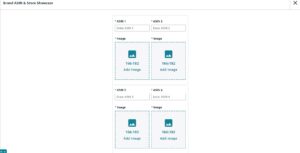
Each product image can be the auto-populated main product image pulled from that ASIN, or you can override it with a custom image that better suits the Brand Story visual context.
The override option is worth using. Auto-populated images from studio-white-background product photography look flat inside a lifestyle-oriented Brand Story. Replacing them with cropped lifestyle images or styled product shots creates a cohesive scrolling experience.
You can add this module multiple times within the same Brand Story. A brand with six product lines can run two ASIN showcase modules covering four products each rather than cramming everything into one.
4. Brand Focus Image Card
This is a single large image module with optional text overlay. It renders at the full carousel card width and carries the most visual impact.
Desktop and mobile image size: 362 x 453 pixels minimum
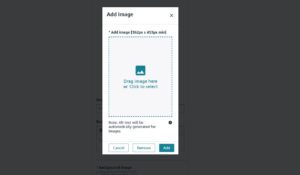
This module is intentionally image-forward. Use it for photography that shows your product in real-world context, not the product alone on a white background. The visual should communicate a feeling, not a feature list. Features belong in A+ Content. Feelings belong here.
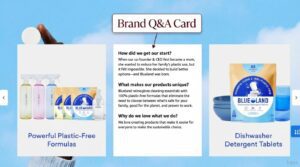
5. Brand Q and A Card
This module holds up to three questions and answers about your brand or products. Amazon pre-loads four default question prompts for inspiration: “How did we get our start?”, “What makes our products unique?”, “Why do we love what we do?”, and “What problem are we solving?” None of these are mandatory. You can write entirely custom questions.
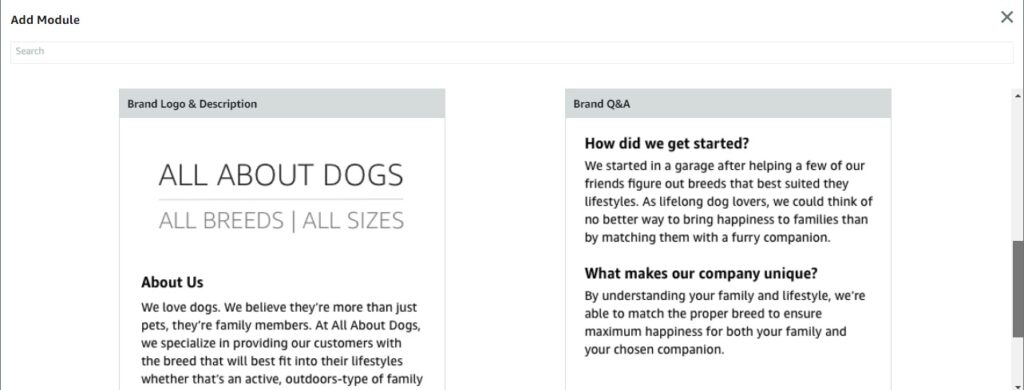
The 600-character total across three answers is tight. Each answer averages 200 characters, roughly two to three sentences. That constraint actually works in your favor because it forces specificity. You cannot pad an answer with filler when you only have 200 characters. Use that pressure to give concrete, verifiable answers.
All Brand Story Module Specifications
| Module | Desktop Dimensions | Mobile Dimensions | Key Text Limits |
|---|---|---|---|
| Background Carousel | 1,464 x 625 px min | 463 x 625 px min | Headline: 30 chars, Body: 135 chars |
| Logo and Description | 315 x 145 px min | 315 x 145 px min | Body text: varies by layout |
| ASIN and Store Showcase | 166 x 182 px min per slot | 166 x 182 px min per slot | Headline: 30 chars, Store link: optional |
| Focus Image Card | 362 x 453 px min | 362 x 453 px min | Headline: 30 chars, Body: 135 chars |
| Q and A Card | Text only | Text only | 3 Q and As, 600 chars total |
How to Set Up Amazon Brand Story Step by Step
1. Open A+ Content Manager
In Seller Central, go to the Advertising tab and select A+ Content Manager. In Vendor Central, go to the Merchandising tab and select A+ Content Manager. Both paths land on the same dashboard where your existing A+ projects are listed.
2. Start a New Brand Story
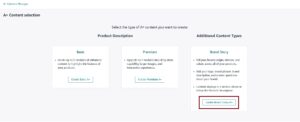
Click “Start creating A+ content” in the top right corner of the A+ Content Manager. From the content type options, select “Create Brand Story A+” This opens the Brand Story editor, which is separate from the standard A+ module editor.
3. Name the Content and Set Up the Background
Enter a content name, which is internal only and not visible to shoppers. Upload your background images, one for desktop at 1,464 x 625 px and one for mobile at 463 x 625 px.
4. Add Modules
Click “Add Module” beneath the background section. Select from the four available module types. Modules stack horizontally in the carousel order you build them. Rearrange the order by dragging modules before submitting. Add a minimum of one module. Amazon supports up to 19 additional modules beyond the mandatory background, for a maximum total of 20 carousel cards.

5. Assign ASINs and Submit
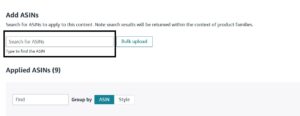
After building your module sequence, click through to the ASIN assignment screen. Assign individual ASINs manually or use the bulk upload option to apply the Brand Story across all brand-owned ASINs simultaneously. Review the desktop and mobile previews before submitting. Submit for Amazon review, which typically takes 24 hours for standard submissions.
What to Write Inside Your Brand Story
1. Lead with Why the Brand Exists
The most common Brand Story mistake is opening with the founding year or the founder’s name. Shoppers do not buy from founders. They buy from brands whose purpose connects with a problem they actually have.
Start with the problem the brand was created to solve. A skincare brand launched because the founder could not find a fragrance-free moisturizer safe for sensitive skin has a story. A kitchen brand started because the founders were professional chefs who wanted durable tools available to home cooks has a story. The specific origin creates instant credibility and differentiation in a way that “founded in X, committed to quality” never does.
2. Write for the Buyer, Not the Brand
Every sentence in the Brand Story should answer a question from the buyer’s perspective. Who is this brand for? Does it reflect my values? Will this company stand behind what they sell? Buyers who see themselves in your Brand Story language convert faster and return more often, because the purchase decision stops being a transaction and starts being an alignment.
A running brand should sound like it was written by runners. A baby product brand should speak to the specific anxieties parents carry. A pet supply brand should acknowledge what responsible pet ownership actually looks like.
3. Use Concrete Language
“Third-party tested in an ISO-certified facility” outperforms “committed to quality” every time because one is verifiable and one is not. Shoppers in 2026 are fluent in marketing claims. They skip past aspirational language and look for specifics. If your brand has certifications, materials sourcing standards, manufacturing practices, or operating principles that are genuinely different from the generic competition, name them explicitly.
Words like “organic,” “non-GMO verified,” “FDA-registered facility,” “certified B Corporation,” “woman-owned,” or “manufactured in the USA” communicate faster than paragraphs of explanation.
4. Connect Your Story to Your Products Naturally
The Brand ASIN Showcase module should not feel like a separate sales section bolted onto the end of a brand story. The transition should feel logical. If your brand story explains that you designed a product to solve a specific problem, the ASIN showcase should show that product, not your entire catalog at random.
Group products by the problem they solve or the customer segment they serve, not by SKU count or revenue. Shoppers who follow the logical thread from brand story to relevant products convert at higher rates than those who are presented with a disconnected grid of unrelated items.
5. Answer the Questions Buyers Are Asking
Before writing your Q and A module, read your one and two star reviews for the past six months. Identify the top three concerns that appear repeatedly. Those concerns do not disappear after a sale; they exist before the sale too, in the form of hesitation. Answering them directly in the Q and A module converts that hesitation into confidence.
Do not use the default questions unless they genuinely match what your buyers want to know. “Why do we love what we do?” is not a question buyers are asking. “Is this product safe for children under two?” or “Are these supplements third-party tested for contaminants?” are questions buyers are asking.
How Many Modules to Use
Amazon allows up to 19 modules beyond the mandatory background, for a total of 20 carousel cards.
From a practical perspective, 6 to 9 total modules, including the background, performs better than maximum module counts for most brands in most categories. The first three modules after the background receive the highest engagement. Customers who scroll past six to nine cards without converting are unlikely to be converted by cards ten through nineteen.
A module sequence that works across categories:
- Module 1: Logo and Description card with your brand mission in two to three sentences
- Module 2: ASIN Showcase featuring your four best-selling products
- Module 3: Focus Image card with a strong lifestyle photograph
- Module 4: Q and A card addressing three real buyer concerns
- Module 5: Second ASIN Showcase featuring complementary products or a different product line
This five-module structure covers brand introduction, cross-selling, lifestyle aspiration, objection handling, and additional cross-selling in a sequence that mirrors how buyers actually move through a purchase decision.
Amazon’s Content Policies for Brand Story
Amazon enforces specific compliance rules on Brand Story content. Violations lead to rejection.
Prohibited in Brand Story content:
- Pricing, discount language, or promotional claims (“Save 20%,” “Limited time offer,” “Buy 2 get 1”)
- Time-sensitive language (“New for 2026,” “Available now,” “While supplies last”)
- Direct or implied competitor references
- Customer review text used as testimonials
- External website URLs, social media handles, or email addresses in any image text or copy
- Shipping policies, return policies, or satisfaction guarantee language
- Claims using superlatives without substantiation (“best,” “top-rated,” “most effective”)
- QR codes embedded in images
Amazon’s 2026 guidelines also include a specific prohibition on QR codes within all A+ and Brand Story imagery, closing a loophole some sellers had been using to drive off-Amazon traffic without disclosing an external link.
Connecting Brand Story to the Wider Amazon Brand Ecosystem
The Brand Story does not operate in isolation. In 2026, it connects directly to three other brand tools that amplify its impact when used in coordination.
Amazon Store: The ASIN Showcase module can include a direct link to your Amazon Storefront via your brand store ID. Shoppers who click through to the store are inside your brand environment, browsing your full catalog rather than returning to category search results where competitors are visible.
Sponsored Brands: Sponsored Brands ads that point to your Amazon Store or a specific ASIN benefit from the Brand Story section on the destination page. A shopper who clicks a Sponsored Brands ad, arrives at the product detail page, and sees a fully built Brand Story receives a more complete brand impression than a shopper who arrives on a bare listing. The Brand Story functions as a landing page that validates the ad.
Premium A+ Content: As covered in the eligibility section, a published Brand Story covering all brand-owned ASINs is one of the two hard requirements for Premium A+ access. The Brand Story is not just a standalone section; it is the entry point to the highest-performing content tier on the platform.
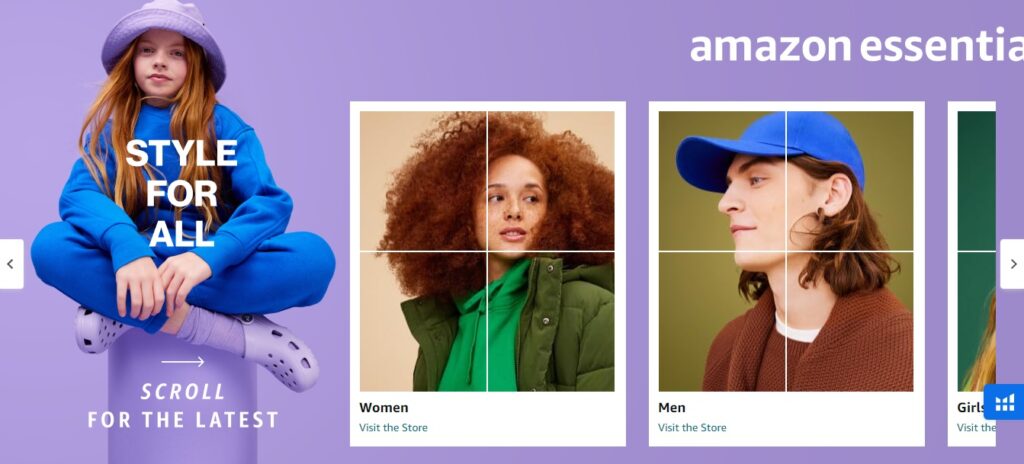
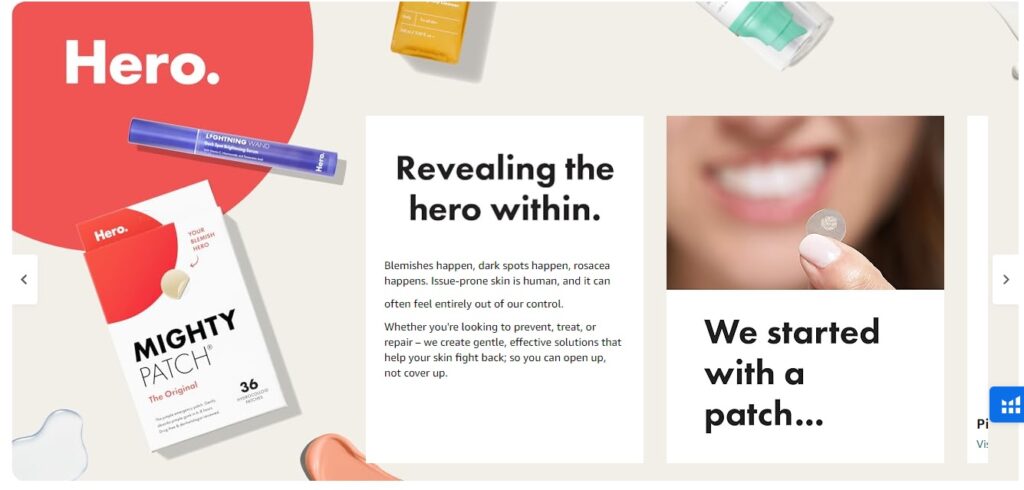
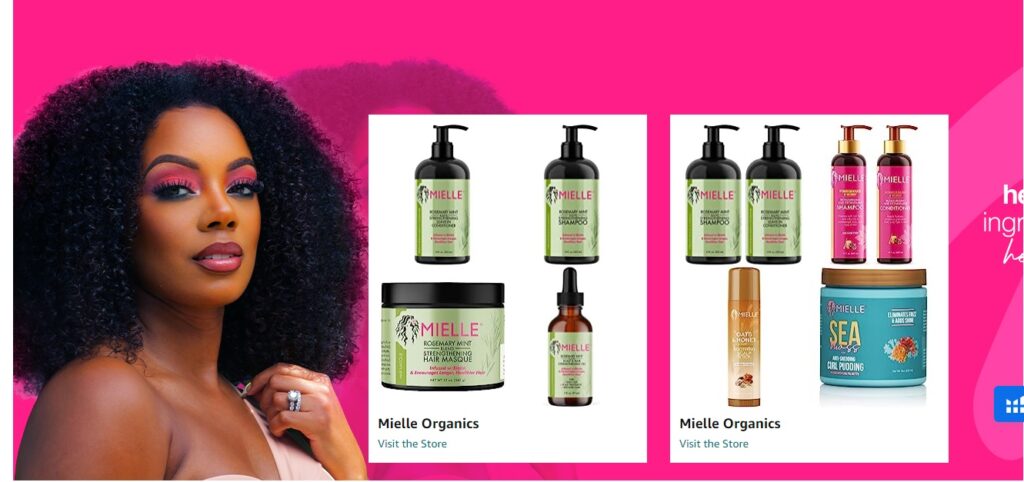
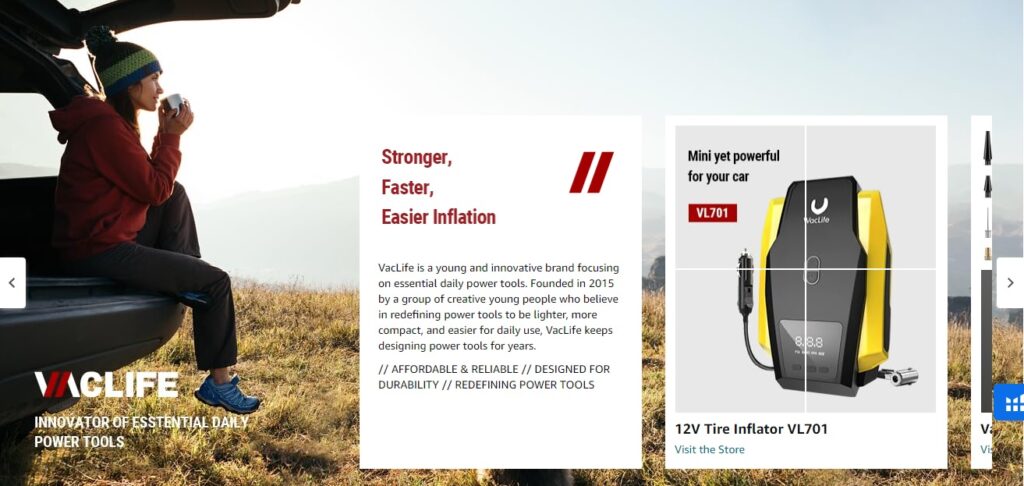
Amazon Brand Story Examples
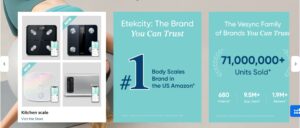
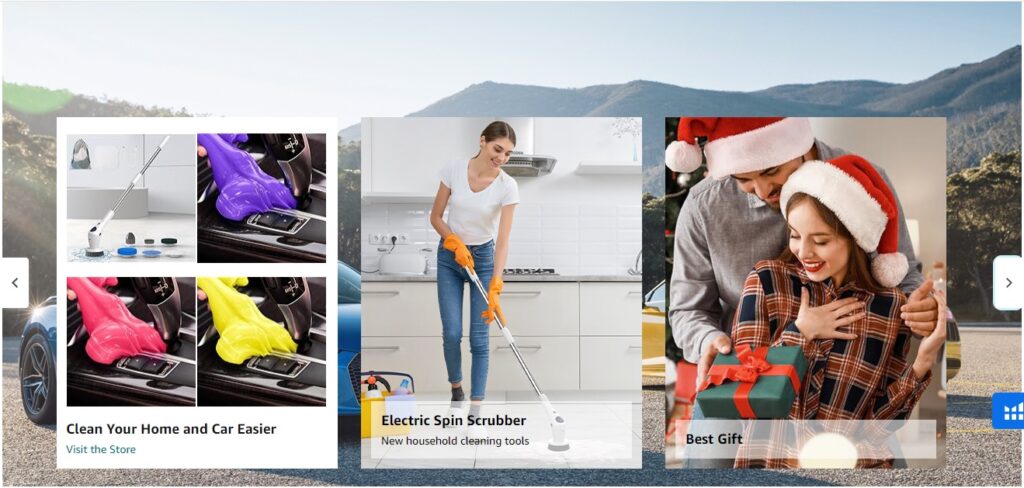
Below, you’ll find a selection of inspiring Amazon Brand Story examples. These will hel[ you to craft a compelling and unique Amazon Brand Story for your own brand.
Frequently Asked Questions
What is an Amazon Brand Story?
The Brand Story is a swipeable carousel section on Amazon product detail pages, housed inside a labeled area called “From the brand.” It sits above the A+ Content section and allows brand-registered sellers to communicate brand identity, cross-sell products, and link to their Amazon Store. It is a separate content tool from A+ Content and product descriptions.
Who can create an Amazon Brand Story?
Sellers enrolled in Amazon Brand Registry with a registered or pending trademark. Vendors on Vendor Central receive automatic access without a separate Brand Registry requirement.
Does Brand Story help with Amazon search ranking?
Brand Story content is not indexed for keyword search the same way titles, bullet points, and backend keywords are. However, image alt text within Brand Story modules can contribute to indexing, and improved conversion rates from a well-built Brand Story feed into the listing performance signals that Amazon’s algorithm considers.
How many modules can I add?
The background is mandatory. You can add up to 19 additional modules for a maximum of 20 total carousel cards. In practice, 6 to 9 total cards outperforms maximum module counts for most brands because engagement drops sharply after the first few swipes.
Can the same Brand Story run across all my products?
Yes. A single Brand Story can be assigned to all brand-owned ASINs using the bulk upload option during the ASIN assignment step. Multiple Brand Stories can also be built and assigned to different product categories within the same brand.
How long does Amazon take to approve Brand Story submissions?
Standard submissions are typically reviewed within 24 hours. During Q4 peak season, approval can take up to 7 days. Rejected submissions require revisions and resubmission, which restarts the clock.
Can I include links to my website or social media in the Brand Story?
No. Amazon’s content policy explicitly prohibits external URLs, social media handles, email addresses, and QR codes within Brand Story images and copy. Violations result in rejection.
Is a Brand Story required for Premium A+ Content?
Yes. A published Brand Story covering all brand-owned ASINs is one of the two hard eligibility requirements for Premium A+ Content access. The other requirement is five approved A+ Content projects within the past 12 months.