Amazon Advertising is the platform’s paid promotion system that puts your products in front of shoppers across Amazon’s ecosystem and beyond. The system runs on an auction model where advertisers bid for visibility in search results, and Amazon’s algorithm decides which ads appear based on bid amount, relevance, and predicted performance.
When a shopper searches or views a product page, Amazon runs an instant auction among all advertisers targeting that placement. Your bid tells Amazon the maximum you’ll pay for a click. Your relevance score comes from your listing quality, historical click-through rates, and conversion performance.
How Amazon PPC Works
Amazon runs a second-price auction system for every ad placement. Understanding this mechanism helps you bid smarter and avoid overpaying for clicks.
1. The Auction Process
When a customer searches for a product, Amazon instantly identifies all advertisers targeting that keyword or placement. Each advertiser has set a maximum bid they’re willing to pay per click. Amazon then ranks these advertisers based on two factors: bid amount and ad relevance.
Ad relevance comes from your product’s historical performance. Click-through rate, conversion rate, and overall sales history all contribute to your relevance score. Amazon multiplies your bid by your relevance score to determine your ad rank.
2. Second-Price Auction Explained
Here’s where most sellers get confused. Amazon uses a second-price auction, meaning you pay just enough to beat the next highest bidder rather than your full bid amount.
Example with three competing sellers:
Seller A bids $3.00 with high relevance (Ad Rank: 1st)
Seller B bids $2.50 with medium relevance (Ad Rank: 2nd)
Seller C bids $2.00 with low relevance (Ad Rank: 3rd)
Seller A wins the top placement but doesn’t pay $3.00. They pay $2.51, just one cent more than needed to outbid Seller B. Seller B wins the second placement and pays $2.01 to beat Seller C.
This system rewards relevance. A seller with strong conversion history and a $2.00 bid can outrank a poor-performing seller bidding $3.00. Amazon wants ads that generate sales, so the algorithm favors products shoppers actually buy.
Important Amazon PPC Metrics
Understanding these metrics separates profitable advertisers from those bleeding money. Here are the formulas you’ll use daily:
ACoS (Advertising Cost of Sales)
This tells you what percentage of your ad revenue went to advertising costs.
Formula: (Ad Spend ÷ Ad Revenue) × 100 = ACoS %
If you spent $200 on ads and generated $1,000 in attributed sales. Your ACoS is ($200 ÷ $1,000) × 100 = 20%
TACoS (Total Advertising Cost of Sales)
This reveals advertising’s impact on your entire business, not just ad-attributed sales.
Formula: (Ad Spend ÷ Total Revenue) × 100 = TACoS %
If you spent $200 on ads. Your total revenue (organic plus advertising) was $4,000. Your TACoS is ($200 ÷ $4,000) × 100 = 5%
ROAS (Return on Ad Spend)
This shows how many dollars you earn for every dollar spent on advertising.
Formula: Ad Revenue ÷ Ad Spend = ROAS
For example if you generated $1,000 from $200 in ad spend. Your ROAS is $1,000 ÷ $200 = 5.0x
Break-Even ACoS
This is the maximum ACoS you can run before losing money on each sale.
Formula: Break-Even ACoS = Your Profit Margin %
If your product has a 30% profit margin after all costs. Your break-even ACoS is 30%. Anything above that means you’re losing money per sale.
Maximum Profitable Bid
This helps you calculate the highest bid that still makes money.
Formula: Target ACoS × Average Order Value × Conversion Rate = Max CPC
For example if you want 20% ACoS on a $30 product with 12% conversion rate. Your max bid is 0.20 × $30 × 0.12 = $0.72
CTR (Click-Through Rate)
This measures how often people click your ad after seeing it.
Formula: (Clicks ÷ Impressions) × 100 = CTR %
Industry average for Sponsored Products runs 0.3% to 0.5%. Anything above 0.5% indicates strong creative and relevance.
CVR (Conversion Rate)
This shows what percentage of clicks turn into purchases.
Formula: (Orders ÷ Clicks) × 100 = CVR %
Amazon’s platform average sits around 9-11%, but this swings wildly by category and price point.
Amazon Ad Types
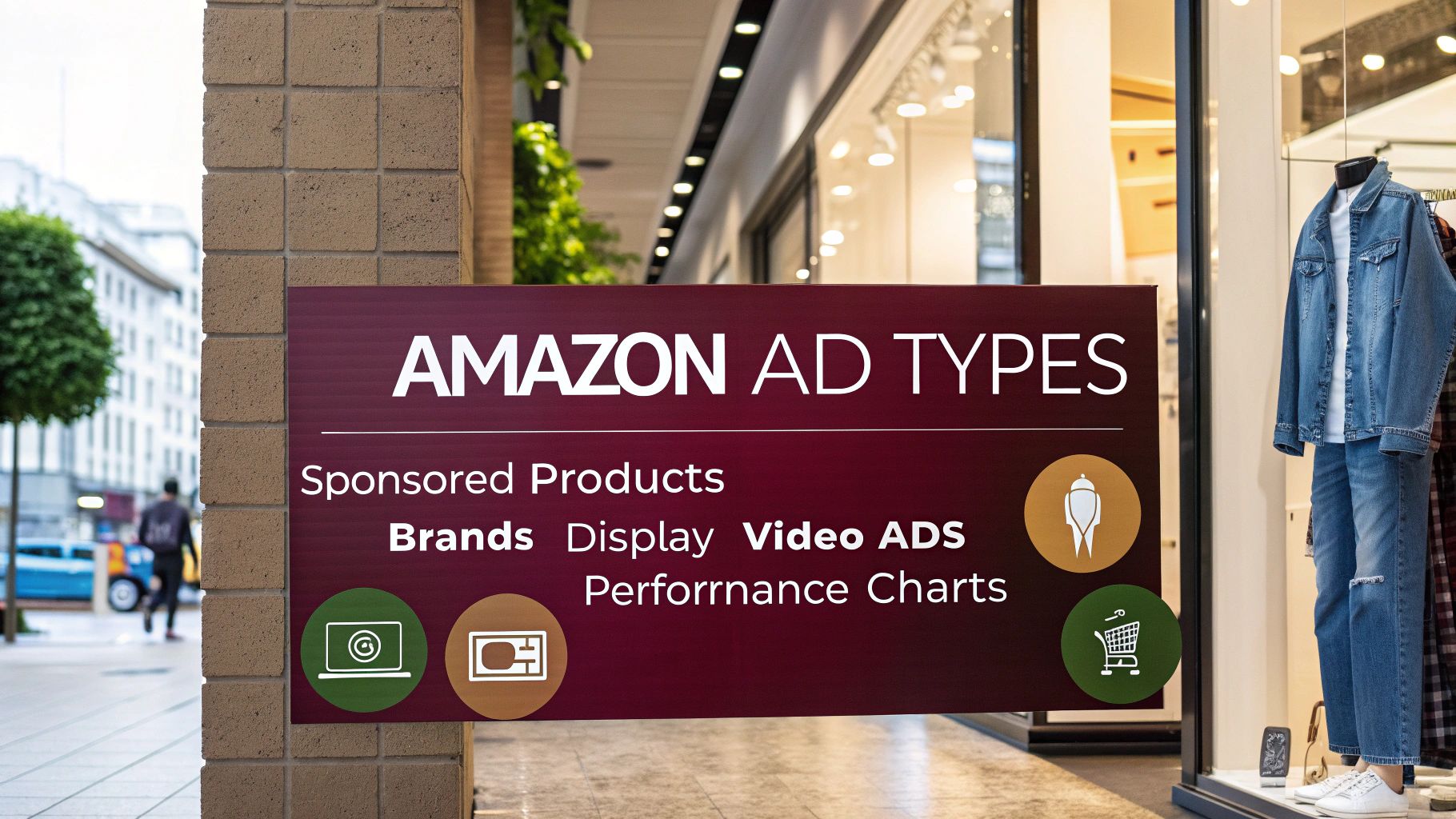
Amazon offers multiple ad types, and each one serves a different purpose in how shoppers discover your products. Four (04) main formats include:
- Amazon Sponsored Products
- Amazon Sponsored Brands
- Amazon Sponsored Display
- Amazon DSP (Demand Side Platform) Ads
Sponsored Products
Sponsored Products is Amazon’s flagship advertising format. These ads account for roughly 75-80% of all Amazon advertising spend, and for good reason. They require no brand registration, offer the lowest barrier to entry, and work for virtually every product category.
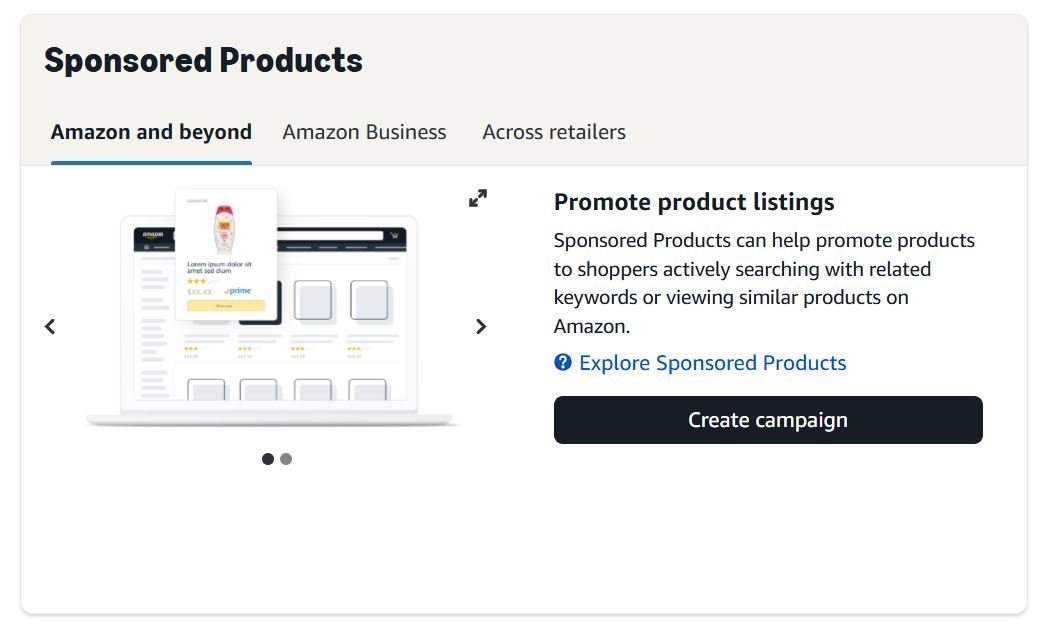
The format promotes individual product listings that appear throughout the shopping experience. They blend naturally with organic search results, carrying only a small “Sponsored” label to distinguish them. Any professional seller with Buy Box eligible products can launch Sponsored Products campaigns within minutes.
1. Where Sponsored Products Appear
Your ads show in four distinct placement types, each with different performance characteristics and costs.
Top of Search (First Page)
Top of Search (First Page) occupies the first row of search results, directly below any Sponsored Brands banner. You’ll see 3-5 Sponsored Products in this premium position on desktop, and 1-2 on mobile. This placement consistently outperforms all others. Click-through rates run 2-3x higher than rest of search because shoppers often click the first relevant result they encounter. Conversion rates also trend higher here.
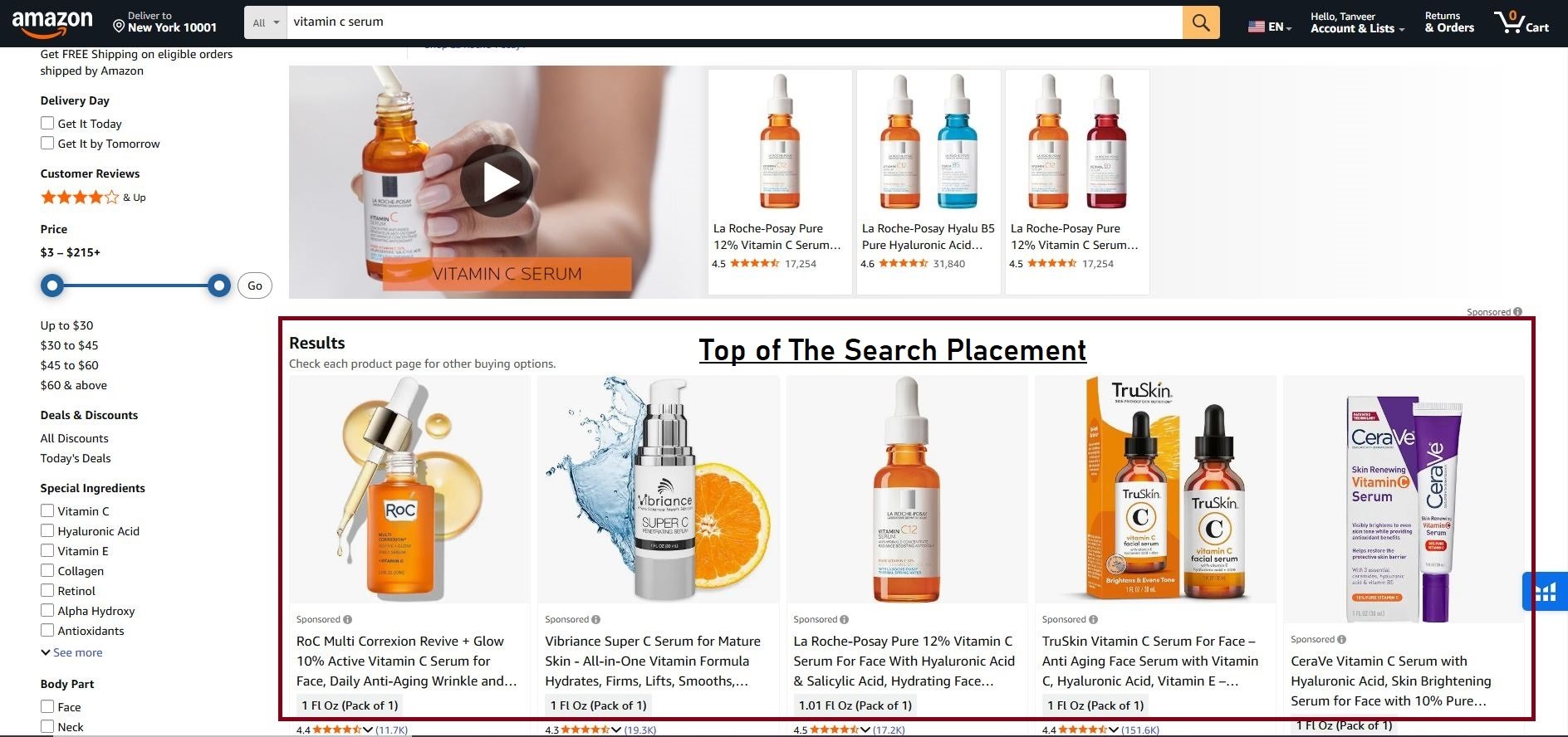
Competition for top of search is fierce. Expect to pay 50-200% premium over your base bid. A $1.00 base bid might cost $1.50-$3.00 when winning first-row positions.
Rest of Search (ROS)
Rest of Search placements appear throughout search results pages, interspersed with organic listings. On desktop, Sponsored Products show after the first organic row and continue through subsequent pages. Mobile searches display sponsored products mixed throughout the scrolling feed.
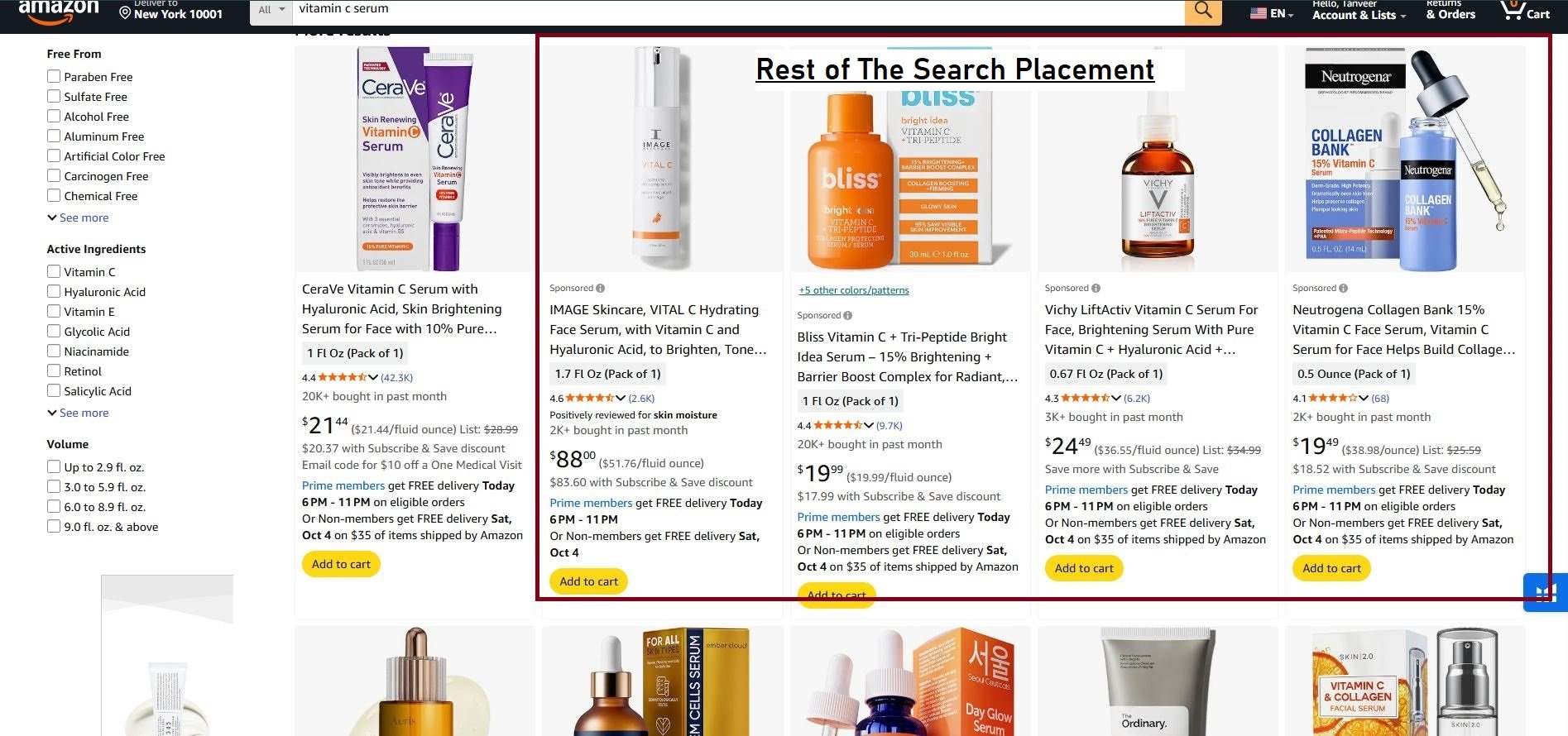
These placements cost less than top of search but generate lower engagement. The reduced competition can deliver acceptable ACoS for sellers unable to compete for premium positions.
Product Detail Pages
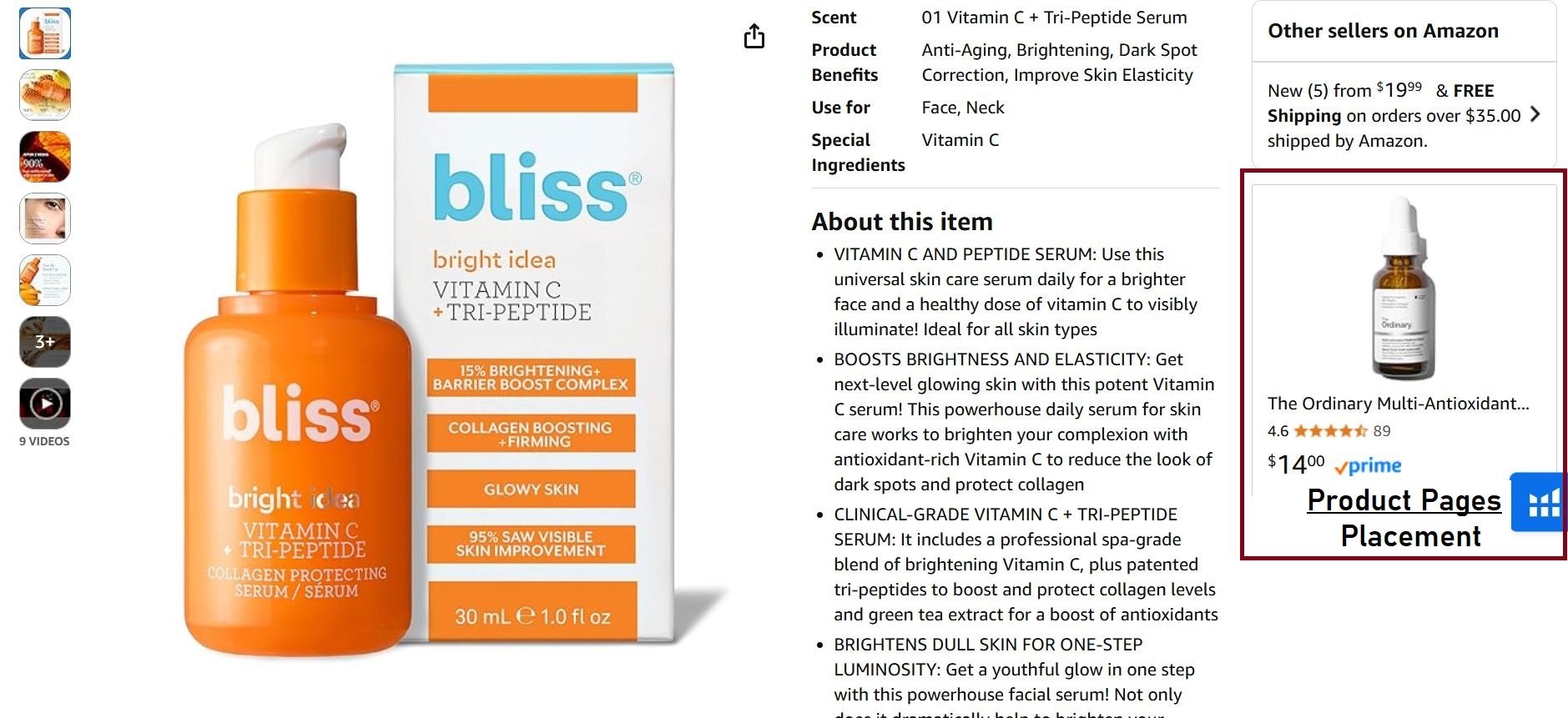
Product Detail Pages show your ads on competitor listings in several locations. You’ll appear in the “Products related to this item” carousel below the buy box, the “Compare with similar items” section, and the “Sponsored products related to this item” module. These placements reach shoppers actively comparing options. Someone viewing a competitor’s product page is deep in the purchase funnel, making them valuable targets.
2. Automatic Targeting
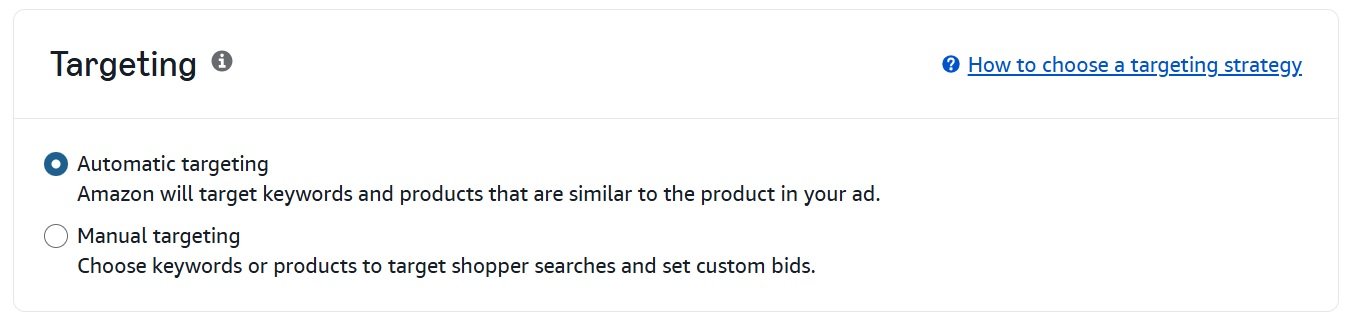
Sponsored products automatic campaigns let Amazon’s algorithm choose which searches and products trigger your ads. The system analyzes your listing content, category, and product attributes to find relevant matches. This targeting type splits into four distinct groups.
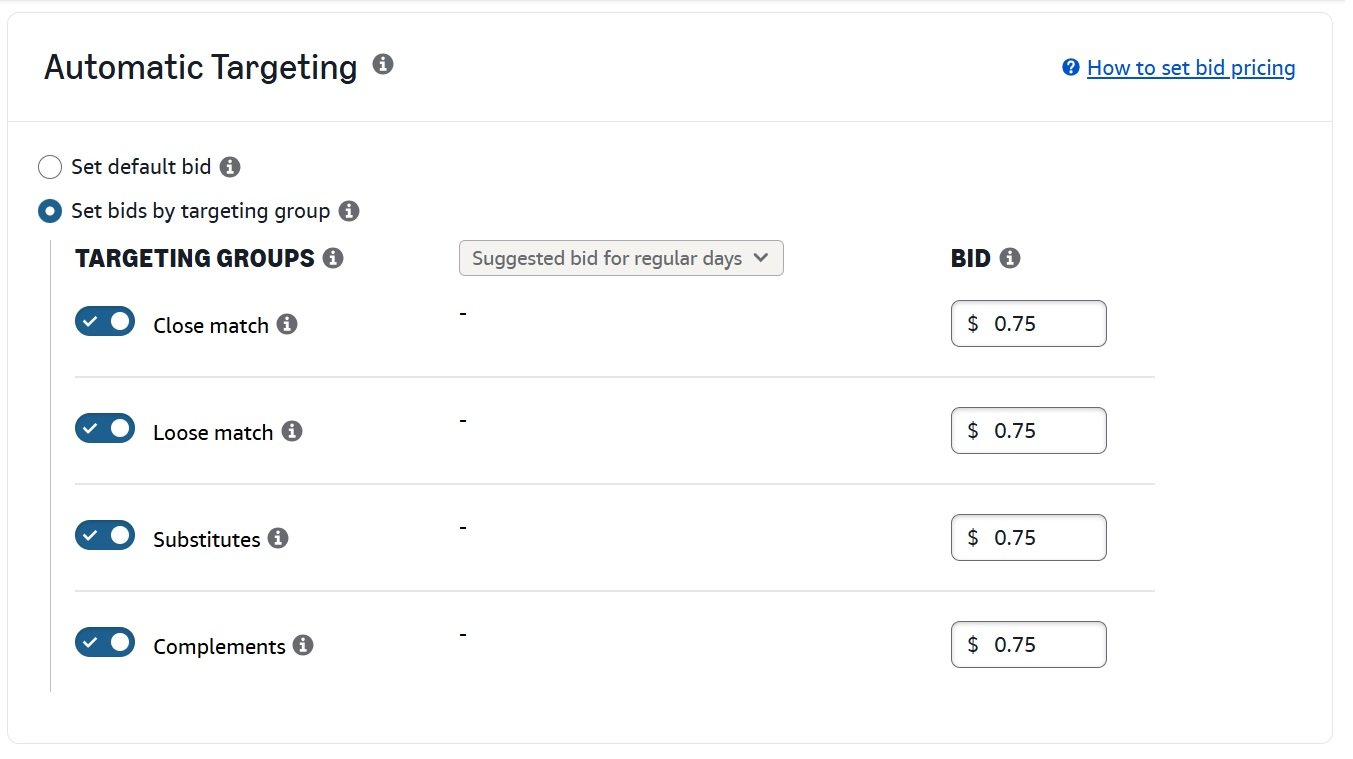
1- Close Match shows your ad when searches closely relate to your product. A “stainless steel water bottle” listing appears for “metal water bottle,” “steel drink bottle,” and similar variations. Close match typically delivers the highest relevance and best conversion rates within auto campaigns.
2- Loose Match creates broader connections. Your water bottle might appear for “gym accessories,” “hiking gear,” or “hydration supplies.” These terms generate more impressions but lower conversion rates. Many loose match searches become negative keywords after testing.
3- Substitutes places your ad on product pages of similar items. Your water bottle appears on competitor water bottle listings. This targeting works well when your product offers clear advantages over the displayed alternatives.
4- Complements shows your ad on pages of products typically purchased together with yours. A water bottle might appear on water bottle brush pages, insulated sleeves, or gym bag listings.
You can adjust bids by targeting group within auto campaigns. Increase bids for close match if it converts well. Decrease or pause loose match if it wastes spend. Review your search term report weekly and export converting terms to manual campaigns with precise bids.
3. Manual Targeting
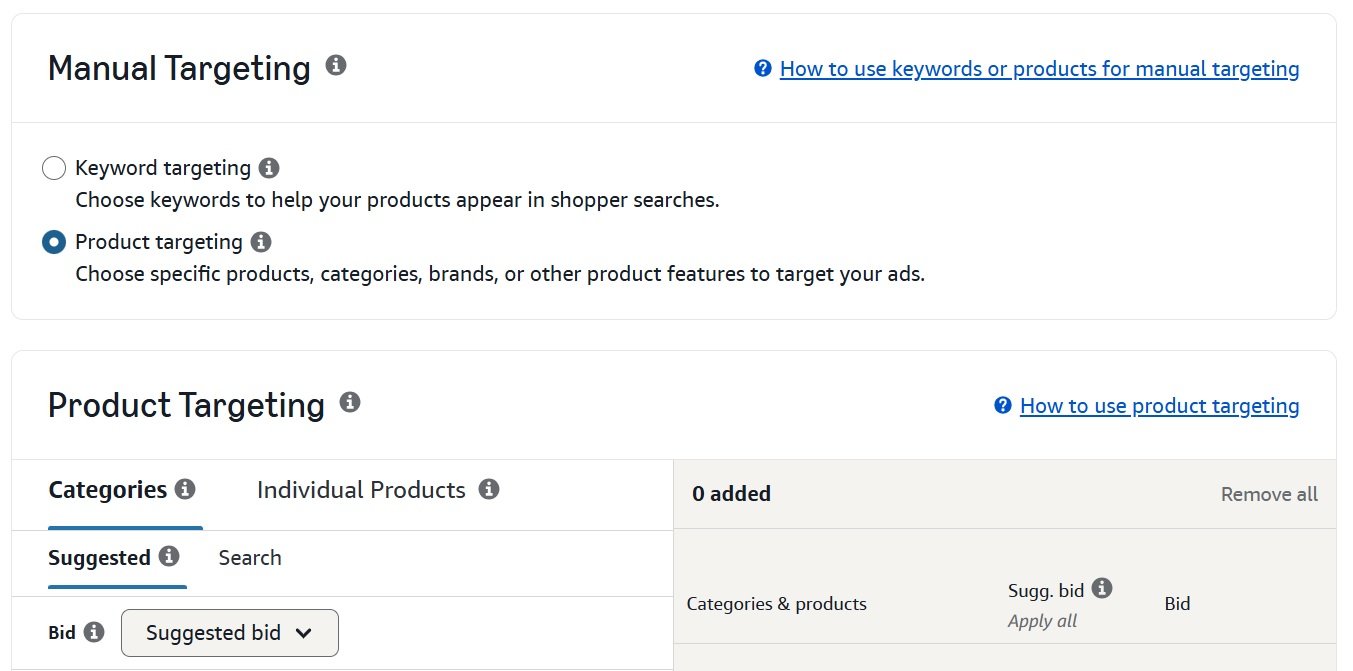
Manual campaigns give you direct control over what triggers your ads. You select the exact keywords, specific products, or categories to target.
Keyword Match Types control how broadly Amazon interprets your keywords:
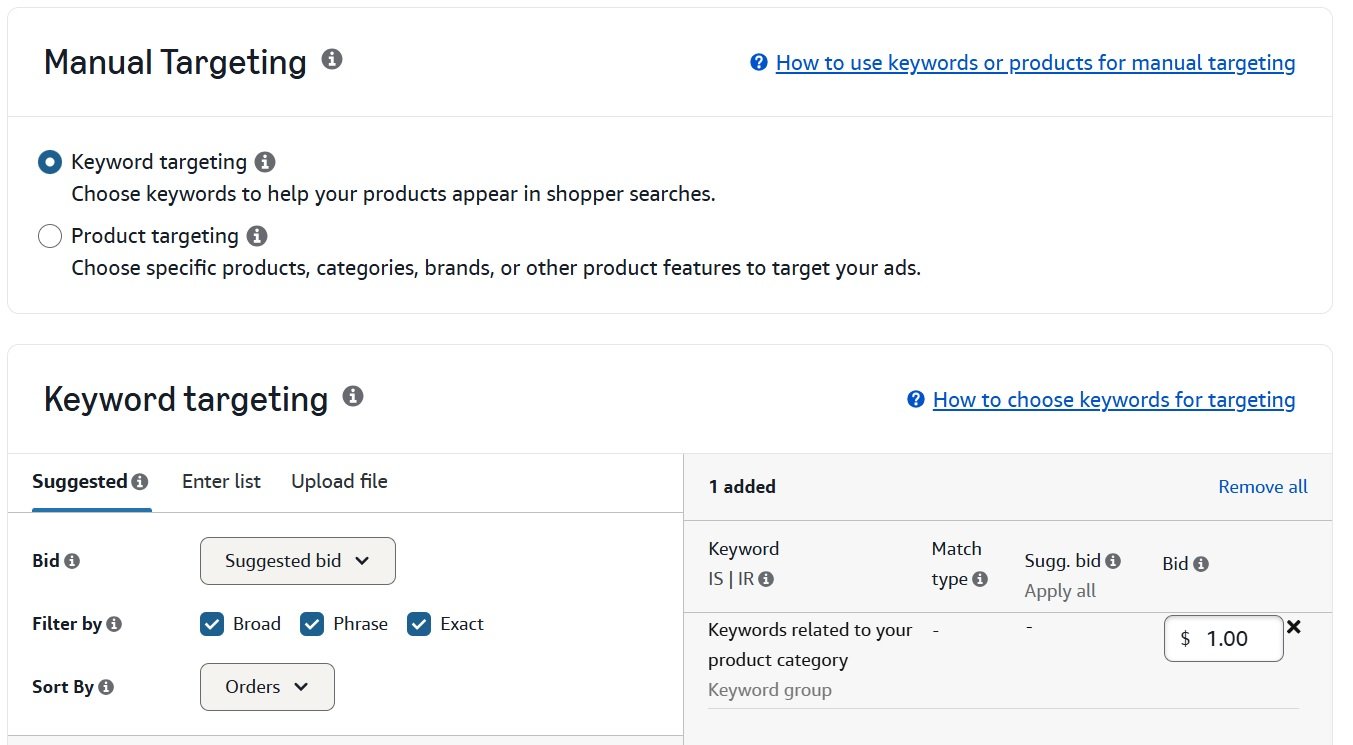
1- Exact Match shows your ad only when shoppers search your keyword or very close variants. “Stainless steel water bottle” triggers that exact phrase, plurals, and common misspellings. Nothing else qualifies. Use exact match for your highest-converting, most profitable keywords where you want maximum control.
2- Phrase Match shows your ad when searches contain your keyword phrase in order, with additional words before or after. “Stainless steel water bottle” triggers “best stainless steel water bottle” and “buy stainless steel water bottle cheap.” The phrase cannot be broken up or reordered. This match type balances reach and relevance for keywords you’re still testing.
3- Broad Match shows your ad when searches contain your keywords in any order, plus synonyms and related terms. “Stainless steel water bottle” might trigger “metal drink container” or “reusable stainless bottle.” Broad match generates maximum impressions but requires aggressive negative keyword management.
4- Product Targeting lets you place ads on specific competitor product pages. Enter competitor ASINs directly, and your ad appears in the sponsored products section of their listings. This works well when your product offers clear advantages like lower price, better reviews, or more features. Avoid targeting products clearly superior to yours. Showing your 3.5-star product on a 4.8-star competitor’s page wastes money.
5- Category Targeting lets you target entire categories or refined segments. You can narrow by price range, star rating, brand, or Prime eligibility. Starting with “Water Bottles” as a target shows your ad across thousands of listings. Refining to “Water Bottles, 4+ stars, $15-$30” focuses spend on relevant comparisons.
4. Bidding Strategies for Sponsored Products
Amazon offers three bidding options that dramatically affect your campaign performance.
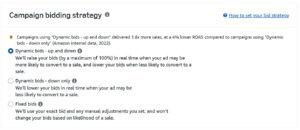
1- Down Only reduces your bid up to 100% when Amazon predicts lower conversion likelihood. Your $1.00 bid might become $0.50 for a less relevant search. This option never increases bids beyond what you set. Use down only for conservative spending, new campaigns with unknown performance, or tight budget situations.
2. Up and Down adjusts bids in both directions. Bids can increase up to 100% when Amazon predicts high conversion probability and decrease up to 100% for poor conversion likelihood. A $1.00 base bid might become $2.00 for a highly relevant search or $0.25 for an unlikely conversion. Use this for aggressive scaling and established campaigns with proven performance.
3- Fixed Bids uses your exact bid without any Amazon adjustment. You maintain complete control but sacrifice Amazon’s real-time optimization signals. Use fixed bids when predictability matters more than performance optimization.
5. Placement Modifiers
You can increase bids for specific placement types beyond your base bid.
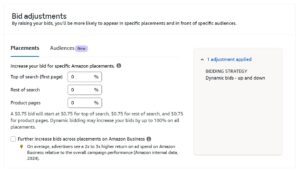
1- Top of Search Modifier lets you bid 0-900% higher for first-row placement. A 50% modifier on a $1.00 base bid means you’ll pay up to $1.50 for top of search while paying only $1.00 for other placements. Start with 25-50% modifiers and analyze your placement report after 2-4 weeks.
2- Product Pages Modifier increases bids for product detail page placements the same way. These placements reach shoppers comparing options on competitor pages. Performance varies more than search placements, so test modifiers carefully.
3- Rest of The Search Modifier adjusts bids for all other search result placements outside the first row. This includes positions throughout search results pages after the top sponsored slots.
To calculate whether a modifier makes sense, compare your ACoS by placement in reporting. If top of search delivers 15% ACoS while rest of search delivers 25% ACoS, increasing your top of search modifier captures more of the efficient placement.
6. Bid Optimization Process
For keywords exceeding your target ACoS, reduce bids 15-25% as a first step. If performance remains poor after two weeks, reduce another 15-25%. Pause keywords that stay unprofitable after multiple reductions.
For keywords below your target ACoS, increase bids 10-20% to capture more volume. Continue increasing until you reach your target ACoS ceiling. High-performing keywords often have room for significantly more volume.
For keywords with zero sales after spent equal to 50% of product price, reduce bids significantly or examine your listing for conversion issues.
7. Negative Keywords
Negative keywords prevent your ads from showing on irrelevant searches.
- Add negatives for brand names you can’t compete against, irrelevant product types within your category, and terms indicating wrong intent like “free,” “used,” or “DIY.”
- Negative Exact blocks only that specific search. “Free yoga mat” as negative exact blocks that phrase but not “free yoga mats” or “yoga mat free shipping.”
- Negative Phrase blocks any search containing that phrase. “Free” as negative phrase blocks “free yoga mat,” “yoga mat free,” and “free exercise mat.”
Review search term reports weekly during active optimization. Look for searches with 15-20+ clicks and no conversions. Evaluate relevance before adding negatives, then document your additions to avoid accidentally blocking valuable terms later.
8. Attribution and Reporting
Sponsored Products uses a 7-day attribution window for sales and a 14-day click attribution window. If a shopper clicks your ad and purchases within 7 days, that sale attributes to your campaign.
Key reports to review regularly include the Search Term Report showing what searches triggered your ads, the Targeting Report showing performance by keyword or product target, the Placement Report showing performance by placement type, and the Purchased Product Report showing which products sold from ads.
Sponsored Brands
Sponsored Brands puts your brand front and center with logo placement, custom headlines, and multi-product displays. This format builds brand recognition while driving immediate sales, appearing in the most premium positions across Amazon.
You need Brand Registry enrollment with a registered trademark to access Sponsored Brands. Amazon wants to verify you own or represent the brand before allowing logo-forward advertising.
1. Where Sponsored Brands Appear
The most prominent placement sits at the very top of search results, above everything else. This banner spans the full page width on desktop, displaying your brand logo on the left, your custom headline in the center, and three product images with titles and prices on the right. Mobile adapts the format vertically with your logo and headline appearing first, followed by a horizontally scrollable product carousel.
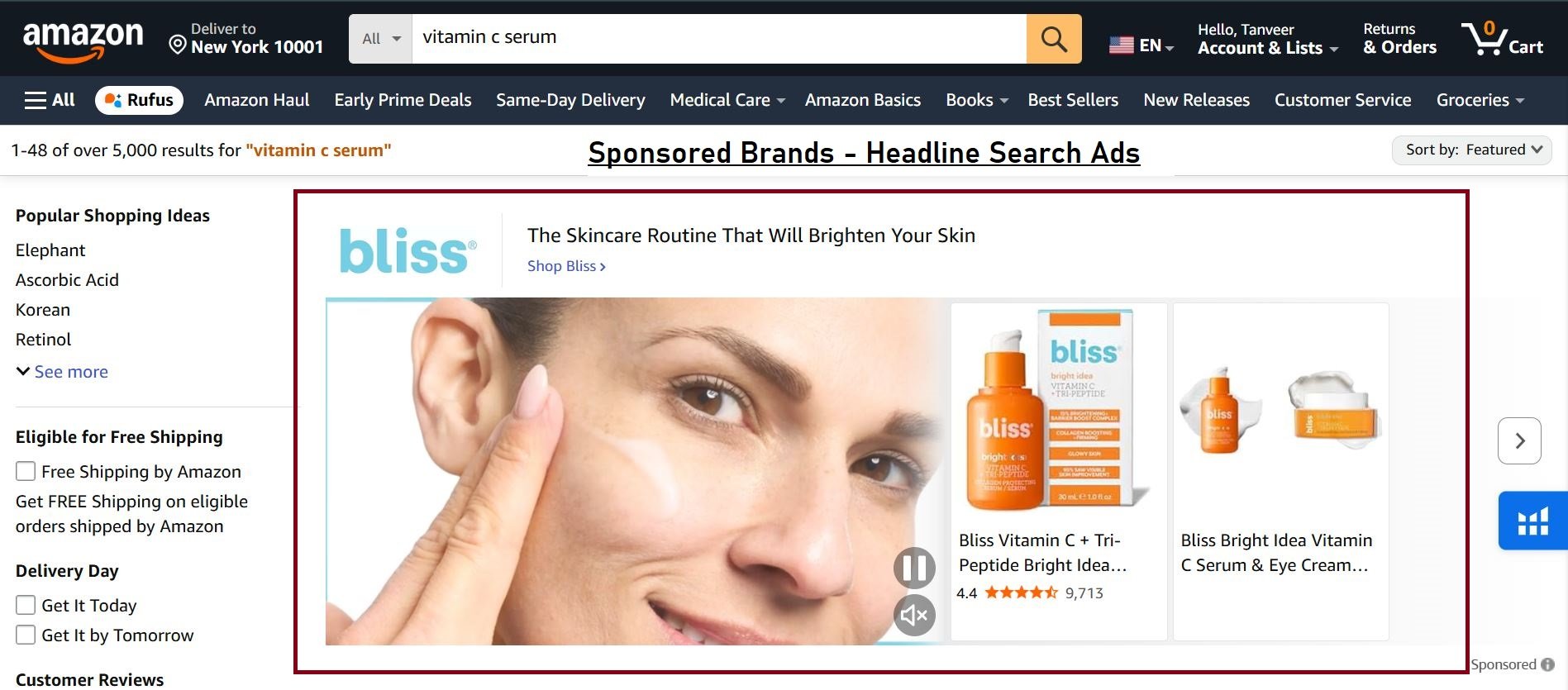
This top-of-search banner generates the highest visibility of any Amazon ad placement. Click-through rates average 0.5-1.0% depending on category and creative quality.
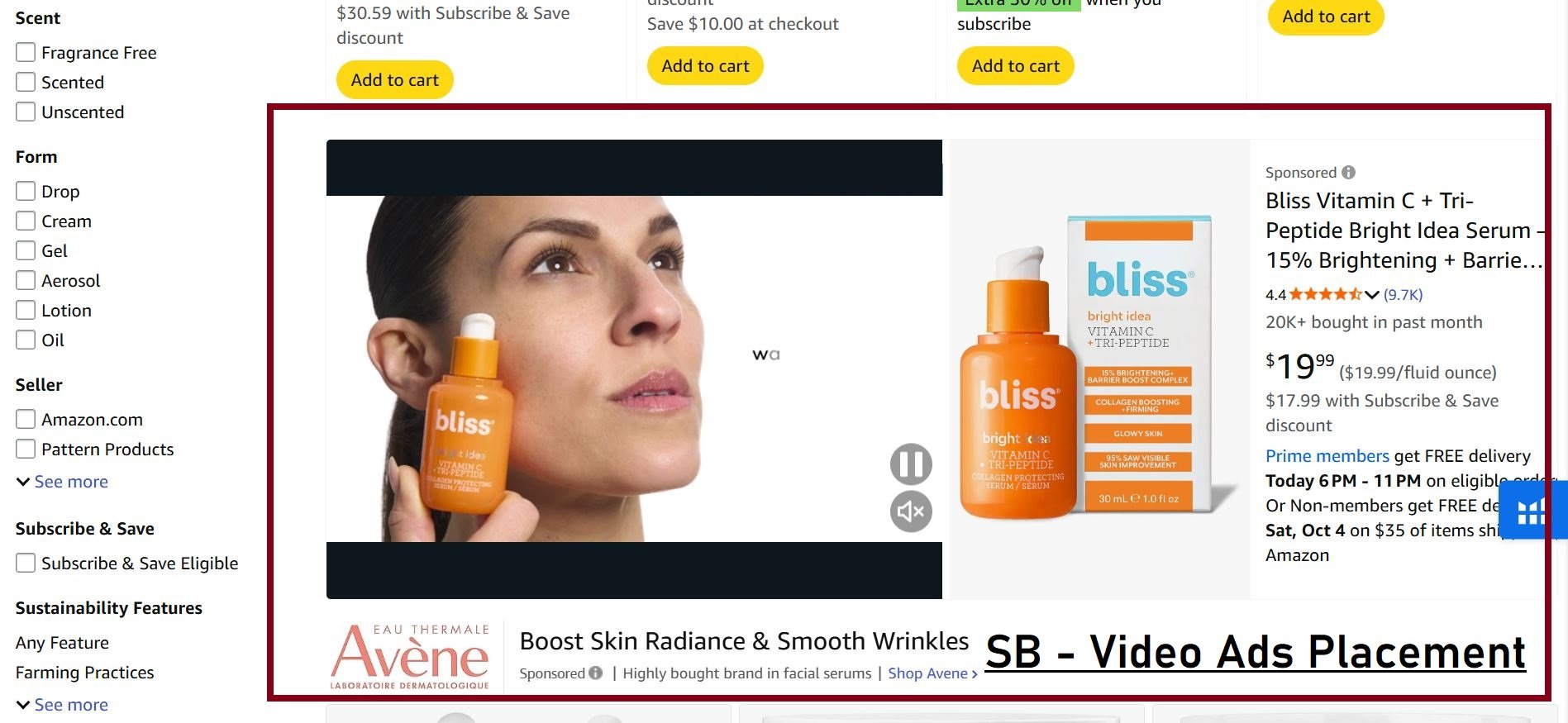
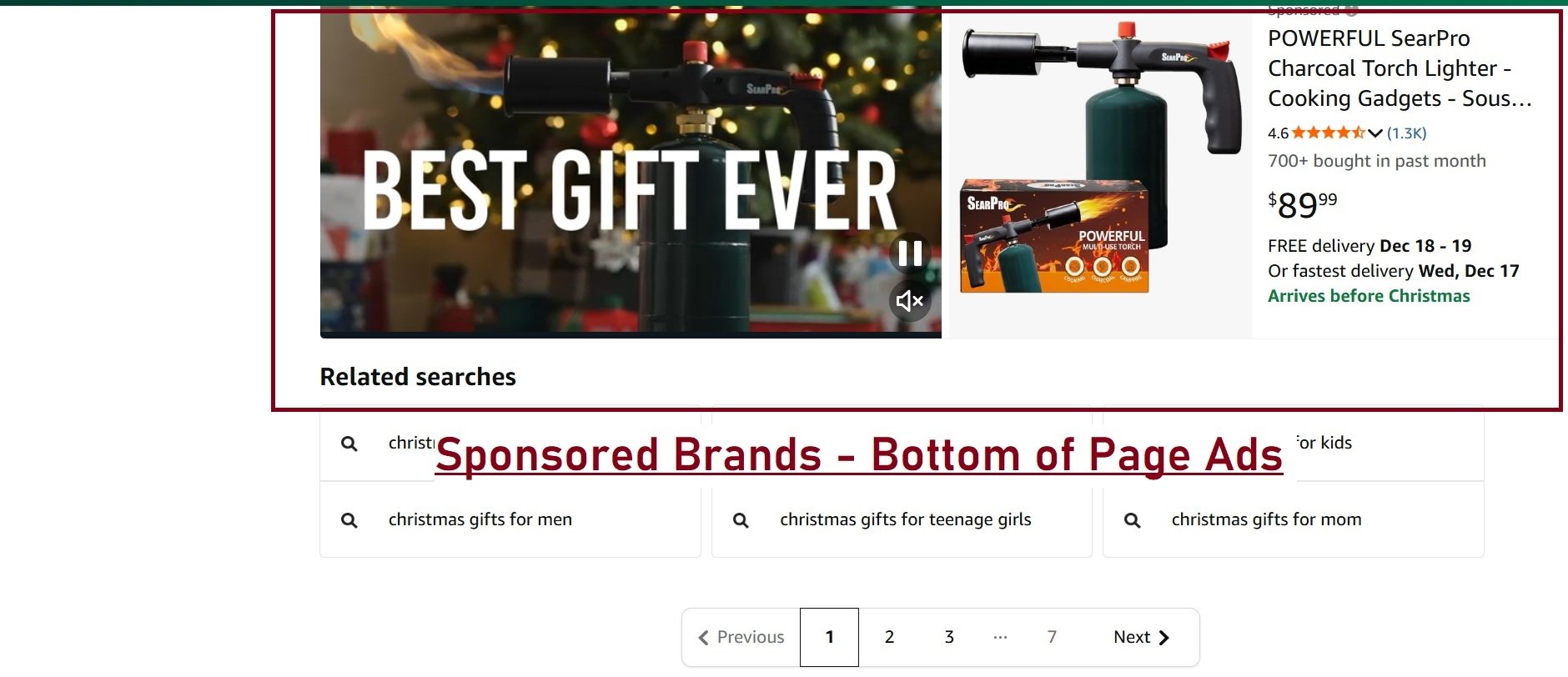
Sponsored Brands also appear within search results, positioned after several rows of organic and sponsored product listings. These mid-page placements cost less than top-of-search but receive less attention. They also appear at the bottom of search results too.
On product detail pages, Sponsored Brands show in the “Brands related to this category” section. These placements reach shoppers viewing competitor products who might notice and investigate your brand.
2. Product Collection Format
Product Collection displays your logo, custom headline, and up to three products. This format works best for showcasing best sellers or demonstrating product range.
Clicking the logo or headline sends shoppers to your Amazon Store or a custom landing page. Clicking individual products goes directly to those product detail pages.
Creative requirements:
- Brand logo: 400×400 pixels minimum, PNG or JPG format
- Custom image (optional): 1200×628 pixels minimum
- Headline: 50 characters maximum
- Products: minimum 3 ASINs from your brand
Custom lifestyle images showing products in use typically outperform plain product arrangements. Show your products being enjoyed rather than sitting on white backgrounds.
3. Store Spotlight Format
Store Spotlight promotes your Amazon Store by highlighting different Store subpages with custom images. Instead of featuring individual products, you showcase Store sections like “New Arrivals,” “Best Sellers,” or product categories.
Each subpage card displays a custom image and title. Shoppers click to explore your full brand experience rather than landing on a single product page.
This format requires an active Amazon Store with at least three subpages. It works best for brands with diverse product lines. A kitchenware brand might spotlight “Cookware,” “Bakeware,” and “Utensils” sections to encourage catalog browsing.
4. Sponsored Brands Video Format
Video ads appear within search results as auto-playing units. The video plays without sound as shoppers scroll past. Clicking anywhere on the ad leads to your product detail page.
Video captures attention in a feed of static images. Movement draws the eye and stops shoppers mid-scroll. Click-through rates for video ads run 2-3x higher than static Sponsored Brands formats.
Video specifications:
- Duration: 6-45 seconds (15-30 seconds recommended)
- Resolution: 1920×1080 pixels minimum
- Aspect ratio: 16:9
- File size: 500MB maximum
- Format: MP4 or MOV
Videos cannot include Amazon branding, pricing information, or promotional language like “best seller” or “#1 rated.” Focus on product benefits and show the item in action rather than reading features aloud.
Production costs range from $500-$3,000 for professional product videos. Amazon’s video builder tool creates basic videos from existing images if budget is limited, though quality suffers compared to professional production.
5. Landing Page Options
Sponsored Brands can direct traffic to three destination types, each suited to different campaign goals.
Amazon Store Homepage showcases your complete brand presence. Shoppers landing here explore your full catalog, learn your brand story, and discover products they didn’t know you offered. Use this for broad awareness campaigns targeting category-level keywords.
Store Subpage directs shoppers to specific Store sections matching their search intent. Someone searching “yoga mat” clicks through to your yoga equipment subpage rather than navigating from your homepage. This improves relevance and conversion rates.
Custom Product List creates a landing page featuring selected ASINs without requiring a full Store. Amazon generates a page displaying your chosen products with filtering options. Use this for specific promotions or when Store sections don’t match campaign targeting.
6. New-to-Brand Metrics
Sponsored Brands provides unique reporting showing what percentage of purchases came from first-time brand customers. This data is unavailable with other ad types.
A 65% new-to-brand rate means 65% of purchasers hadn’t bought from your brand in the previous 12 months. The remaining 35% were repeat customers.
This matters for customer acquisition calculations. If your goal is brand growth rather than repeat purchases, campaigns with high new-to-brand percentages deliver better long-term value even at higher ACoS.
The report includes new-to-brand orders, new-to-brand sales revenue, new-to-brand order rate, and new-to-brand sales rate percentages.
7. Attribution and Reporting
Sponsored Brands uses a 14-day attribution window. Purchases occurring within 14 days of clicking your ad attribute to that campaign.
Key reports include keyword targeting performance, campaign placement breakdowns, search term data, new-to-brand metrics, and Store Insights connecting advertising traffic to Store engagement behaviors like page browsing and multi-item purchases.
Sponsored Display
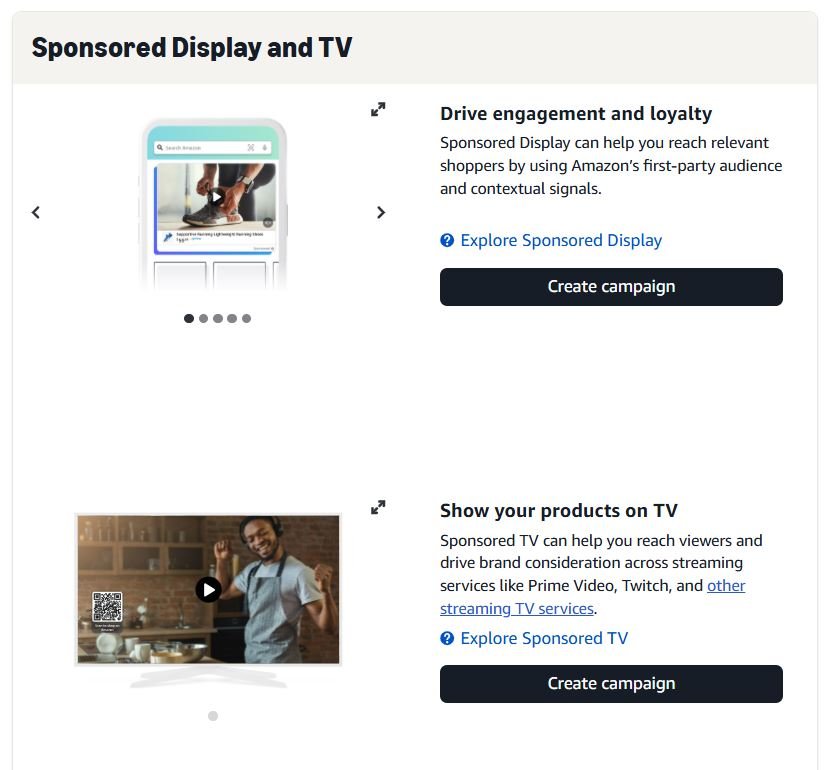
Sponsored Display extends your advertising beyond search results to reach shoppers throughout their Amazon journey and across the broader internet. This format combines product targeting with audience targeting for expanded reach beyond active searchers.
Brand Registry is required. The format offers more creative flexibility and placement variety than Sponsored Products but demands strategic audience selection to avoid wasted impressions on uninterested shoppers.
1. Where Sponsored Display Appears
On Amazon, these ads appear prominently on product detail pages below the buy box, within product comparison tables, in the “Products related to this item” module, and near the customer reviews section. Some audience segments also trigger homepage placements when shoppers return to Amazon.
Off Amazon, Sponsored Display extends to third-party websites and apps in Amazon’s advertising network, including sites with Amazon advertising integration, Twitch for gaming-related audiences, and IMDb for entertainment-related placements.
You cannot select specific external placements. Amazon’s algorithm determines where your target audience spends time and places ads accordingly. Click-through rates drop significantly on external placements compared to on-Amazon positions since shoppers aren’t actively in shopping mode.
2. Audience Targeting Options
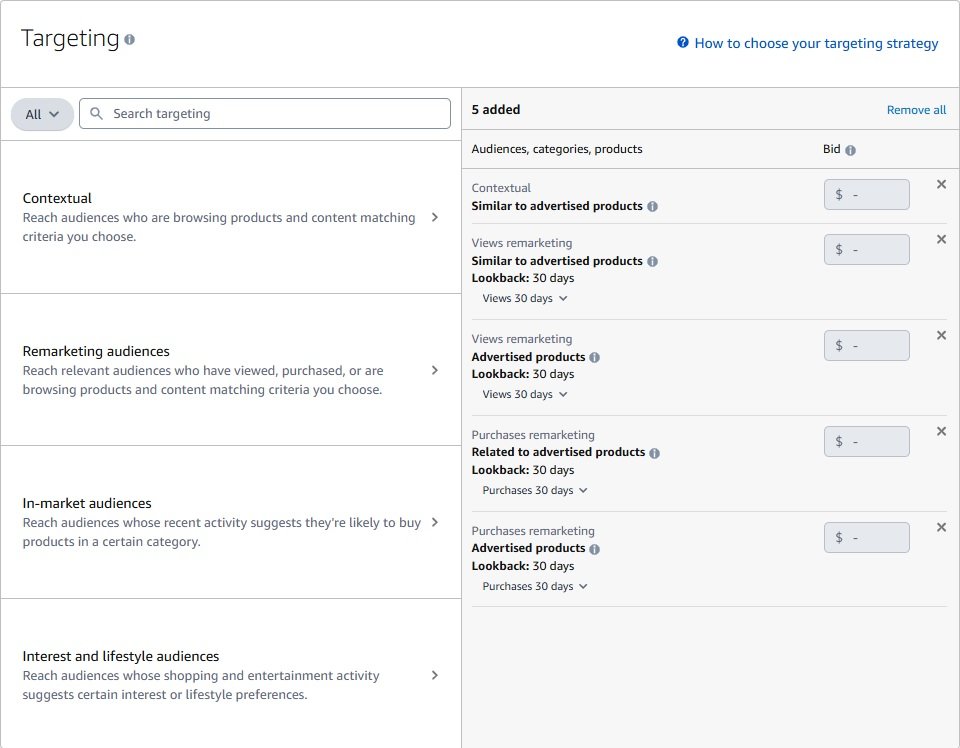
1. Contextual Reach audiences who are browsing products and content matching criteria you choose. This includes targeting by products (ASINs) or categories.
2. Remarketing audiences Reach relevant audiences who have viewed, purchased, or are browsing products and content matching criteria you choose. This breaks down into:
- Views remarketing – Target shoppers who viewed your product or similar products (with lookback windows like 30 days)
- Purchases remarketing – Target shoppers who purchased your product or related products (with lookback windows)
3. In-market audiences Reach audiences whose recent activity suggests they’re likely to buy products in a certain category. These are shoppers actively showing purchase intent.
4. Interest and lifestyle audiences Reach audiences whose shopping and entertainment activity suggests certain interest or lifestyle preferences. These are broader behavioral segments based on shopping patterns and interests.
3. Product and Category Targeting
Similar to Sponsored Products, Sponsored Display lets you target specific ASINs or categories. The difference is your ads appear both on and off Amazon.
Enter competitor product identifiers for ASIN targeting. Your ads show on those product pages and follow shoppers who viewed those products across Amazon’s network. This works for conquest campaigns targeting competitors with lower reviews or higher prices than your product.
Category targeting generates broad reach across entire product categories. You can refine by price range, star rating, brand exclusions, or Prime eligibility. New products benefit from category-level exposure, though established products might waste spend on irrelevant comparisons.
4. Creative Options
Auto-generated creatives use your product image, title, star rating, review count, price, and Prime badge. Amazon builds the ad automatically and updates it if your listing changes. These work adequately for testing and remarketing where shoppers already recognize your product.
Custom creatives let Brand Registered sellers add a custom headline (50 characters max), brand logo, and lifestyle images (1200×628 pixels minimum). Custom creatives generate 30-50% higher click-through rates than auto-generated versions because the headline adds messaging and lifestyle images show products in compelling context.
5. Bidding Options
Optimize for Viewable Impressions charges per 1,000 viewable impressions (vCPM). Amazon maximizes reach within your budget. Best for brand awareness when visibility matters more than immediate clicks. Typical vCPM rates run $3.00-$12.00.
Optimize for Page Visits charges per click. Amazon prioritizes audiences likely to click. Best for driving traffic when you want product page visitors.
Optimize for Conversions charges per click while targeting shoppers most likely to purchase. Best for direct response when sales matter more than visibility. This option typically yields highest ROAS but lowest reach since the algorithm narrows targeting to proven converters.
6. Attribution Windows
Sponsored Display uses 14-day click attribution and 14-day view attribution. View-through attribution counts sales from shoppers who saw your ad without clicking, then purchased within 14 days.
View-through conversions inflate performance numbers since shoppers might have purchased anyway. Evaluate them directionally rather than as proof of ad effectiveness.
Amazon DSP
Amazon DSP (Demand Side Platform) opens programmatic advertising across Amazon properties and the broader internet. Unlike the self-service sponsored ads covered above, DSP accesses Amazon’s complete first-party shopping data for audience targeting at massive scale.
This platform reaches shoppers who aren’t actively searching on Amazon. It builds awareness, drives consideration, and retargets potential customers across devices and platforms they use throughout their day.
1. Who Should Use DSP
DSP fits brands that have already maximized self-service Sponsored Products and Sponsored Brands, have monthly advertising budgets exceeding $10,000, sell products with longer consideration cycles, and want to reach audiences beyond active Amazon searchers.
DSP does not fit sellers new to Amazon advertising, those with budgets under $5,000 monthly, products requiring immediate search-driven purchase, or sellers without Brand Registry.
Master the self-service ad types first. When those campaigns hit efficiency limits and budget remains, DSP becomes worth exploring.
2. Access Options and Minimum Spend
Managed Service requires working with Amazon’s advertising team. Minimum spend typically starts at $35,000 per campaign. Amazon handles setup, optimization, and reporting. This suits brands new to programmatic advertising or those preferring hands-off management.
Self-Service requires approval and agency-level access with lower but still significant minimums. Some Amazon advertising partners offer DSP access with minimums of $5,000-$15,000 through their existing agreements. This path works for mid-sized sellers wanting DSP capabilities without six-figure commitments.
3. Where DSP Ads Appear
On Amazon properties, DSP ads show across Amazon.com pages, Fire TV devices during streaming content, Twitch gaming streams, IMDb entertainment pages, Amazon Freevee ad-supported streaming, Amazon Music’s free tier between songs, and Kindle and Fire tablet screens.
Beyond Amazon, DSP extends to major publishers in Amazon’s demand network, mobile apps with Amazon advertising integration, and news, sports, entertainment, and lifestyle websites. The reach is massive. DSP can theoretically reach most internet users across devices.
4. Ad Formats
Display ads include static and dynamic images in standard sizes like 300×250, 728×90, 160×600, 320×50 mobile, and others. Dynamic versions automatically populate with product images and pricing from your catalog.
Video ads run as pre-roll, mid-roll, and out-stream video across Amazon’s video network and partner sites. Standard spots run 15-30 seconds.
OTT/Streaming TV ads are full-screen, non-skippable video during ad breaks on streaming content. These reach cord-cutters who don’t see traditional TV commercials.
Audio ads play within Amazon Music’s free tier as 10-30 second spots between songs with a companion display banner.
5. Audience Targeting
DSP’s primary advantage is audience targeting powered by Amazon’s purchase and browsing data.
Behavioral segments target based on shopping actions: searched for specific products, viewed certain categories, purchased from specific categories, or abandoned carts.
Lifestyle segments target aggregated patterns like “tech enthusiasts,” “health and wellness focused,” or “luxury shoppers” inferred from purchase history.
Lookalike audiences let Amazon build segments similar to your customers. Upload customer email lists, Amazon identifies common traits, and the algorithm finds new shoppers matching that profile.
6. DSP Costs (2026)
CPM pricing varies by placement and targeting. Standard display runs $2.00-$8.00 CPM. Video placements cost $10.00-$25.00 CPM. OTT/Streaming TV commands $20.00-$45.00 CPM. Audio ads run $8.00-$15.00 CPM.
Premium placements and narrow targeting increase costs. Remarketing audiences often cost more per impression but convert significantly better. The math typically works for brands at sufficient scale.
Frequently Asked Questions
What is the minimum budget to start Amazon advertising?
Amazon requires $1 daily per campaign minimum. Realistically, $10-$25 daily per campaign provides enough clicks for optimization decisions. New sellers typically start with $500-$1,500 monthly across all campaigns, scaling based on results.
How long until I see results from Amazon ads?
Sponsored Products can generate sales immediately if your listing converts well. Meaningful performance data for optimization typically requires 2-4 weeks. Consistent improvement compounds over 2-3 months of active management.
Do I need Brand Registry for all Amazon ad types?
No. Sponsored Products is available to all professional sellers without Brand Registry. Sponsored Brands, Sponsored Display, and Amazon DSP require Brand Registry enrollment with a registered trademark.
What is a good ACoS for Amazon advertising?
ACoS targets depend on your profit margins and goals. Products with 30% margins typically target 15-25% ACoS for profitability. Launch campaigns might intentionally run 40-60% ACoS to build velocity. Calculate your break-even ACoS using your profit margin percentage.
Should I use automatic or manual campaigns?
Run both. Automatic campaigns discover converting search terms you wouldn’t target manually. Manual campaigns target those proven terms with optimized bids. Most successful sellers maintain auto campaigns for ongoing discovery alongside scaled manual campaigns.
How do I lower my ACoS?
Reduce bids on underperforming keywords. Add negative keywords to block wasted spend. Improve your listing conversion rate through better images, pricing, and content. Higher conversion rates mean more sales per click, lowering effective ACoS at the same bid levels.
What is the difference between Sponsored Products and Sponsored Brands?
Sponsored Products promotes individual listings in search results and on product pages. Sponsored Brands promotes your brand with logo, headline, and multiple products or Store pages. Sponsored Brands requires Brand Registry and works best for brand building alongside direct response.
When should I use Amazon DSP?
Consider DSP after maximizing Sponsored Products and Sponsored Brands, when spending $10,000+ monthly on advertising, and when goals extend beyond immediate search-driven sales. Minimum spend requirements ($35,000+ managed, $5,000+ agency) make DSP impractical for smaller sellers.
How do I target competitor products with Amazon ads?
Use product targeting in Sponsored Products or Sponsored Display campaigns. Enter competitor ASINs directly to show your ads on their product detail pages. Target category segments to appear across competitor listings in your category.
Does Amazon advertising help organic ranking?
Sales velocity from advertising contributes to organic ranking signals. Products generating consistent sales, whether organic or ad-driven, tend to rank better for relevant keywords. Advertising creates a cycle where paid sales support organic visibility, which generates more organic sales.