Amazon’s advertising platform (Sponsored Products and Sponsored Brands) lets you target customer search queries using keyword match types. The accurate pairing of these match types to capture high-intent traffic without overspending is a principal objective for Amazon PPC management services.
A keyword is what you bid on in a manual campaign, and the match type determines how closely a shopper’s search term must match that keyword.
The three main Amazon match types are Broad, Phrase, and Exact. Using these correctly lets sellers control ad reach, relevancy, and cost. For context, match types apply only to Sponsored Products and Brands while Sponsored Display uses audience targeting instead.
The Three Core Amazon Ads Match Types
Choosing the right match type directly affects who sees your product, what you pay for a click, and whether your campaigns make money. Think of them as the targeting controls for your keywords. They connect the keyword you’re bidding on to what a customer types into the search bar.
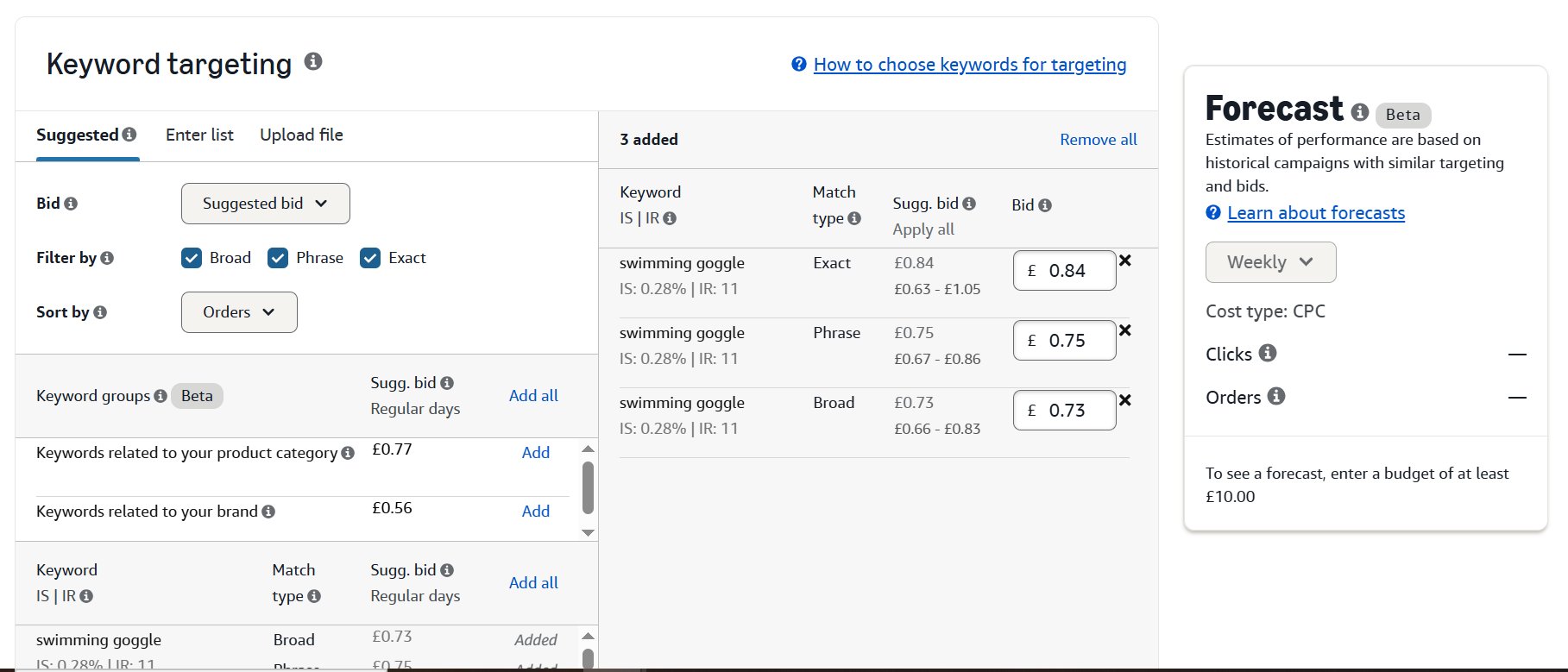
A poorly chosen match type can show your ad to irrelevant shoppers, leading to clicks that never convert. A well-chosen one puts your product in front of high-intent buyers, which means better click-through rates and a lower Advertising Cost of Sale (ACoS). If you’re still getting familiar with the basics, our guide on what is PPC on Amazon is a great starting point.
While we’re focused on Amazon, these targeting concepts aren’t unique. For a wider perspective, you can explore resources on the core principles of keyword match types for other PPC platforms.
Now, let’s break down the three primary match types so you can build smarter campaigns.
1. Broad Match Type

Broad match is the loosest match type. Amazon will show your ad on customer queries that contain all your keyword terms (or very close variants) in any order, and it may include synonyms or related terms as determined by context. Importantly, the search query does not have to contain your exact keyword at all.
For example, with the broad keyword “sneakers”, Amazon might match searches like “canvas sneakers,” “sneaker,” “basketball shoes,” “athletic shoes,” or “foam runners”. In other words, broad match finds semantically related searches.
In 2025, Amazon’s broad match has become even more semantic. Recent updates use AI-driven meaning-based matching, so ads may appear for synonyms or related terms even if the exact keyword isn’t present.
For instance, bidding on “water bottle” (broad) could show ads for “hydration jug” or “sports water bottle,” not just simple variations. Amazon’s broad match now “emphasizes semantic meaning” and behaves somewhat like Google’s broad match.
Pros:
- Broad match casts the widest net to capture new, long-tail keywords or unexpected searches. It’s ideal in early campaigns (new product launch or testing) to gather search term data.
- Because your ads show on many variations, your total impressions (and clicks) can be high, often with a lower average CPC than exact match.
- Broad match can build visibility and inform you what customers really type.
Cons:
- Your ads will show on some irrelevant queries if not tightly managed. For example, bidding broad on “running shoes” could trigger ads on unrelated sportswear searches.
- Broad campaigns need frequent review of search term reports to add negative keywords and pause bad queries. Otherwise, broad match can quickly deplete budget on low-converting clicks.
- It’s hard to know which specific keywords brought in a conversion because one broad keyword can match many search terms.
When to Use:
- Run broad match early in a product’s campaign to find hidden keyword opportunities. Harvest broad match search terms, then add the winning terms as phrase or exact keywords.
- A low bid on broad keyword campaign to collect data on which queries convert before you commit heavy budget.
With Amazon’s enhanced semantic matching, Broad match is more effective than ever. Data shows it can uncover 25-35% new search terms monthly, making it vital for brands launching in competitive categories. Learn more about the impact of these changes on Karooya.com.
By keeping bids low and negative keyword lists updated, you can manage the risk of wasted spend while gaining customer insights that only broad match can provide.
2. Phrase Match Type
Phrase match sits between broad and exact match. It narrows traffic by enforcing word order while still allowing flexibility. This match type is designed to improve relevance without sacrificing all reach, making it a control layer between discovery and precision.
Phrase match requires your keyword to appear in the shopper’s search query in the same order. The query can include additional words before or after the keyword, but the sequence must remain intact. The keyword phrase is locked in order, not in length.
For example, if your keyword is “cotton sheet set” (phrase), Amazon may match:
- “queen cotton sheet set”
- “cotton sheet set white”
It will not match:
- “sheet set cotton” (order reversed)
Phrase match also includes close variants such as plural forms by default. For instance, “sheet set” can match “sheet sets” when contextually relevant.
For example if you target Keyword: “running shoes” (phrase), allowed matches would be below.
- “best running shoes for beginners”
- “buy running shoes on sale”
Not allowed:
- “shoes for running” (order changed)
Pros:
- Word order filtering removes many low-intent or off-topic searches.
- Captures long-tail queries while preserving the core buying intent.
- Useful for identifying high-performing variations that can later be moved to exact match.
Cons:
- Fewer impressions due to stricter matching rules.
- Extra words can shift intent, so search term reviews and negatives are still required.
- Typically higher than broad because of stronger relevance signals.
When to Use:
- Use phrase match once broad campaigns surface converting keyword patterns.
- Expand reach on validated phrases like “organic cotton sheets” while avoiding unrelated traffic.
- Ideal when shoppers know what they want but add modifiers like size, quality, or use case.
Amazon has been improving phrase match. The system now considers close variations and can interpret the meaning behind the phrase, making it an even smarter tool for balancing audience size with ad relevance.
3. Match Match Type

Exact match is the most restrictive keyword match type. Your ad is shown only when the shopper’s search query exactly matches your keyword, in the same word order, or is a very close variant.
Amazon automatically includes singular and plural forms, minor misspellings, and small stem variations. No additional words are allowed in the search query and any extra terms will prevent the ad from triggering.
For example if your keyword is [running shoes] (exact), Amazon will match:
- “running shoes”
- “running shoe” (singular/plural variation)
It will not match:
- “best running shoes”
- “running shoes men”
Exact match appears only when the search term matches the keyword precisely, aside from minor accepted variations.
Pros:
- Ads show only for high-intent searches, typically resulting in stronger conversion rates and minimal wasted spend.
- Every click and conversion maps directly to the keyword, making performance analysis straightforward.
- Targeting buyers with clear intent often leads to lower Advertising Cost of Sales.
Cons:
- Only a narrow set of searches trigger ads, resulting in fewer impressions.
- Competition is usually strongest on exact, high-intent terms.
- Exact match does not generate new keyword ideas.
When to Use:
- Core terms, brand names, and model numbers where intent is clear and conversion probability is high.
- Use exact match keywords for organic ranking purpose only.
- Move proven search terms from broad or phrase into exact to maximize efficiency.
Well-managed exact campaigns often hit conversion rates 50-80% higher than broad match and can deliver a 2-3x better ROAS.
Exact match campaigns are incredibly efficient. While they might only get 25-35% of the total impressions in a healthy ad account, they often drive 45-60% of total conversions. This is how you systematically reduce wasted ad spend.
By isolating your top performers, you get full control over their budget and performance, turning them into reliable profit-drivers.
4. Negative Keyword Targeting
Negative keywords are a key tool for preventing wasted ad spend. They act as a filter, telling Amazon which search terms you do not want your ads to appear for. This simple action is one of the most effective ways to stop irrelevant traffic and improve campaign profitability.
For example, if you sell premium “glass coffee mugs,” you don’t want to pay for clicks from shoppers typing “plastic coffee mugs” or “cheap coffee mugs.” By adding “plastic” and “cheap” as negative keywords, you tell Amazon to avoid those searches. Your ads won’t show for them, saving your budget for shoppers who are actually looking for your product.
This isn’t just about saving a few dollars; this type of proactive management directly lowers your ACoS and increases your Return on Ad Spend (ROAS).
Negative Phrase vs. Negative Exact Match
Like the keywords you bid on, negatives come in two main types, each offering a different level of control.
- Negative Phrase Match: This blocks your ad from showing any time a search query contains the entire negative phrase, in that exact order. For instance, if you add “for kids” as a negative phrase, it will block searches like “coffee mugs for kids.” It’s useful for removing entire categories of irrelevant searches.
- Negative Exact Match: This is more precise, blocking your ad only when the search query is an identical match to your negative keyword. Adding “[cheap coffee mugs]” as a negative exact would block that specific search, but it would still let your ad show for “cheap mugs for coffee.” This gives you precise control to remove specific, underperforming terms without blocking similar, profitable ones.
Finding these terms isn’t a guessing game. The map is in your search term reports. You have to regularly review these reports to find queries that get clicks but don’t convert. Learning to analyze your Amazon advertising reports is an essential skill for running profitable PPC campaigns.
By turning these money-wasting search terms into negative keywords, you continuously refine your targeting and make every ad dollar count.
How to Structure A Winning Campaign
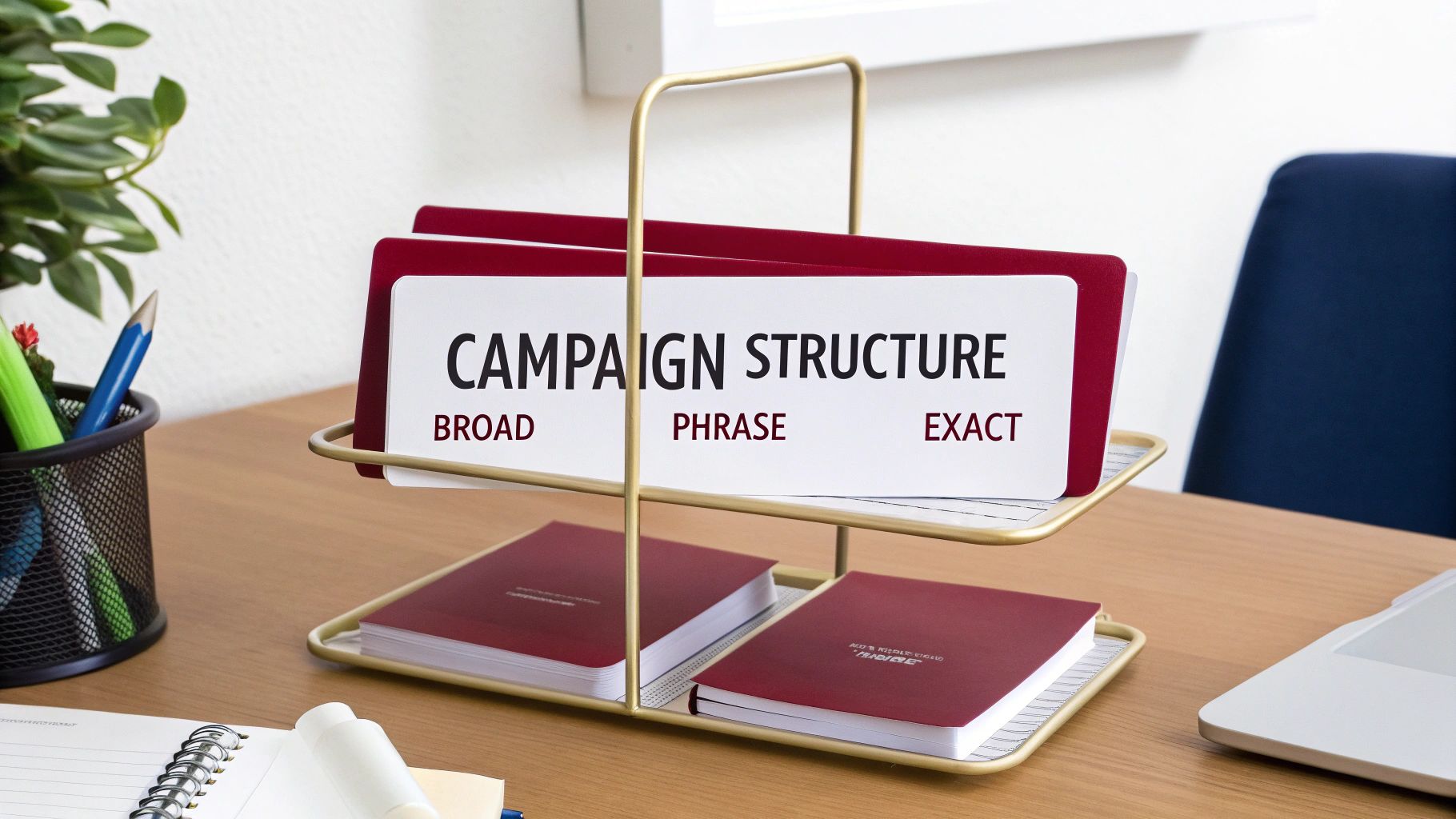
To use match types effectively, experienced sellers rely on clean segmentation and strict keyword control. The goal is clarity, isolation, and predictable optimization.
Separate by Match Type
Each match type should live in its own campaign or ad group. This allows independent control over bids, budgets, and performance analysis. A typical structure separates the same keyword into distinct groups, such as Broad, Phrase, and Exact, preventing performance overlap and making optimization decisions clear.
Match Type Parity
Run the same core keyword simultaneously across broad, phrase, and exact match types in separate campaigns. This approach provides direct visibility into how each match type performs. You can then compare conversion rates, CPC, and ACoS by match type and reallocate spend based on results rather than assumptions.
Cascading Negatives
Negative keywords are used to prevent campaigns from competing with each other. The standard cascading structure works as follows:
- Exact match campaigns require no negatives.
- Phrase match campaigns should include exact keywords as negative exact.
- Broad match campaigns should include phrase keywords as negative phrase and exact keywords as negative exact.
This ensures that high-intent searches flow into exact campaigns, mid-intent into phrase, and discovery traffic remains in broad.
Bid and Budget Allocation
Broad campaigns typically start with lower bids to collect data efficiently. Phrase campaigns sit in the middle, while exact campaigns receive higher bids to secure placements for proven, high-converting searches. Use search term reports to continuously promote winning terms upward from broad to phrase, and from phrase to exact with increased bids and budget.
This layered structure creates a funnel: broad for discovery, phrase for refinement, and exact for precision. Over time, budget naturally concentrates on the match types that drive the strongest return.
Frequently Asked Questions
Can I Use The Same Keyword In Different Match Types?
Yes, but you need to be strategic. A common mistake is using the same keyword, like “bamboo cutting board,” in Broad, Phrase, and Exact match types within the same campaign. When you do that, Amazon’s algorithm decides which match type gets triggered, and you lose control over your bids and budget for each targeting level.
A smarter approach is to create separate campaigns for each match type. This structure gives you the control you need to manage your money effectively and see what’s working.
What Is The Best Match Type For New Sellers?
For new sellers, a combination of Automatic campaigns and Broad Match campaigns is a good start. Automatic campaigns let Amazon’s algorithm do the initial discovery work, finding the search terms customers are using to find products like yours.
Then, use a Broad Match campaign as a more controlled discovery tool. Start with a list of relevant keywords on low bids and see what traffic they bring in. The key is to check your search term report every week and aggressively add negative keywords to prevent budget waste.
How Often Should I Add Negative Keywords?
For any active campaign, you should check your search term reports for new negative keywords at least once a week. During a product launch or a busy period like Q4, you should probably check high-spend campaigns daily.
A good rule of thumb: if a search term has spent more than your product’s sale price without a single conversion, it should become a negative keyword. Making this a regular habit is one of the fastest ways to lower your ACoS.
Do Amazon Ads Match Misspellings?
For your positive keywords, Amazon’s system doesn’t automatically catch common misspellings. If you’re bidding on “vitamins,” your ad won’t show for someone searching “vitamns.” To capture that traffic, you have to add those misspellings as keywords yourself.
However, negative keywords are different. They do include close variants, which means adding a negative keyword will also block its common misspellings. This detail makes your negative keywords very effective, so use them thoughtfully.