Amazon’s fulfillment system processes millions of units daily across hundreds of fulfillment centers. Every single one of those units moves through an automated scanning system where a barcode is the only identity a product has. FBA prep is the labeling, packaging, and compliance work required so Amazon can receive, store, pick, and ship your inventory without manual intervention. When a label is wrong, smudged, missing, or placed incorrectly, the system flags it, and that flag costs you money, time, and in repeat cases, your selling privileges.
As of January 1, 2026, Amazon’s fulfillment services underwent significant changes. Now sellers must take full responsibility for ensuring that their products meet all labeling and preparation requirements before shipping to Amazon’s warehouses. There is no longer a fallback option where Amazon fixes your prep on arrival. Every label type, including unit labels, FBA box ID labels, pallet labels, expiration date labels, special condition labels, and Transparency codes, must be correct before your shipment leaves your hands.
Amazon FBA Barcode and Unit Label Requirements
Every sellable unit entering an Amazon fulfillment center must carry exactly one scannable barcode on its exterior. The barcode type, how it is printed, and where it is placed all depend on your seller status, which changed significantly in 2026.
1. FNSKU vs. Manufacturer Barcode
A UPC is a universal retail barcode that tells Amazon what the product is. An FNSKU tells Amazon whose product it is and which seller account to credit when it ships. FNSKUs start with X00, whereas a manufacturer barcode appears as a 12-digit UPC code.
For resellers, using a manufacturer barcode results in Amazon storing that product in a shared bin alongside identical units from other sellers carrying the same UPC. When a purchase is made, Amazon pulls a random unit from that bin, and a customer who buys from your listing can receive inventory that physically came from another seller.
Brand owners selling their own exclusive products do not face this risk the same way since no other seller carries identical units under the same UPC. For resellers, FNSKU labeling removes this problem entirely by tying each unit to a specific seller account before it ever enters the fulfillment center.
Who must use FNSKU in 2026:
Resellers face mandatory FNSKU labeling on every unit starting March 31, 2026. This applies even when products carry perfectly good manufacturer barcodes on the packaging. The stickerless commingling option many resellers relied on to avoid labeling costs ends on that date with no exceptions.
Who can continue using manufacturer barcodes:
Brand owners enrolled in Amazon Brand Registry with Brand Representative status no longer need FNSKU stickers on products that carry manufacturer barcodes such as UPC, EAN, or ISBN. Amazon tracks their inventory virtually, making it possible to ship the same inventory to Amazon, a private warehouse, wholesale partners, and retail stores without running separate labeling workflows.
One exception applies: products with no manufacturer barcode require FNSKU labels even for brand owners. If your product has no existing UPC, Amazon barcodes remain mandatory for FBA tracking regardless of registry status.
Set your barcode type at item setup because each Seller Central SKU is unique. Switching from manufacturer barcodes to FNSKUs after setup requires creating a new SKU and often triggers logistical issues mid-shipment. Always confirm your barcode preference in Seller Central before a new production run.
2. The ASIN Is Not a Barcode
ASIN is Amazon’s catalog identifier for the product detail page, visible in the URL of any Amazon listing. It has no physical label representation and must never be printed or applied to a unit in place of an FNSKU or UPC. This is one of the most frequent errors new FBA sellers make and results in an immediate receiving failure.
3. Barcode Format and Label Sizes
The FNSKU uses a CODE128 barcode format that ties the unit directly to your seller account. All labels must be printed in black ink on white, non-reflective labels with removable adhesive.
Accepted label dimensions:
- Minimum size: 1 x 2 inches
- Maximum size: 2 x 3 inches
- Common sizes that also work: 1 x 3 inches, 2 x 2 inches
Required white space around the barcode:
- Left and right sides: 0.25 inches minimum
- Top and bottom: 0.125 inches minimum
Supported laser printer sheet sizes in Seller Central (24 labels per A4 page):
- 63.5 mm x 33.9 mm
- 63.5 mm x 38.1 mm
- 64.6 mm x 33.8 mm
- 66.0 mm x 33.9 mm
- 70.0 mm x 36.0 mm
- 70.0 mm x 37.0 mm
4. Print Quality
Print at a minimum resolution of 300 DPI using a thermal or laser printer. Inkjet printers are not reliable for barcode printing as ink can smudge or bleed into the bars.
Do not resize or rescale the label PDF before printing. Set printer scaling to None or 100%. A barcode printed at even 95% of its intended size will fail scanner reads at receiving, even when it looks visually correct.
5. Label Placement
Labels must be on a flat, exterior surface of the product. Do not place labels on lids, box tops, flaps, corners, curves, or seams where the label can fold, crease, or separate.
Placement rules at a glance:
- Keep at least 1/4 inch between the label edge and the container edge
- Never place labels on any surface that opens or flexes
- One scannable barcode per unit only
- All other barcodes including ISBNs, UPCs, and EANs must be fully covered or removed
- Transparency codes are the only exception and can remain visible alongside the FNSKU
6. Covering Old Barcodes
Use blockout paper labels when covering existing manufacturer barcodes. Standard white labels can still allow a scanner to read through them depending on print darkness and label thickness. Blockout paper is opaque and prevents any underlying barcode from registering. Apply the FNSKU to a flat surface, press the label down firmly across all edges, and confirm no portion of the original barcode remains exposed after application.
Amazon FBA Box Label Requirements
The FBA Box ID label identifies the shipping carton, not the individual product inside. Every carton sent to an Amazon fulfillment center requires its own unique FBA Box ID label generated through Seller Central.
1. What the Box ID Label Contains
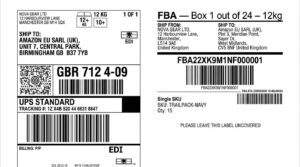
The FBA Box ID label identifies and tracks the entire shipment sent to Amazon’s fulfillment centers. It contains Amazon’s shipment ID barcode and carrier tracking details and is affixed to the exterior of each shipping box. It is required for every box or pallet sent to Amazon’s warehouse.
2. Box ID Label Size and Format
Amazon specifies that FBA Box ID labels should be 3 1/3 x 4 inches (8.4 cm x 10.2 cm). If using a thermal printer, you can print them on 4×6 inch labels instead.
3. Placement on the Box
Place both the FBA shipment ID label and the carrier label on a flat surface of the box so the barcodes do not fold over the edges or corners. Each box in the shipment must have its own FBA shipment ID label printed from your Shipping Queue.
Every box must have both an FBA Box ID Label and a Shipping Carrier Label. These labels should be placed close to each other to streamline the receiving process at Amazon’s warehouse.
Labels must be positioned at least 1/4 inch away from the top center edges of the box to ensure they remain fully visible and intact throughout handling.
4. Master Carton and Case Pack Rules
When sending multiple case packs within a larger box, only the outer shipping box requires an FBA Box ID Label. The individual case packs inside do not need their own FBA labels. Apply the FBA box ID to the outside of the master carton only.
Amazon FBA Pallet Label Requirements
Sellers shipping via LTL (Less Than Truckload) or FTL (Full Truckload) must prepare pallets according to Amazon’s exact specifications. Pallet labeling has its own distinct requirements separate from box labels.
1. When Pallets Are Required
Amazon mandates using pallets for FBA shipments that exceed 150 pounds, have 20 or more individual boxes, or fill an entire truck, in order to ensure efficient order fulfillment.
LTL is a budget-friendly choice for freight weighing 150 to 15,000 pounds, with multiple shippers sharing truck space and paying only for their portion.
2. Pallet Size and Weight Specifications
All pallets shipped to Amazon fulfillment centers must be 40 inches by 48 inches (102 cm x 122 cm).
Single pallets can only be 72 inches in height, while the height limit for double-stacked pallets is 100 inches. The maximum weight for Amazon pallets is 1,500 pounds.
Amazon will only accept GMA Standard B, Standard 1A, and 1B pallets. All Amazon pallets must meet ISPM-15 heat treatment or fumigation requirements. This is particularly important for sellers importing from overseas, as ISPM-15 compliance is verified at customs and at the fulfillment center.
3. How Many Pallet Labels Are Required
Each pallet you send needs four labels, one on the top center of each side. Labels should be attached to the top center of each side of the pallet so they are visible to workers while unpacking. The labels should be removable, adhesive, non-reflective, and 4 x 6 inches in size.
5. How to Generate Pallet Labels
Log into your Amazon Seller Central account and go to the Manage Inventory section. Choose the shipment you are preparing and confirm the assigned Amazon fulfillment center, shipment ID, and product details. Use the Print Pallet Labels option in the shipment workflow to generate compliant labels. These labels include the FBA Shipment ID, destination warehouse code, and scannable barcodes.
6. Single ASIN Pallet Rule
All items with the same ASIN must be placed together in the same pallet. For pallets containing only products with the same ASIN, apply the “Single ASIN Pallet” label to it.
7. Box Labels Still Required on Palletized Shipments
Even when you ship on pallets, pallet labels help identify the pallet, but cartons still need their own Box ID labels so they are scannable when the pallet is unpacked. LTL and FTL shipments add pallet labeling on multiple sides, while cartons still need their own Box ID labels.
Expiration Date Label Requirements
Any product with a shelf life must carry expiration date information that is visible and formatted correctly. This applies to food, supplements, cosmetics, cleaning products, and any other perishable or dated inventory.
1. Format Requirements
For products with expiration dates, Amazon requires the date on both the master carton and each unit. Dates must be in MM-DD-YYYY or MM-YYYY format. If your packaging uses a different format, cover it with a correct label.
For the master carton specifically, the expiration date must be printed in 36-point font or larger.
2. Shelf Life Minimums
Products must have at least 105 days of shelf life from the date they reach the fulfillment center. This is not from manufacture date, and not from shipment date. It is from the date the product arrives and is received at Amazon’s facility. Plan your manufacturing and shipping timelines around this requirement.
3. FEFO and Inventory Management
Amazon does not do FIFO (First In, First Out), so the seller must manage expiration dates. This matters significantly for sellers with expiry-sensitive products. If you send products with tight expiration windows alongside older stock, products may expire in the warehouse and become unsellable. Amazon will remove and dispose of expired units and charge removal fees.
Special Condition Labels
Beyond unit, box, and pallet labels, Amazon requires specific condition labels for products that need special handling or identity clarification.
1. Sold as Set Labels
When multiple items are sold as one unit, wrap them together in a polybag, box, or shrink wrap and label them with “Sold as Set” so Amazon does not separate them. Items sold as a set must be packaged together and labeled as “Sold as set” to prevent separation.
2. Ready to Ship Labels
If your product comes in a shipping box, include an address label or add a label with “Ready to Ship” or “Single item enclosed” and include “Do not open” on the outside of the box. This way, warehouse workers will not open the box or separate the contents from the FBA label.
3. Polybag Suffocation Warning Labels
Poly bags must be transparent, at least 1.5 mil thick, and include a suffocation warning if the opening is 5 inches or larger.
Bags with an opening of more than 5 inches when flat must display a suffocation warning in the correct font size. Amazon specifies minimum font sizes for this warning based on the bag size. Omitting this label on polybag-packaged products is one of the most common compliance failures among new sellers.
4. Fragile and Heavy Handling Labels
Sharp or pointed items must be wrapped in bubble wrap or placed in a box to cover exposed edges. Fragile items must pass a 3-foot drop test without breaking and be wrapped in protective packaging such as bubble wrap.
Amazon Transparency Label Requirements
The Amazon Transparency Program is a product serialization system for brand owners who want to prevent counterfeiting and verify product authenticity at the unit level. It is not mandatory for all sellers, but once enrolled, Transparency codes become a required label on every unit.
1. What Transparency Labels Are
Amazon Transparency is a product serialization program that helps brands prevent counterfeiting. Each unit is labeled with a unique Transparency code that customers can scan using the Transparency app to verify authenticity.
Whenever a brand signs up for the Amazon Transparency program, they receive a series of unique T-shaped 2D barcodes. These codes are then attached to the product’s packaging. Unlike UPCs or GTINs, which are specific to brands, the Transparency code is unique to individual items.
2. When Transparency Codes Are Required
After a product passes the Transparency operational performance review, all units must have an Amazon-issued Transparency code or an existing serial code connected with Transparency. Whether fulfilled by Amazon or shipped directly by a seller, products cannot be sold in the Amazon store without this Transparency protection.
Amazon requires that all units manufactured for enrolled ASINs carry Transparency codes, regardless of where they are ultimately sold. For brands operating across multiple sales channels, this can require changes to packaging and manufacturing workflows.
3. Enrollment Requirements
To participate in Transparency, you must be based in one of the 10 countries where the program is available and be enrolled in Amazon Brand Registry. You must verify your brand ownership, have a GTIN such as a UPC or EAN, and be able to apply Transparency codes to each unit.
Transparency protections will only be active once a product passes the operational performance review with at least 98% accuracy.
4. Transparency Label Costs
Joining the Amazon Transparency Program is free, but you will need to invest in unique Amazon-issued codes for your products. Each label costs between one to five cents, with Amazon providing discounts based on volume.
5. Transparency Label Placement
Transparency labels should be placed on the front of the packaging for best visibility. If that is not possible, use the back, sides, or top in that order of preference.
6. Transparency and FNSKU Labels Together
The FNSKU label should cover all other manufacturer barcode labels, except for Transparency product serialization codes used for the Amazon Transparency Program. The Amazon Transparency barcode looks different from your FNSKU barcode. Both barcodes need to be easily visible on your products and not covered. Transparency codes are exempt from the “cover all other barcodes” rule, so both can coexist on the same unit without causing a scanning conflict.
Barcode Types Compared: UPC, EAN, ASIN, FNSKU
Sellers frequently confuse these four identifiers. They serve different purposes and operate at different levels of the Amazon system.
| Barcode Type | Purpose | Who Uses It |
|---|---|---|
| UPC / EAN | Manufacturer product ID, used globally | Brand owners with Brand Registry (post March 2026) |
| ASIN | Amazon’s internal product catalog ID | Not a physical label |
| FNSKU | Ties a product to a specific seller account within FBA | All FBA resellers; brand owners without manufacturer barcodes |
| Transparency Code | Unit-level serialization for anti-counterfeiting | Brand-registered sellers enrolled in Transparency |
UPC identifies the product, ASIN identifies the Amazon listing, and FNSKU identifies the seller’s specific inventory within FBA.
Amazon’s barcode requirements are changing starting March 31, 2026, and eligibility to keep using manufacturer barcodes depends on brand or seller role status. Manufacturer barcodes only work when packaging stays clean and eligible; FNSKU is more work but easier to standardize across suppliers. When in doubt, FNSKU labeling is the operationally safer choice.
How to Print Amazon FBA Labels
Printing labels correctly is as important as applying them correctly. A perfect barcode on low-quality paper with ink bleeding into the bars is functionally the same as no barcode at all.
1. Printer Options
Labels can be printed using a laser printer or a thermal printer. A thermal label printer is often one of the best options for printing clear, scannable Amazon barcode labels. Inkjet printers are not recommended because barcodes may be difficult to scan due to ink smudging or running.
Amazon-facing guidance emphasizes legibility and scannability. Your print method should consistently produce crisp, high-contrast barcodes with preserved whitespace.
2. Where to Generate Labels in Seller Central
Labels are generated inside Seller Central, not through third-party tools. The specific paths are:
- For FNSKU unit labels: Inventory > Manage All Inventory > Print Item Labels
- For FBA Box ID labels: Manage FBA Shipments > Shipment workflow > Print Box Labels
- For Pallet ID labels: Manage FBA Shipments > LTL/FTL workflow > Print Pallet Labels
Choose the quantity and label format, then download the label file. The downloaded file contains the Amazon FNSKU barcode labels assigned to that seller’s inventory.
3. Label Material Considerations
Labels should be easy to remove without leaving residue, making it convenient for customers who need to return or repurpose packaging.
Use weatherproof labels to withstand potential transit conditions such as rain, snow, or high humidity. Applying a clear plastic cover over the labels offers additional protection from the elements.
What Changed in 2026 for Amazon Labels
This is a critical section for sellers who have been operating on older processes. The 2026 changes are not minor updates, and some directly affect whether your shipments can even be created.
1. End of Amazon Prep and Label Services
Starting January 1, 2026, it became the Amazon seller’s full responsibility to label properly. Amazon ended its FBA prep and labeling services in the U.S., meaning sellers need to label every unit themselves before sending inventory to fulfillment centers. That includes printing and applying FNSKU barcode labels, which Amazon uses to track and associate your products with your seller account.
2. Brand Registry Now Required for Manufacturer Barcodes
Using manufacturer barcodes provides advantages like cost savings and consistent inventory across multiple channels. However, only brand-registered sellers can select this option, while all other sellers must use Amazon FNSKU barcodes to comply with the new tracking rules.
3. End of Stickerless Commingling for Resellers
Amazon announced that commingling practices will end effective March 31, 2026, which shifts when manufacturer barcode workflows are allowed versus when Amazon barcode labeling is needed. Resellers who relied on stickerless commingling to skip labeling costs must now apply FNSKUs to every unit regardless of what manufacturer barcode the product carries.
4. PDF417 Barcode Format Now Mandatory for Pallets
Pallet labels must be formatted as PDF417 barcodes, a mandatory change for Amazon US. It ensures compatibility with updated scanning technology across fulfillment centers.
5. Tightened Enforcement on Inbound Standards
Amazon enforces strict FBA pallet size requirements that have not changed for 2026, but enforcement has tightened. Sellers who previously shipped with minor non-compliances and did not face consequences are now seeing those shipments rejected at receiving.
Amazon Label Requirements for Specific Product Types
Some product categories carry additional labeling requirements beyond standard FBA rules. These apply on top of, not instead of, the standard requirements.
1. Liquids
Liquids must be sealed securely to avoid leaks. If items are not double-sealed, they must be placed in polybags or shrink wrap. Products over 16 oz require polybagging, even if they are double-sealed.
2. Fragile Items
Fragile items must pass a 3-foot drop test without breaking and be wrapped in protective packaging such as bubble wrap.
3. Sharp or Pointed Products
Sharp or pointed items must be wrapped in bubble wrap or placed in a box to cover exposed edges.
4. Expiry-Dated Products
Every shipping box requires an FBA Box label and the expiration date printed on the box in the required size. This is in addition to the expiration date on each individual unit.
5. Multi-Pack Items
Products sold individually but shipped together must still be packaged and labeled as separate units. A multi-pack sold as a bundle must carry the bundle FNSKU, and each individual item inside must not have a scannable barcode visible through the outer packaging unless it matches the bundle’s code.
Frequently Asked Questions
What is an FNSKU label and where do I print it?
The FNSKU (Fulfillment Network Stock Keeping Unit) is a unique barcode that Amazon assigns to your product in your seller account. Print it from Seller Central under Inventory > Manage All Inventory > Print Item Labels. It must appear on each individual unit you send to FBA.
Do I still need FNSKU labels if my products have UPC barcodes?
It depends on your seller type. If you are the brand owner enrolled in Amazon Brand Registry, you may continue using manufacturer barcodes without stickers for eligible products after the 2026 change. If you are reselling existing products through FBA, Amazon’s 2026 rules require resellers to use Amazon barcodes for FBA inventory.
What is the correct Amazon barcode size for FNSKU labels?
Dimensions must be between 1 x 2 inches and 2 x 3 inches. The barcode must have at least 0.25 inches of white space on the sides and 0.125 inches on the top and bottom.
How many pallet labels does Amazon require?
Each pallet requires four labels, one on the top center of each side.
What happens if my FBA Box ID label is missing from a box?
Failing to label all boxes properly can result in delays and, in some cases, Amazon may block your future shipments.
Can Amazon still apply labels for me in 2026?
No. Starting January 1, 2026, Amazon stopped offering prep and item labeling services for FBA shipments in the U.S. All labeling must be completed before inventory reaches a fulfillment center.
What size should FBA unit labels be?
Standard dimensions for FBA FNSKU labels are at minimum 1″ x 2-5/8″ (25.4 mm x 66.7 mm), with the acceptable range being 1 x 2 inches up to 2 x 3 inches.
Is Amazon Transparency required for all sellers?
Amazon Transparency is not required for all sellers, but it is recommended to protect your brand from counterfeits. Only brand owners enrolled in Brand Registry can participate.
What is the minimum shelf life Amazon accepts for products with expiration dates?
Products must have at least 105 days of shelf life from the date they reach the fulfillment center.
What barcode format do pallet labels need to use in 2026?
Pallet labels must be formatted as PDF417 barcodes, a mandatory change for Amazon US fulfillment centers.
What barcode format does the FNSKU use?
The FNSKU is a CODE128 barcode that uniquely identifies your product as belonging to your seller account.