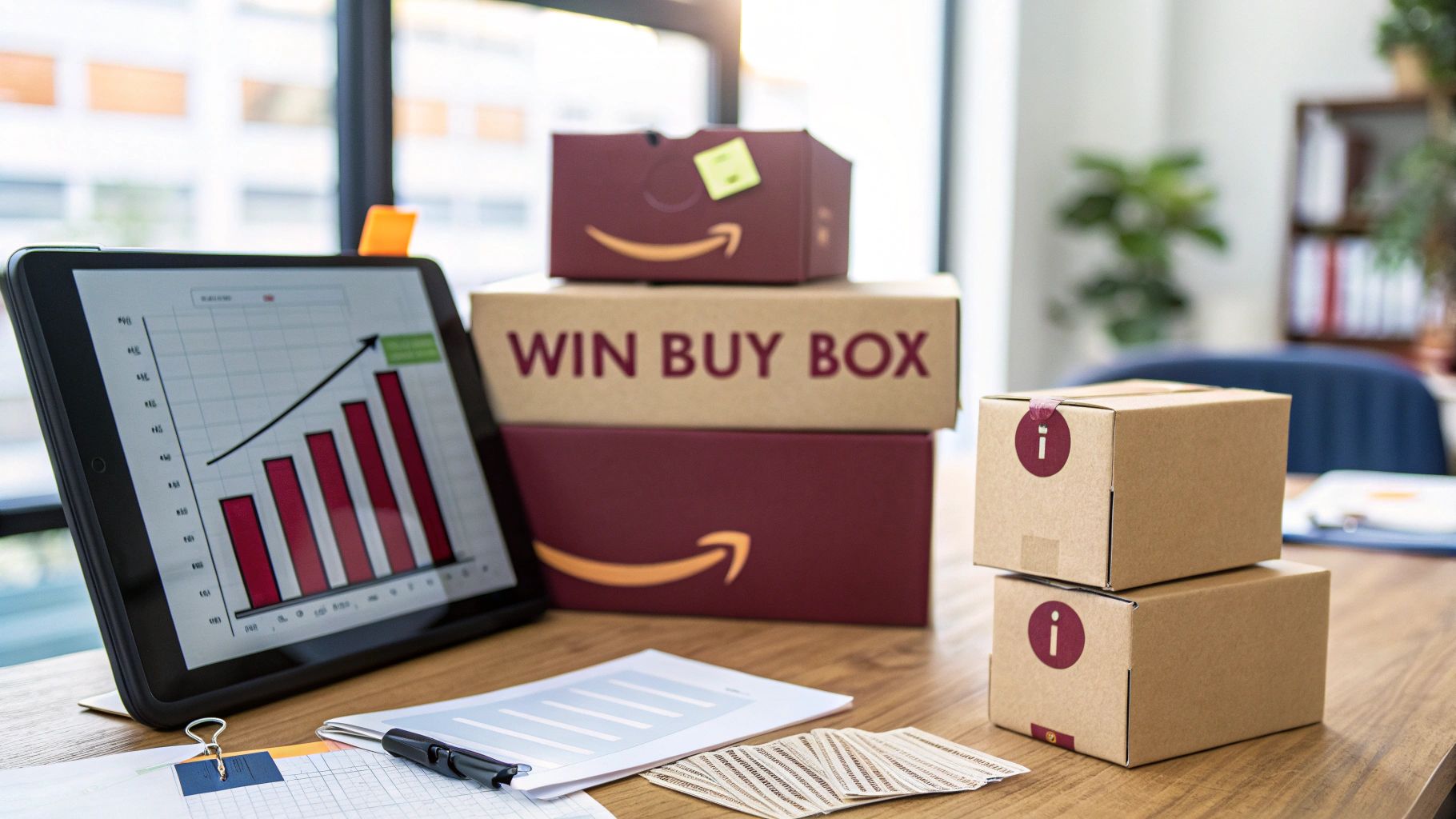
Over 80% of all Amazon purchases flow through the Buy Box, which means sellers who consistently hold this position dominate their product categories.
This guide breaks down exactly how the Buy Box algorithm works, what eligibility requirements you must meet, and the proven strategies top sellers use to maintain a high Buy Box win rate.
Whether you sell through FBA, FBM, or Seller Fulfilled Prime, every factor that influences Buy Box ownership is covered below with real data, benchmarks, and actionable steps.
Below is a summary of the most important Amazon Buy Box statistics that every seller should know.
| Benchmark | Value | Source/Context |
| Share of Amazon sales through the Buy Box | ~82% | Jungle Scout / Feedvisor industry reports |
| Mobile purchases through the Buy Box | ~90%+ | Higher due to limited visibility of alternative offers on mobile |
| Active third-party sellers on Amazon globally | ~2 million | Marketplace Pulse, 2024 data |
| Third-party seller share of Amazon units sold | ~60% | Amazon annual reports |
| FBA sellers among top Amazon sellers | ~73% | Marketplace Pulse seller analysis |
| Average Buy Box win rate for FBA sellers | ~50% higher than FBM | Feedvisor Buy Box analysis |
| Products with a suppressed Buy Box | ~2-10% of listings | Varies by category and pricing conditions |
What Is the Amazon Buy Box?
The Amazon Buy Box, now officially called the Featured Offer by Amazon, is the prominent “Add to Cart” and “Buy Now” section on every Amazon product detail page. When multiple sellers offer the same product, Amazon’s algorithm selects one seller to occupy this position at any given time.
Only the seller who wins the Buy Box captures the sale when a customer clicks “Add to Cart.” All other sellers are pushed to a secondary section labeled “Other Sellers on Amazon,” which most shoppers never visit.
Key characteristics of the Buy Box include the following.
- It appears on the right side of the product detail page on desktop and at the top on mobile
- Only one seller holds the Buy Box at any given moment, though Amazon rotates it among eligible sellers
- The Buy Box applies only to product listings shared by multiple sellers (same ASIN)
- Private label sellers who are the only seller on their listing automatically own the Buy Box unless it gets suppressed
- Amazon itself competes for the Buy Box when it sells the same product as a first-party (1P) retailer
Amazon rebranded the Buy Box to “Featured Offer” in its official documentation and Seller Central reports. However, the seller community, third-party tools, and industry publications still overwhelmingly use the term “Buy Box.” Both terms refer to the same thing.
Why Winning the Buy Box Matters
The revenue impact of Buy Box ownership is massive and measurable. Sellers who consistently win the Buy Box see dramatically higher conversion rates, sales volume, and advertising efficiency compared to those who do not.
Revenue and Conversion Impact
Losing the Buy Box does not just reduce sales slightly. It can effectively shut down revenue on a listing entirely. The following data points show the direct financial impact.
- 82% of sales go through the Buy Box on desktop, meaning only 18% of buyers scroll to find alternative offers
- On mobile devices, the Buy Box captures over 90% of purchases because competing offers require extra taps to find
- Sellers who lose Buy Box share on a competitive listing can see a 70-90% drop in daily unit sales for that ASIN
- Amazon PPC ads (Sponsored Products) require Buy Box ownership to run, so losing the Buy Box also shuts off your advertising
Buy Box Revenue Impact: A Quick Calculation
A simple example illustrates the financial stakes. Consider a product with $10,000 in monthly sales potential on its listing.
Below is a comparison showing revenue outcomes based on different Buy Box win rates.
| Buy Box Win Rate | Estimated Monthly Revenue | Revenue Lost vs. 100% Win Rate |
| 100% | $10,000 | $0 |
| 75% | $7,500 | $2,500 |
| 50% | $5,000 | $5,000 |
| 25% | $2,500 | $7,500 |
| 0% (lost completely) | $500 – $1,000 | $9,000 – $9,500 |
Even a 25% drop in Buy Box share translates to thousands in lost revenue per listing per month. For sellers with hundreds of ASINs, the cumulative loss can reach six or seven figures annually.
Amazon Buy Box Eligibility Requirements
Before you can compete for the Buy Box, your seller account must meet Amazon’s minimum eligibility standards. Not every seller qualifies, and Amazon evaluates both your account type and your performance history.
Account-Level Requirements
The following baseline conditions must be met before Amazon considers you for Buy Box eligibility.
- Professional Seller Account: Individual seller accounts are not eligible for the Buy Box. You must be on the Professional plan ($39.99/month).
- Account age: While Amazon does not publish a specific minimum, most sellers report needing at least 2-6 months of selling history to become eligible.
- Good standing: Your account must not have active policy violations, suspensions, or unresolved performance notifications.
Performance Metric Thresholds
Amazon enforces strict performance benchmarks. Falling below any of these thresholds can disqualify you from Buy Box eligibility or reduce your win rate significantly.
Below is a table of Amazon’s documented seller performance thresholds that directly affect Buy Box eligibility.
| Performance Metric | Required Threshold | What It Measures |
| Order Defect Rate (ODR) | Below 1% | A-to-Z claims, chargebacks, negative feedback combined |
| Late Shipment Rate (LSR) | Below 4% | Orders shipped after the expected ship date (FBM only) |
| Pre-Fulfillment Cancel Rate | Below 2.5% | Orders cancelled by the seller before shipment |
| Valid Tracking Rate | Above 95% | Orders with valid tracking information uploaded |
| On-Time Delivery Rate | Above 97% | Orders delivered by the estimated delivery date |
| Return Dissatisfaction Rate | Minimized | Negative return experiences reported by buyers |
Meeting these thresholds makes you eligible but does not guarantee you will win the Buy Box. Eligibility is simply the entry ticket. Winning requires outperforming competing eligible sellers across multiple algorithm factors.
How to Check Your Buy Box Eligibility
You can verify your eligibility status directly in Amazon Seller Central. Here is how.
- Go to Seller Central > Inventory > Manage Inventory
- Click Preferences and enable the “Buy Box Eligible” column
- Check each ASIN to see if you are marked as eligible
- Alternatively, go to Reports > Business Reports > Detail Page Sales and Traffic to view your Buy Box percentage per ASIN
If you see “No” under Buy Box Eligible for specific ASINs, it typically means your pricing, performance metrics, or fulfillment setup for that product does not meet Amazon’s standards.
How the Amazon Buy Box Algorithm Works
Amazon has never publicly disclosed the exact formula behind its Buy Box algorithm. However, extensive testing by sellers, data from repricing tools, and Amazon’s own documentation reveal the primary variables the algorithm evaluates.
The Buy Box algorithm is designed to award the position to the seller most likely to deliver the best customer experience at a competitive price. It is not a simple lowest-price-wins system. Amazon weighs multiple factors simultaneously and rotates the Buy Box among qualified sellers based on a scoring model.
Algorithm Factor Breakdown
The algorithm evaluates sellers across several weighted categories. While exact weights are proprietary, industry research and seller testing consistently rank these factors in the following order of importance.
Below is the estimated weighting of key Buy Box algorithm factors based on industry research from Feedvisor, Jungle Scout, and independent seller testing.
| Factor | Estimated Weight | Notes |
| Landed Price (item price + shipping) | Very High (~30-35%) | Must be competitive, not necessarily the lowest |
| Fulfillment Method | Very High (~25-30%) | FBA and SFP have a significant advantage |
| Seller Performance Metrics | High (~20%) | ODR, LSR, cancellation rate, feedback score |
| Shipping Speed | Moderate (~10-15%) | Faster delivery options improve scoring |
| Inventory Depth/Availability | Moderate (~5-10%) | Consistent stock availability matters |
| Seller Feedback Rating | Low-Moderate (~5%) | Higher ratings improve scoring marginally |
| Time in the Buy Box (rotation fairness) | Variable | Amazon rotates among similarly scored sellers |
These weights are approximations based on observed patterns. Amazon adjusts them dynamically, and they can vary by product category.
Buy Box Rotation
When two or more sellers have very similar scores, Amazon rotates the Buy Box among them. This rotation is not equal. The seller with a slightly higher rating score gets a larger share of the rotation.
For example, if Seller A scores marginally higher than Seller B, the rotation might look like this.
- Seller A: 65% of Buy Box time
- Seller B: 35% of Buy Box time
This means you do not need to be dramatically better than competitors to win a meaningful share. Even small improvements in pricing or metrics can shift the rotation in your favor.
Top Factors That Determine Buy Box Winners
Each algorithm factor deserves a detailed breakdown. Understanding exactly how Amazon evaluates these variables gives you a clear roadmap for optimization.
Competitive Pricing and Landed Price
Price is the most heavily weighted factor, but Amazon evaluates your landed price, not just your item price. Landed price equals the product price plus any shipping charges the customer pays.
Important pricing principles for Buy Box competition include the following.
- Amazon compares your landed price against other sellers on the same ASIN
- You do not need the absolute lowest price to win, but you must be within a competitive range
- Pricing significantly above competitors will disqualify you even if all other metrics are perfect
- Amazon also compares your price against the same product on external websites (Walmart, Target, etc.)
- Extreme low pricing can trigger Buy Box suppression if Amazon suspects pricing errors
Example: If three sellers offer the same product at landed prices of $24.99, $25.49, and $25.99, all three may rotate in the Buy Box. A fourth seller at $31.99 will likely be excluded entirely.
Fulfillment Method
Your fulfillment method has an outsized impact on Buy Box eligibility and win rate. Amazon strongly favors sellers who use its own FBA logistics infrastructure.
Below is a comparison of how different fulfillment methods affect Buy Box competitiveness.
| Fulfillment Method | Buy Box Advantage | Why |
| FBA (Fulfillment by Amazon) | Highest | Amazon controls shipping speed, handling, and customer service |
| SFP (Seller Fulfilled Prime) | High | Offers Prime badge with seller-managed logistics |
| FBM with fast shipping (1-2 days) | Moderate | Can compete if metrics and pricing are strong |
| FBM with standard shipping (3-5 days) | Low | Significant disadvantage against FBA/SFP sellers |
| FBM with slow shipping (5+ days) | Very Low | Rarely wins unless no FBA/SFP competition exists |
Seller Performance Metrics
Beyond the minimum thresholds for eligibility, your actual metric scores influence your Buy Box scoring relative to competitors. A seller with a 0.2% ODR will score higher than a seller with a 0.9% ODR, even though both are below the 1% threshold.
The performance metrics that carry the most weight in the algorithm are outlined below.
- Order Defect Rate (ODR): The single most important performance metric. Includes negative feedback, A-to-Z Guarantee claims, and credit card chargebacks. Target: as close to 0% as possible.
- Late Shipment Rate: Percentage of seller-fulfilled orders shipped after the expected ship date. FBA sellers are not affected since Amazon handles shipping.
- Customer Response Time: Responding to customer messages within 24 hours improves your seller score.
- Feedback Score: Your overall seller feedback rating (out of 5 stars) and the number of recent reviews both matter.
- Refund and Return Rate: While not a direct threshold metric, high return rates signal product or service issues.
Shipping Speed and Delivery Promise
Faster delivery wins. Amazon prioritizes sellers who can deliver products quickly because fast shipping directly correlates with customer satisfaction and repeat purchases.
Key shipping speed considerations for Buy Box optimization include the following.
- Offering 1-day or same-day delivery provides a scoring advantage
- FBA automatically qualifies for Prime shipping speeds, which is a major advantage
- FBM sellers should offer the fastest handling time they can reliably maintain
- Promising fast shipping but failing to deliver will hurt your Late Shipment Rate and On-Time Delivery metrics
- Amazon evaluates your actual delivery performance, not just your promised shipping speed
Inventory Availability and Stock Depth
Running out of stock immediately disqualifies you from the Buy Box for that ASIN. But Amazon also considers your stock depth and consistency.
- Going out of stock transfers your Buy Box share to competitors, and regaining it can take days or weeks
- Sellers with a history of frequent stockouts receive lower algorithm scores
- Maintaining at least 2-4 weeks of inventory cover is recommended for Buy Box stability
- Amazon may reduce your Buy Box share gradually as your inventory gets dangerously low, not just when it hits zero
FBA vs. FBM: Buy Box Performance Comparison
The choice between FBA and FBM is one of the most consequential decisions for Buy Box performance. This comparison covers the key differences across every dimension that affects Buy Box win rate.
Below is a detailed comparison of FBA and FBM across all Buy Box-relevant factors.
| Factor | FBA | FBM |
| Buy Box win rate advantage | Strong inherent advantage | Must compensate with lower pricing and perfect metrics |
| Prime badge eligibility | Automatic | Only through Seller Fulfilled Prime (SFP) |
| Shipping speed control | Managed by Amazon (1-2 day Prime) | Seller-controlled; must offer competitive speeds |
| Customer service handling | Amazon handles returns and inquiries | Seller handles all customer interactions |
| Impact on ODR | Lower risk (Amazon manages fulfillment) | Higher risk (seller responsible for all issues) |
| Late Shipment Rate risk | Not applicable (Amazon ships) | Directly affects seller metrics |
| Cost structure | FBA fees (pick, pack, storage, referral) | Lower fees but seller bears logistics costs |
| Inventory control | Amazon warehouses; less flexibility | Full control over stock |
| Buy Box pricing flexibility | Can price 2-5% higher and still win | Usually needs to match or undercut FBA sellers |
| Ideal for | Most sellers competing on shared ASINs | Oversized items, low-margin products, niche categories |
For most sellers competing on shared listings, FBA provides the easiest path to consistent Buy Box ownership. The algorithm’s preference for FBA is well-documented, and the operational burden of meeting Amazon’s performance thresholds is significantly lower when Amazon handles fulfillment.
Proven Strategies to Win the Amazon Buy Box
Meeting eligibility requirements gets you into the competition. These strategies help you win it consistently.
Strategy 1: Optimize Your Pricing Without a Race to the Bottom
Competitive pricing matters, but the goal is not to offer the lowest price. The goal is to offer the best value proposition in Amazon’s eyes while maintaining profitable margins.
Effective pricing tactics for Buy Box optimization include the following.
- Use automated repricing tools to adjust prices dynamically based on competitor movements. Manual repricing is too slow for competitive listings.
- Set floor and ceiling prices to protect your margins. Your floor price should cover all costs (product cost + FBA fees + referral fee + desired margin). Your ceiling should stay within competitive range.
- Price within 2-5% of the lowest offer rather than matching it exactly. FBA sellers can usually win at a slight premium.
- Monitor your landed price, not just your item price. If you offer free shipping, your landed price equals your item price. Factor this into your strategy.
- Avoid drastic price drops that trigger a race to the bottom with automated repricers from competitors.
Strategy 2: Use FBA or Seller Fulfilled Prime
If you are serious about winning the Buy Box on competitive listings, using FBA is the most impactful single change you can make. The algorithm advantage is significant and well-documented.
Consider these fulfillment optimization steps.
- Switch high-competition ASINs to FBA even if you use FBM for other products
- Maintain adequate FBA inventory levels to avoid stockouts (Amazon recommends 30-60 days of cover)
- Use Amazon’s Inventory Performance Index (IPI) to optimize your FBA inventory management
- If FBA is not viable, apply for Seller Fulfilled Prime to get the Prime badge while managing your own logistics
- For oversized or low-velocity items, calculate whether FBA storage fees make financial sense before committing
Strategy 3: Maintain Flawless Seller Performance Metrics
Every metric contributes to your Buy Box score. The sellers who win consistently treat performance metrics as a top operational priority.
Below is a summary of target metric levels for maximum Buy Box competitiveness, going beyond just the minimum thresholds.
| Metric | Minimum for Eligibility | Target for Buy Box Dominance |
| Order Defect Rate | Below 1% | Below 0.5% |
| Late Shipment Rate | Below 4% | Below 1% |
| Pre-Fulfillment Cancel Rate | Below 2.5% | Below 1% |
| Valid Tracking Rate | Above 95% | Above 99% |
| On-Time Delivery Rate | Above 97% | Above 99% |
| Customer Message Response Time | Within 24 hours | Within 12 hours |
| Seller Feedback Rating | 3.5+ stars | 4.5+ stars |
Strategy 4: Keep Inventory Consistently Stocked
Stockouts are Buy Box killers. Every day you are out of stock, you lose Buy Box share and sales velocity, which can take weeks to recover.
Inventory management best practices for Buy Box stability include the following.
- Set up restock alerts in Seller Central or through third-party inventory management tools
- Maintain a safety stock buffer of at least 2-4 weeks above your expected sales velocity
- Use Amazon’s FBA restock recommendations as a starting point but adjust based on your own sales data
- Plan ahead for seasonal demand spikes (Q4 holiday season, Prime Day, back-to-school) with extra inventory
- Monitor Inventory Performance Index (IPI) to avoid storage limit restrictions that could prevent you from sending in enough stock
Strategy 5: Improve Shipping Speed and Reliability
Faster, more reliable shipping directly improves your Buy Box algorithm score. Even if you use FBM, you can compete by optimizing your shipping operations.
- Offer expedited shipping options in addition to standard shipping
- Set realistic handling times and consistently beat them
- Use reliable carriers with strong on-time delivery records
- Upload valid tracking numbers for 100% of orders, not just the minimum 95%
- Consider regional warehousing or distributed inventory to reduce delivery times for FBM orders
Strategy 6: Build a Strong Seller Feedback Profile
While feedback carries less weight than pricing or fulfillment method, it still contributes to your overall Buy Box score. Sellers with higher feedback ratings gain a small but consistent advantage.
- Request feedback through Amazon’s “Request a Review” button after each order
- Respond to negative feedback promptly and work with buyers to resolve issues
- Use Amazon’s feedback removal process for feedback that violates Amazon’s guidelines (product reviews left as seller feedback, for example)
- Aim for a feedback count that demonstrates meaningful sales history in your category
- Monitor your feedback regularly through Seller Central or third-party feedback management tools
Buy Box Suppression: What It Means and How to Fix It
Buy Box suppression is different from losing the Buy Box to another seller. When the Buy Box is suppressed, no seller wins it. The “Add to Cart” button is replaced with a “See All Buying Options” link, and conversion rates drop dramatically.
Why Amazon Suppresses the Buy Box
Amazon suppresses the Buy Box when it determines that no available offer meets its standards for customer value. Common triggers include the following.
- Pricing significantly above the recent lowest price: If all current offers are much higher than the product’s recent selling price, Amazon may suppress.
- Pricing above the Manufacturer’s Suggested Retail Price (MSRP): Listings priced well above MSRP can trigger suppression.
- External price matching: If the same product is available for significantly less on Walmart, Target, or other major retailers, Amazon may suppress.
- Amazon’s internal reference price concerns: Amazon tracks historical pricing data and flags anomalies.
- Listing quality issues: Incomplete product information, missing images, or inaccurate details can occasionally contribute.
How to Fix Buy Box Suppression
Steps to resolve Buy Box suppression on your listings are outlined below.
- Lower your price to align with the product’s recent selling history and competitors
- Check if external retailers are selling the same product for less and align your pricing accordingly
- Ensure your listing content is complete with accurate titles, bullet points, descriptions, and images
- Review the pricing health dashboard in Seller Central for specific alerts
- If you believe the suppression is an error, contact Seller Support with evidence that your pricing is fair
Buy Box suppression typically resolves within hours to a few days once the underlying pricing or listing issue is corrected.
Buy Box Strategies for Different Seller Types
Your optimal Buy Box strategy depends on your business model. Private label sellers, wholesale sellers, and new sellers each face different challenges and opportunities.
Private Label Sellers
If you sell your own branded product and you are the only seller on your listing, you automatically win the Buy Box by default. However, you can still lose it through suppression or unauthorized sellers.
Key considerations for private label Buy Box management include the following.
- Enroll in Amazon Brand Registry to control your listings and report unauthorized sellers
- Monitor your listings for hijackers (unauthorized sellers listing against your ASIN)
- Maintain competitive pricing to avoid Buy Box suppression
- Ensure your listing content is complete and accurate
- If hijackers appear, use Brand Registry’s Report a Violation tool or send cease-and-desist notices
Wholesale and Reseller Strategy
Wholesale sellers face the toughest Buy Box competition because multiple authorized sellers often compete on the same ASINs. Success requires a combination of competitive pricing, strong metrics, and FBA usage.
- Prioritize products where you can maintain competitive pricing after all fees
- Use FBA for your highest-competition ASINs
- Invest in an automated repricing tool to respond to competitor price changes in real time
- Focus on products with 3-5 competing sellers rather than 15+, where margins get crushed
- Build relationships with brands to secure exclusive or limited distribution agreements
New Seller Buy Box Strategy
New sellers face a disadvantage because Amazon’s algorithm favors established sellers with proven track records. However, new sellers can accelerate their path to Buy Box eligibility.
- Start with a Professional Seller account from day one
- Use FBA immediately to gain the fulfillment advantage
- Focus on less competitive ASINs with fewer existing sellers to build your metrics and sales history
- Price aggressively but profitably during your first 60-90 days to win initial Buy Box share
- Prioritize perfect performance metrics from the very first order
- Most new sellers become Buy Box eligible after 2-6 months of consistent performance
Frequently Asked Questions
What is the Amazon Buy Box?
The Amazon Buy Box (now called the Featured Offer) is the “Add to Cart” and “Buy Now” section on a product detail page. When multiple sellers offer the same product, Amazon’s algorithm selects one seller to occupy this position. The seller who wins the Buy Box captures approximately 82% of all sales for that product.
How do I become Buy Box eligible?
You need a Professional Seller account ($39.99/month), a selling history of typically 2-6 months, and performance metrics that meet Amazon’s thresholds. Key metrics include an Order Defect Rate below 1%, Late Shipment Rate below 4%, and Valid Tracking Rate above 95%.
Does lowest price always win the Buy Box?
No. Price is the most heavily weighted factor, but the algorithm also considers fulfillment method, seller performance metrics, shipping speed, and inventory availability. An FBA seller priced 2-5% higher than an FBM seller will often still win the Buy Box.
Can FBM sellers win the Buy Box?
Yes, FBM sellers can win the Buy Box, but they face a significant disadvantage compared to FBA sellers. To compete, FBM sellers generally need to offer lower prices, maintain exceptional performance metrics, and provide fast shipping speeds. Using Seller Fulfilled Prime can help close the gap.
Does Amazon always win the Buy Box when it sells the same product?
Amazon as a 1P seller has a strong inherent advantage and wins the Buy Box most of the time when it competes. However, it does not always win. Third-party FBA sellers with competitive pricing and excellent metrics can occasionally win Buy Box share even against Amazon Retail.
How long does it take for a new seller to win the Buy Box?
Most new sellers become Buy Box eligible after 2-6 months of consistent selling with good performance metrics. Using FBA from the start, maintaining competitive pricing, and building a clean performance record can accelerate this timeline.
Do I need a repricing tool to win the Buy Box?
For sellers with more than a handful of competitive ASINs, an automated repricing tool is practically essential. Competitor prices change frequently, and manual repricing cannot keep up. Even Amazon offers a free Automate Pricing tool in Seller Central that can help maintain competitiveness.