Amazon’s search algorithm is fundamentally driven by sales performance, not just keywords. Products that consistently convert clicks into sales earn better organic ranking.
In practice, this means Amazon rewards listings that generate revenue and satisfy customers, since it ultimately cares about making money. Amazon’s search algorithm heavily rewards products that convert well and generate revenue for Amazon.
Every sale for a given keyword sends a signal that your listing is relevant, helping it rise in the ranks. PPC ads accelerate that process by delivering targeted sales quickly, but only if those ads convert. The utilization of paid ads to acquire stable organic ranks is the core logic behind Amazon ads management.
How PPC Sales Fuel Organic Rank
A well structured PPC campaign directly influences the metrics Amazon values most: sales velocity, conversion rate, and click-through rate. Each time a shopper clicks your ad and buys your product, it signals to Amazon that your product is a relevant match for that search term. This creates a positive feedback loop, often called a “flywheel effect.”
Here’s how that cycle builds momentum:
- PPC Drives Initial Sales: Your ads place your product in front of high-intent shoppers, generating essential early sales on your most important keywords.
- Sales Improve Organic Rank: Amazon’s algorithm registers this sales velocity and begins to improve your organic search position for those keywords.
- Higher Rank Leads to More Clicks: As your product climbs the rankings, it gains more organic visibility. Shoppers who trust organic results over sponsored ones start clicking your listing more frequently.
- Organic Sales Sustain Momentum: These organic sales then become the main source of fuel for maintaining your high ranking, allowing you to reduce your ad spend over time.
This strategy is important because the top three search results receive over 60% of all clicks, and around 70% of shoppers don’t scroll to the second page. While the old A9 algorithm focused heavily on sales velocity, the current A10 algorithm is more sophisticated.
PPC starts the process, but organic sales are what sustain it. The objective is to transition from paying for every click to earning them naturally. Managing your ad spend is a key part of this, which you can learn more about by calculating Amazon ACOS.
What the A10 Algorithm Rewards
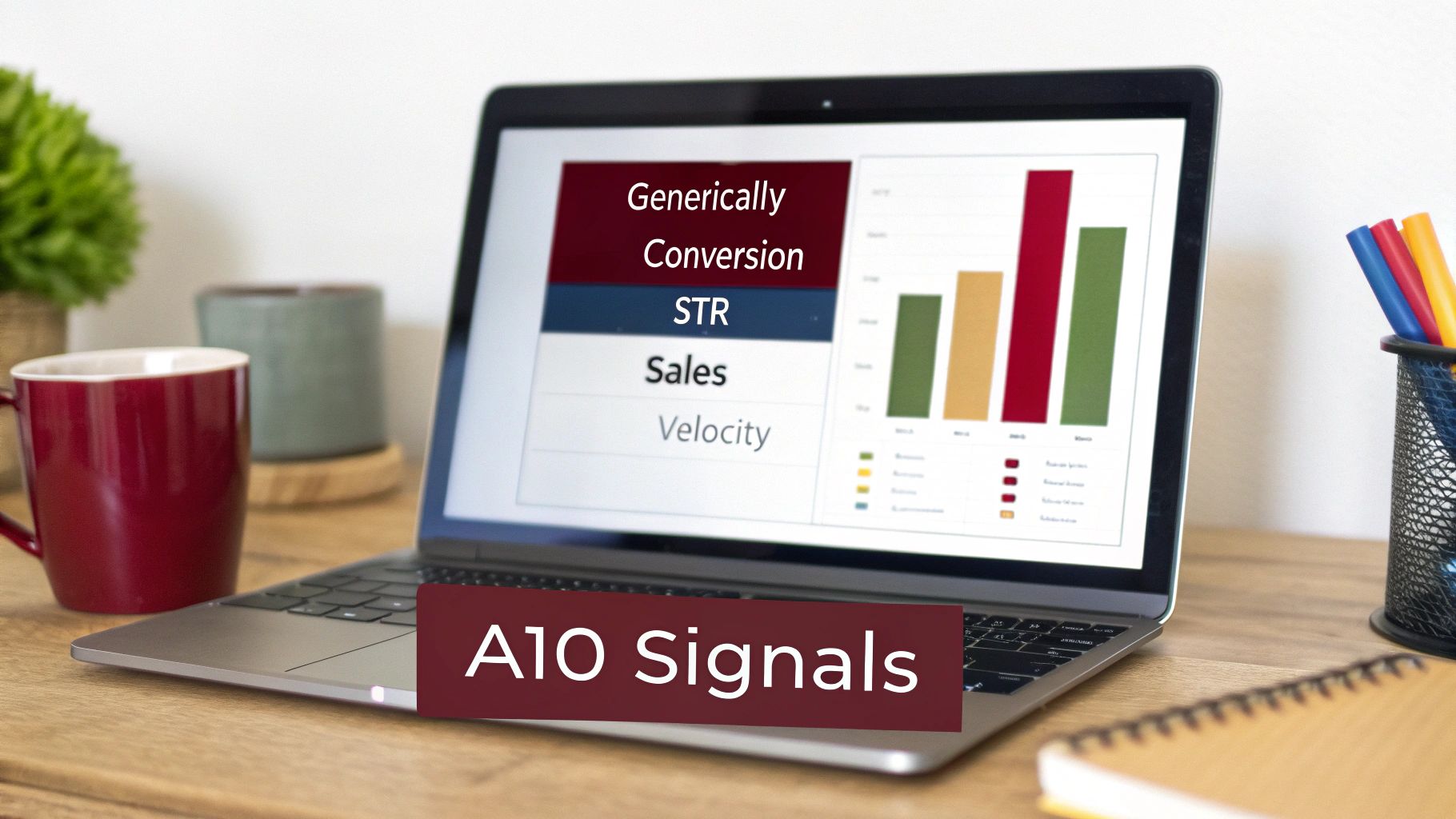
To use PPC effectively for your Amazon organic ranking, you must understand Amazon’s goals. The A10 algorithm is a business tool designed to maximize Amazon’s revenue by showing customers the products they are most likely to buy.
Your PPC campaigns feed the algorithm the exact signals it’s built to reward. Every click and sale from your ads helps define your product’s relevance and desirability. Here are the key metrics you’re influencing.
1. Sales Velocity and History
Sales velocity refers to the rate and volume of your sales over a specific period. It is one of the most powerful signals you can send to Amazon. A consistent flow of sales, even if driven by PPC, tells the algorithm your product is in demand for a particular search term.
However, it’s not just about short-term sales spikes. The A10 algorithm also considers your historical sales data. A product that maintains a steady sales rate over weeks or months is seen as more authoritative, which helps it achieve a more stable organic rank.
2. Conversion Rate
A high conversion rate (CVR) is extremely valuable to Amazon. It shows that shoppers who click on your listing complete a purchase. For Amazon, this confirms your product meets customer expectations and converts traffic into revenue.
A low conversion rate is a significant warning sign for the algorithm. It suggests your listing may be misleading or your product isn’t what shoppers were expecting. This can negatively impact your organic ranking, regardless of your traffic volume.
3. Click-Through Rate
Your click-through rate (CTR) is the percentage of users who see your product in search results and click on it. A strong CTR indicates that your main image, title, price, and review count are effective at capturing a customer’s attention.
Running PPC ads is like conducting a real-world experiment. If your ads achieve a good CTR, it signals to the A10 algorithm that your offer is appealing. You can use data from Amazon Brand Analytics to identify which keywords drive the best engagement, helping you optimize your listing for both paid and organic clicks.
How to Execute Amazon PPC Campaigns for Organic Ranking: The Step-by-Step Guide

For a new seller, the relationship between PPC (Pay-Per-Click) and Organic Ranking is often misunderstood. Many believe PPC is solely for making immediate sales & profit. However, when launching a product, your primary goal is Organic Ranking.
By using PPC, you are essentially “buying” that sales history. You are paying Amazon to put you in front of customers so you can prove your product deserves to be at the top of the search results organically.
To build on this, explore these 10 PPC Advertising Strategies That Actually Scale. For a refresher on campaign types, see this guide on the main Amazon ad types and how they fit into this strategy.
Here is the strategic execution plan to move from Page 10 to Page 1.
1. Understanding Ad Types
Before you spend a single dollar, you must understand the vehicle you are using. Amazon offers three primary ad types, but they are not created equal when it comes to ranking.
- Sponsored Products (SP): These look exactly like organic search results. This is the only ad type you should focus on for organic ranking.
Why? When a customer clicks a Sponsored Product ad and buys, Amazon’s algorithm counts that as a direct vote of relevance for that keyword, boosting your organic position significantly more than the other ad types. - Sponsored Brands (SB): These appear at the very top of the page as banners. They are great for brand awareness but less effective for ranking individual products on specific keywords.
- Sponsored Display (SD): These are retargeting ads that appear on and off Amazon. They are generally not used for keyword ranking.
2. Keyword Research & Selection
You cannot rank for all keywords at once. You need to identify the specific high relevant high search volume keywords that customers use to find products like yours.
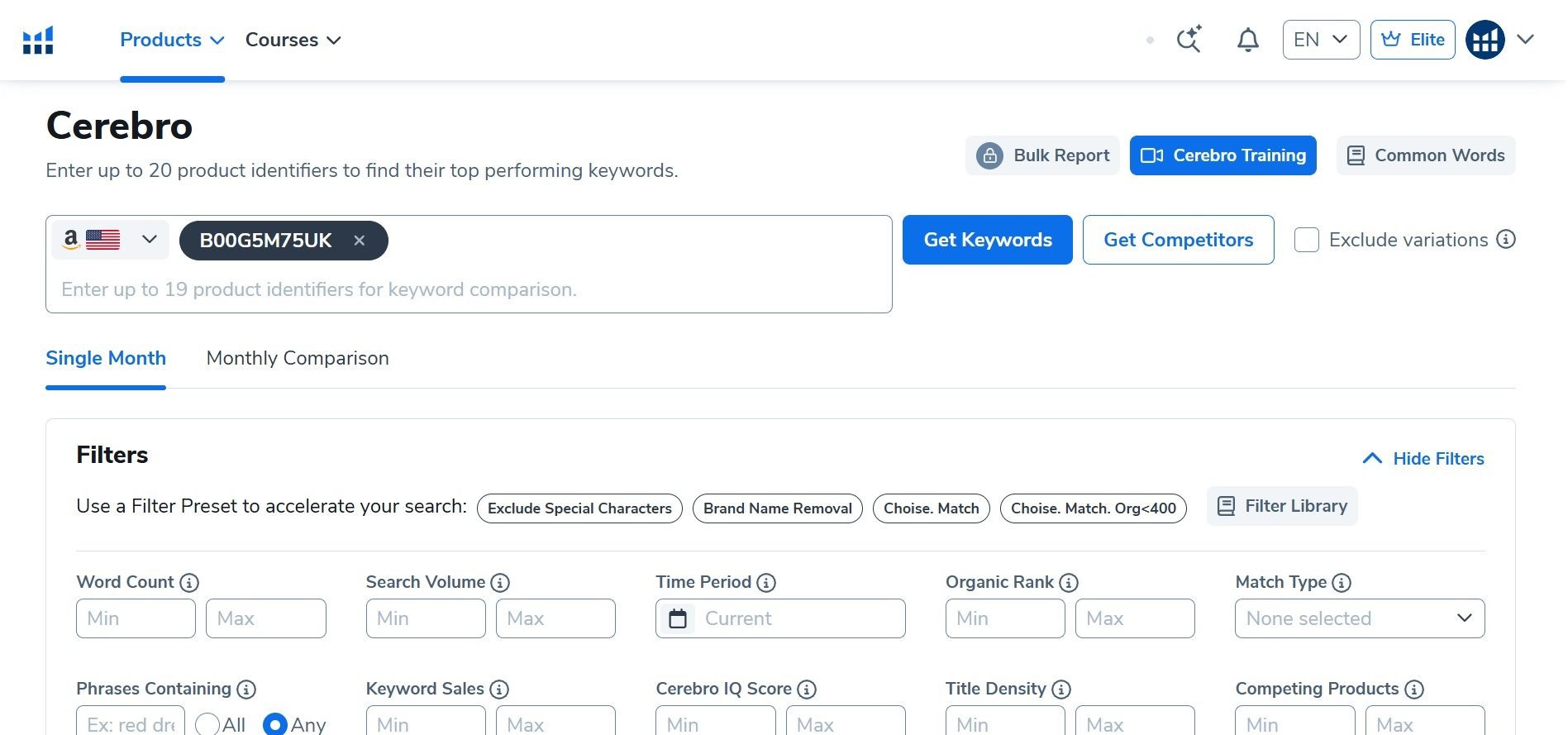
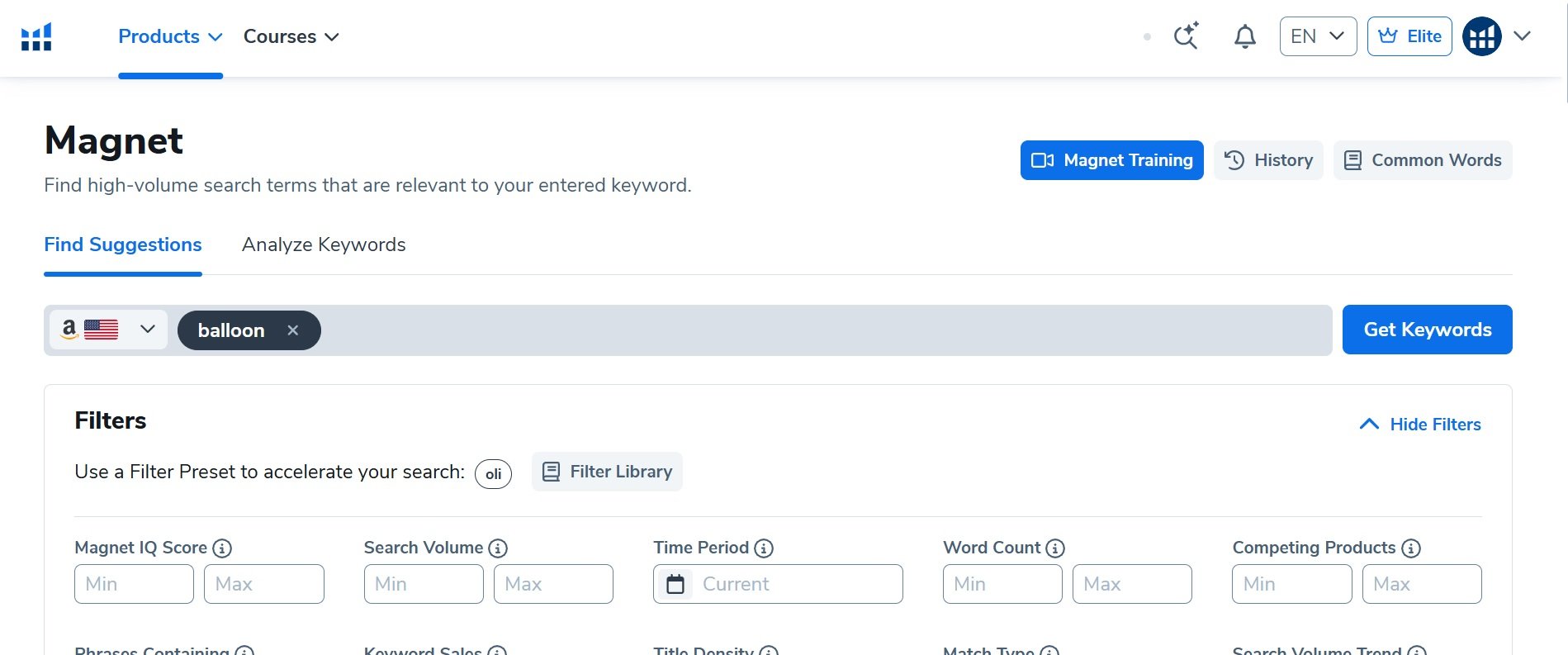
- Utilize tools like Helium 10 (Magnet or Cerebro) to find high-relevance keywords.
- Pick keywords that strictly describe your product. If you sell a “Wooden Salad Bowl,” do not try to rank for “Kitchen Supplies.” It is too broad.
- Choose your top 10 to 15 “Golden Keywords” that have decent search volume but are not so competitive that they will drain your budget in an hour.
3. Calculate Your Sales Goal
To make a real impact on your Amazon organic ranking, you need a specific sales target. Estimate how many daily sales your competitors in the top five organic spots are making for your target keywords.
Helium 10 includes a metric called ‘CPR’ (Cerebro Product Rank), which estimates the total sales required over an 8-day period to rank on Page 1. For example, if a keyword has a CPR of 96, you divide that number by 8 to get 12. This means your daily target is to generate 12 sales for that specific keyword. If you can maintain this sales velocity, you have a strong chance of ranking within 2 to 3 weeks, provided your conversion rate remains healthy.
Your objective is to match or slightly exceed that number through a combination of PPC-driven and organic sales.
This kind of campaign requires a solid budget and realistic expectations. Understanding different strategies for launching effective ad campaigns can help you plan the initial investment.
3. Budget Estimation for Ranking
Ranking is an investment, not a cost. You must be prepared to spend money to pay for clicks and rank on Page 1.
It is critical to understand that during the ranking phase, you might run at a loss or break-even, and that is okay.
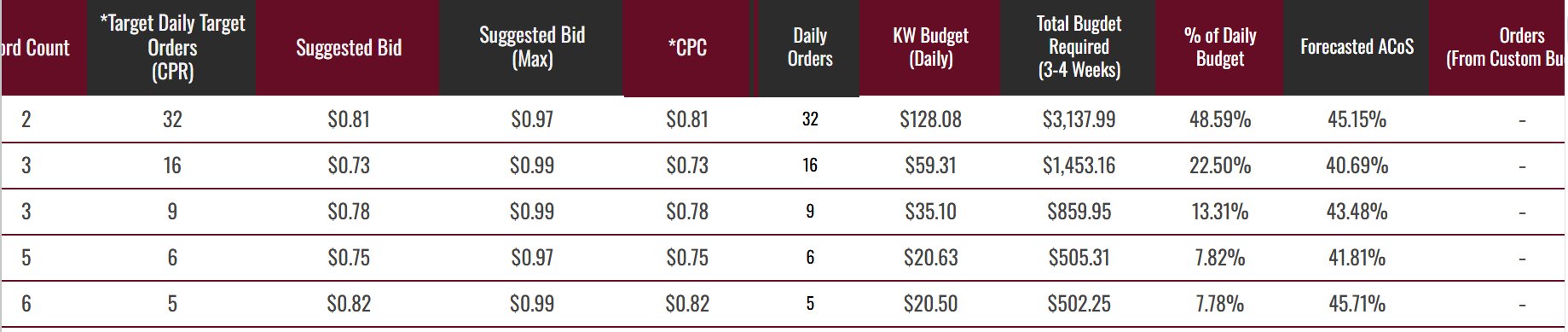
You need to calculate a daily budget that allows your ads to stay active throughout the day. If your budget runs out by noon, Amazon pauses your ads, killing your sales velocity and hurting your ranking potential.
For a detailed breakdown on how to calculate your launch runway, read our specific guide on Amazon PPC Cost Estimation.
4. The “Root & Branch” Strategy (Exact + Phrase/Broad)
To dominate a niche, you need a multi-layered approach. You should not rely on just one match type. We recommend a strategy where you target your main keywords aggressively while also casting a wider net to catch variations.
- Sponsored Products Exact Match Campaign:
This is your primary ranking engine. You tell Amazon, “I want to show up for this specific word. Create a campaign targeting your keyword in Exact Match. This gives direct ranking juice for that specific search term.
- Sponsored Products Phrase/Broad Match Campaign:
To support your ranking, you should run a separate campaign for the same keywords using Broad or Phrase match. This brings in sales from long-tail variations that include your root keyword.
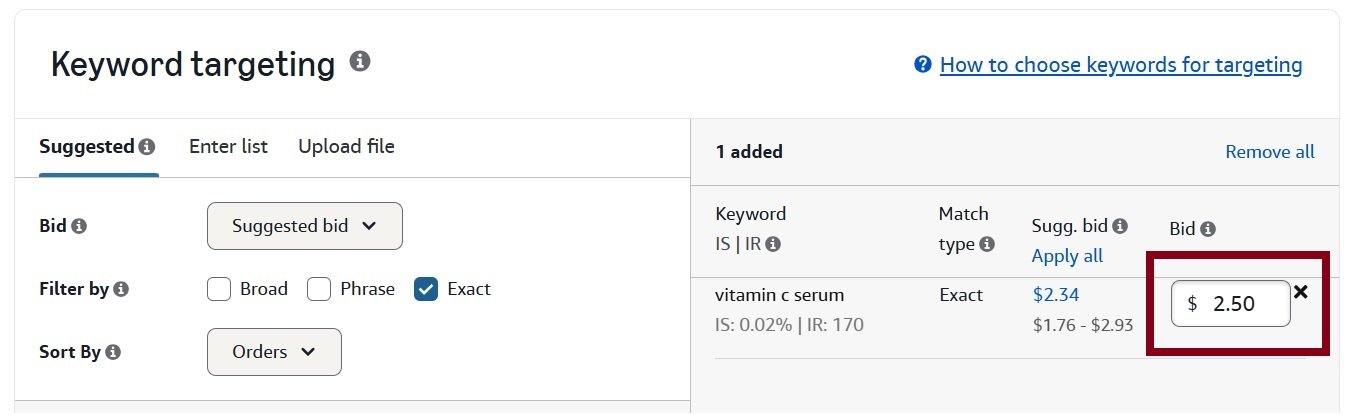
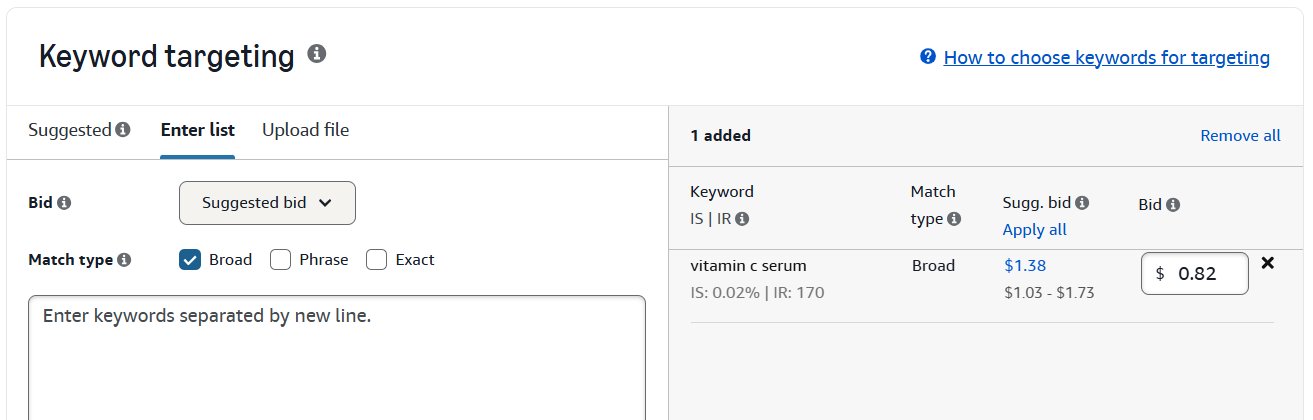
For example: If your Exact target is “Garlic Press,” a Broad or Phrase campaign on this same keyword “Garlic Press,” might trigger your ad for “Stainless Steel Garlic Press” or “Garlic Press for Chefs.”
When you get sales on these longer variations, Amazon often credits partial ranking power back to the root keyword (“Garlic Press”), helping you rank faster.
5. Campaign Structure & Setup
Do not dump all your keywords into one messy campaign. Not all keywords perform the same, and you need control over them. Here is how you can create PPC campaign for organic ranking.
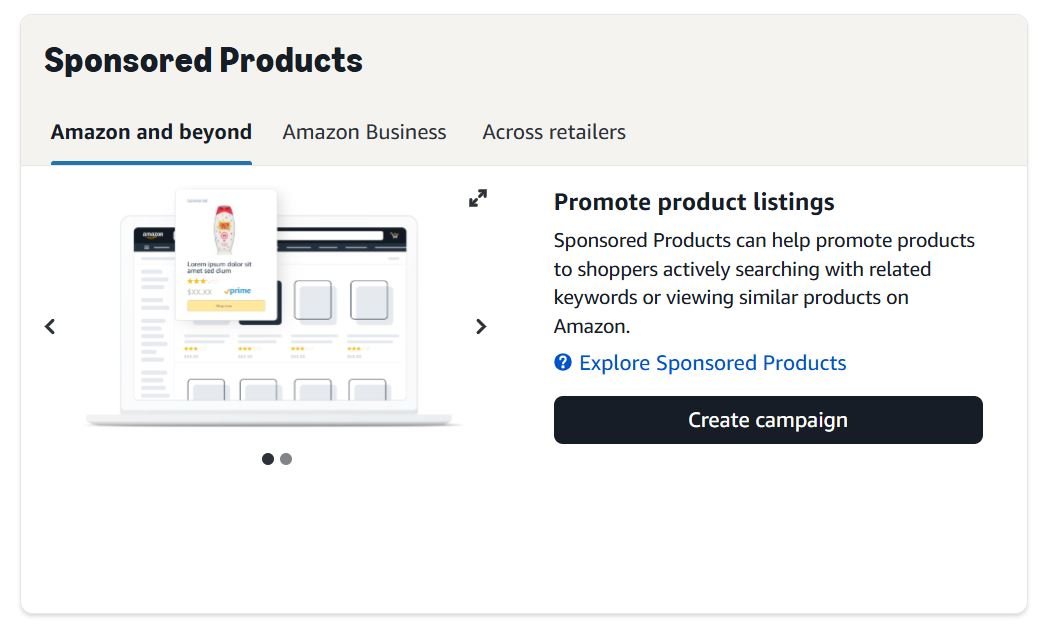
Step 1: Access Campaign Manager
Go to Campaign Manager -> Create Campaign -> Sponsored Products.
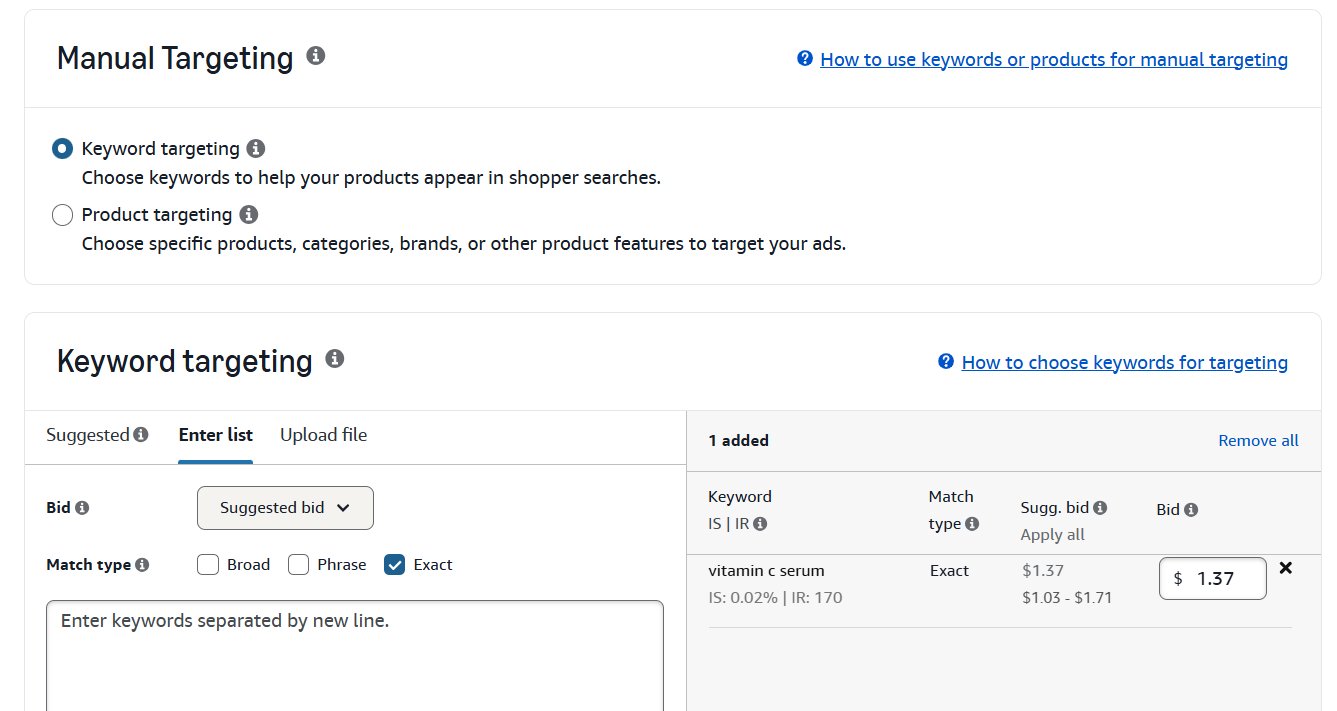
Step 2: Enter Keywords
Select Manual Targeting -> Keyword Targeting and create specific campaigns for your top keywords. We recommend Single Keyword Campaigns (SKC) or small groups (max 3-5 closely related keywords per campaign)
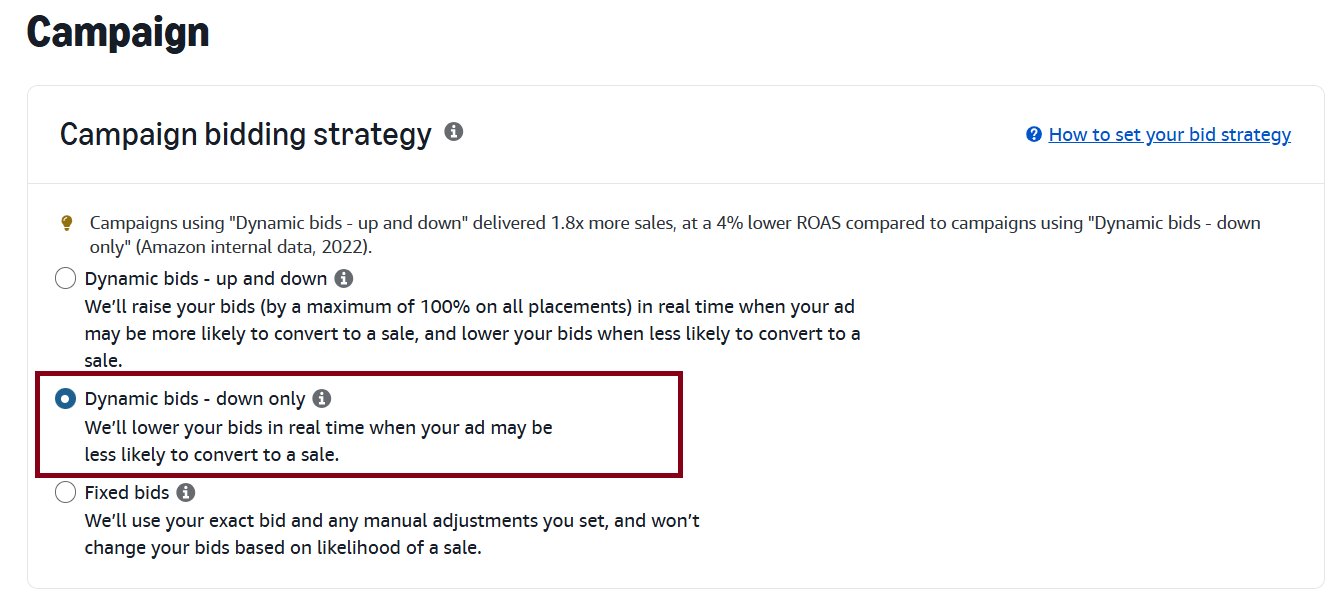
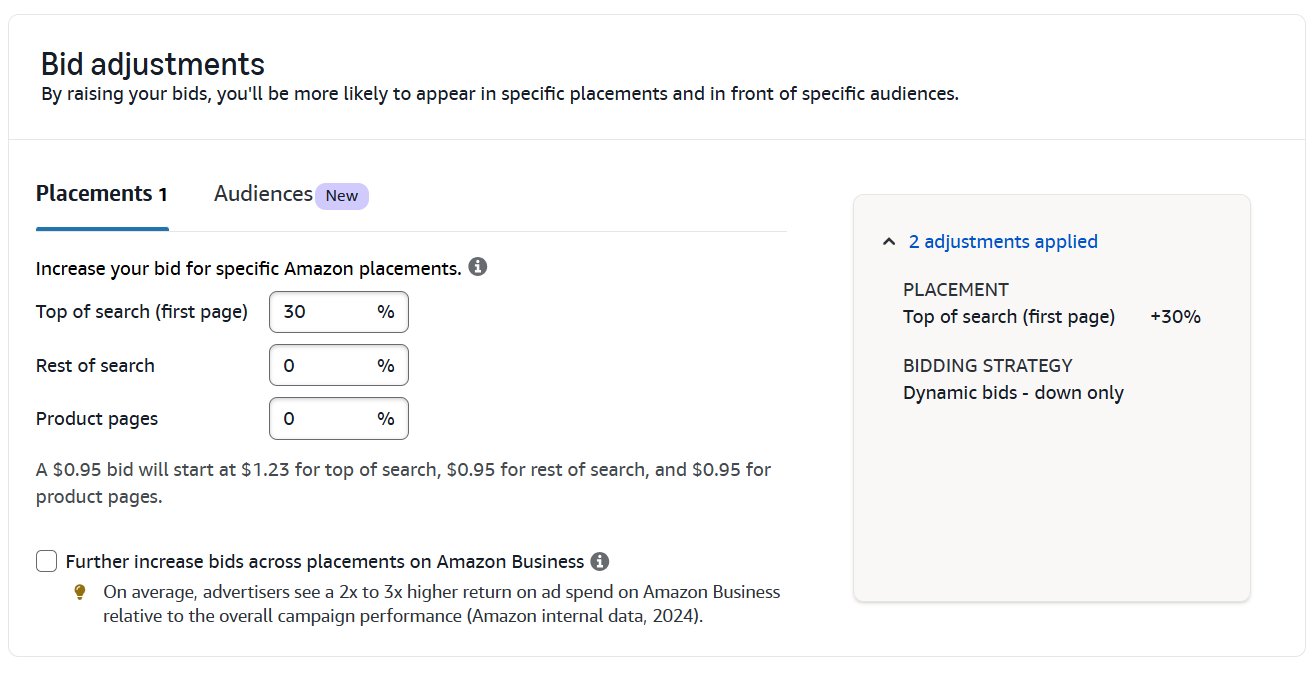
Step 3: Targeting & Bidding Strategy
Choose “Down Only” in bidding strategy. Why? “Dynamic Bids – Down Only” might lower your bid when Amazon thinks you won’t convert.
Step 4: Placements
Go to the “Adjust Bids by Placement” tab. Add a percentage increase (e.g., 20% – 50%) to Top of Search (First Page). This ensures your ad appears at the top of the page where the CTR and conversion rate are highest.
6. Survival of the Fittest Optimization
Once your campaigns are running, you will realize that not all keywords are winners. Even if Helium 10 says a keyword is relevant, customers might disagree.
Run your campaigns with your selected top keywords. After a week of data, analyze the Conversion Rate (CVR).
If Keyword A has a 15% CVR and Keyword B has a 8% CVR, Keyword B is draining your budget and hurting your listing’s performance score.
Turn off the low-converting keywords and funnel your remaining budget into the keywords that are actually converting. High conversion rates signal to Amazon that your product is a perfect match, which speeds up organic ranking.
7. Tracking Your Progress
You cannot improve what you do not measure. You need to know exactly where your product stands organically every single day.
- Set up Helium 10 Keyword Tracker: Input your target keywords into the tracker immediately after launch.
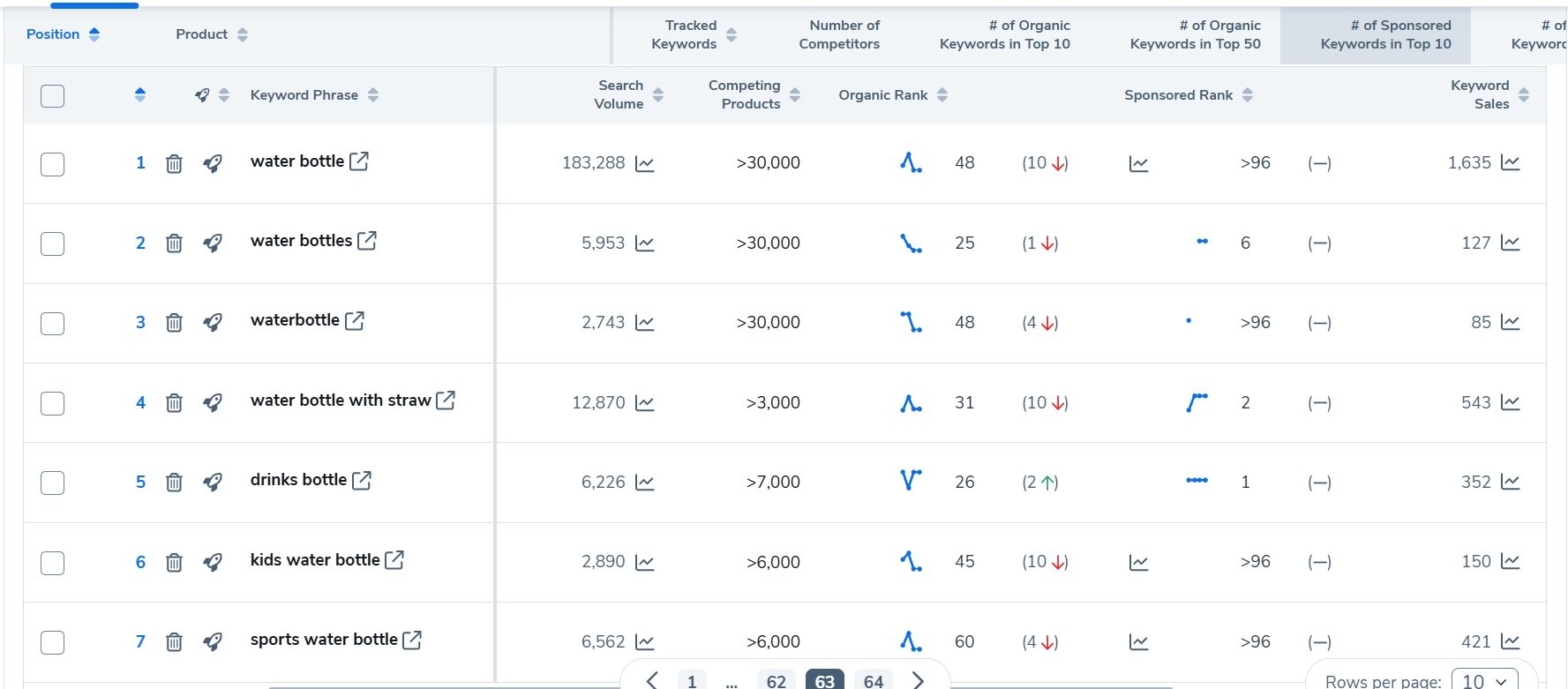
- Monitor Daily: Watch the graph. You should see your product move from “Not Ranked” to position 100, then 50, then 20.
- Match your PPC sales to your rank rise. If PPC sales happen today, you should see a rank boost within 24-48 hours.
8. Ranking and “Weaning Off”
Ranking is a marathon, not a sprint. Typically, it takes 4 to 5 weeks to rank a new product organically on Page 1.
Once you hit the top positions (Rank 1 through 5) and have stayed there for a few days, you can start the “Weaning Off” process. Lower your PPC bids by small increments (e.g., $0.05 or $0.10) every few days.
If your organic rank stays stable as you lower the ad spend, keep going. You are shifting from “Paid” orders to “Organic” orders.
If you lower the bid and your organic rank drops, immediately increase the bid and restart the process. You haven’t solidified your position yet.
Your organic rank will only stabilize if your product’s Conversion Rate is equal to or higher than the competitors already on Page 1. If you buy your way to the top but customers don’t buy the product once they click, Amazon will drop your ranking the moment you stop paying for ads. PPC gets you to the party, but your product’s quality and conversion rate keep you there.
Measuring Success and Adapting Your Strategy
How do you know if your PPC investment is actually improving your Amazon organic ranking? Simply spending money on ads without a clear way to measure the results is not a sustainable strategy. You need to know if your campaigns are improving your organic ranking or just costing you money.
While ACoS (Advertising Cost of Sale) is a common metric, it only provides part of the picture. The most important number to monitor is your Total Advertising Cost of Sale (TACoS). This metric is your total ad spend divided by your total revenue, which includes both paid and organic sales.
1- Track Organic Ranking with Tools
Never check your rank manually on Amazon; your browser history and location will skew the results, giving you false data. Instead, use a professional tool like Helium 10 Keyword Tracker for accurate, unbiased insights.
Simply input the top 20 to 25 keywords you are targeting in your PPC campaigns into the tracker.
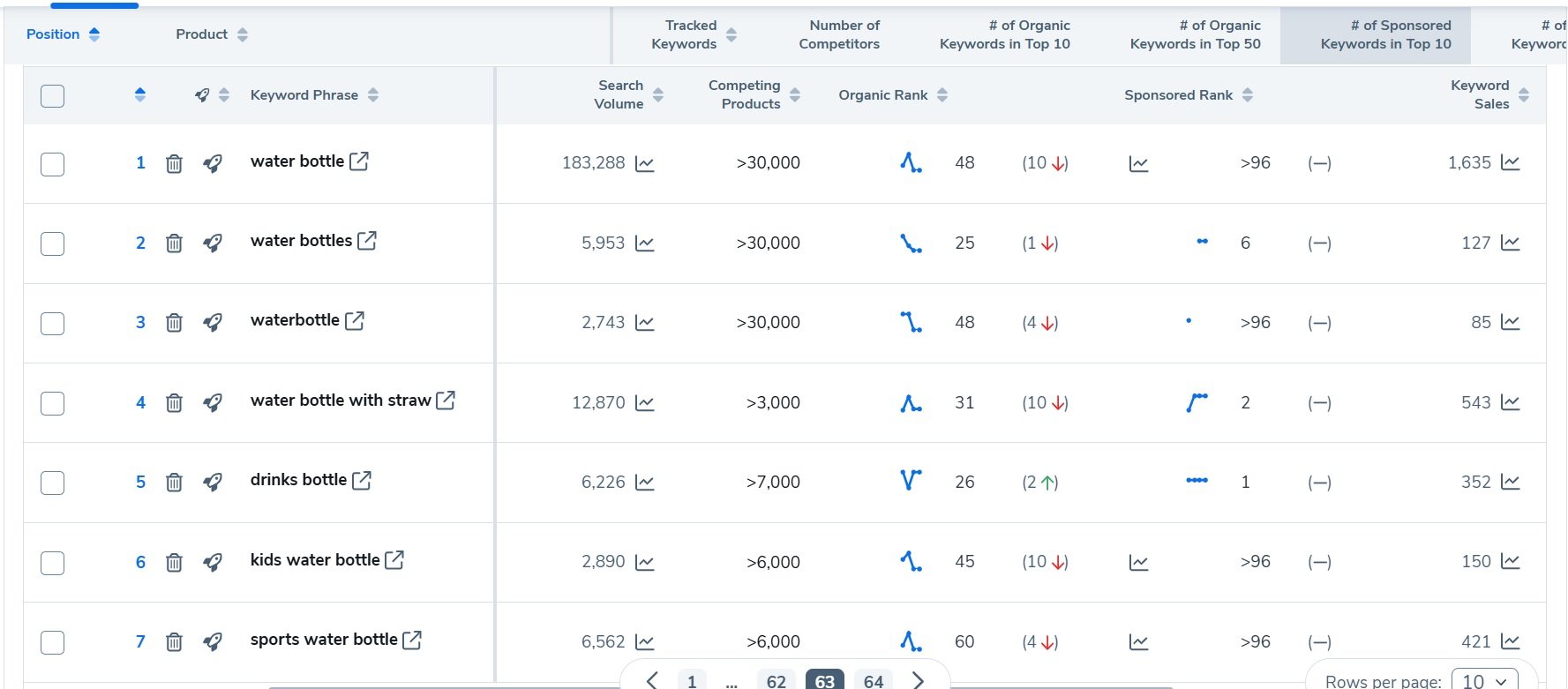
This daily check is the only way to verify that your ad spend is successfully influencing Amazon’s algorithm. If you are spending money but your rank isn’t moving, you know you need to adjust your strategy immediately.
2. Understanding TACoS
If your TACoS decreases over time while your ad spend remains relatively stable, it’s a strong indication of success. This means your organic sales are increasing, making your ad spend more efficient in relation to your overall business growth. A falling TACoS is proof that your PPC flywheel is working. It shows that your ad spend is an investment in building a sustainable organic presence that will continue to generate revenue.
3. When to Scale Back PPC
Once your product has secured a stable spot in the top 3-5 organic positions for a target keyword, it’s time to adjust your strategy. This doesn’t mean stopping ads completely. Instead, you can begin to lower your bids for that specific keyword. The goal is to shift from an aggressive “ranking” mode to a more defensive “maintenance” mode.
This strategic adjustment frees up your ad budget, allowing you to reinvest it into targeting your next keyword and repeating the ranking process. Be sure to use a reliable tool to track your Amazon ranking; make these decisions based on data, not just intuition.
Long-Term Strategies for Sustained Rank
1. Improve the Listing Continuously
Even the best PPC campaign can’t compensate for a weak product page. After you’ve climbed up, switch gears to optimize conversion and customer experience.
Ensure your title and bullets contain the primary keywords you targeted. Use high-quality images and A+ content if available. Encourage reviews through excellent service (remember, good reviews indirectly boost rank by improving conversion).
You can’t game organic rank with ads alone. Amazon “ranks products on page one” by a combination of everything: pricing, images, reviews, and sales history. In other words, your PPC strategy should be part of a broader optimization effort. A well-optimized, authoritative listing converts all that paid traffic into word-of-mouth momentum and repeat sales reinforcing the cycle.
2. Use PPC for Defense and Growth
Once established, treat PPC as maintenance. For high-ranked products, set aside a smaller ad budget for two purposes: defend against competitors, and discover adjacent keyword opportunities.
For instance, bid on your brand name or model numbers to prevent copycats from sniping your traffic. Also consider using Sponsored Display or Amazon DSP remarketing on customers who viewed but didn’t buy, to capture incremental conversions.
Keep testing small, targeted campaigns for any new relevant terms. Maybe a long-tail keyword emerges, or a seasonal variant (e.g. “best gifts for moms”). PPC can help you rank for these new terms too.
Common Questions About PPC and Organic Rank
Here are some of the most common questions sellers have about the connection between PPC and Amazon organic ranking.
1. How long does it take for PPC to affect my rank?
You can typically see initial movement in your ranking within 7-14 days of launching a consistent PPC campaign. The key is to generate steady sales velocity for your target keywords. While a single-day sales spike might provide a temporary lift, sustained sales over one to two weeks send a much stronger signal to the A10 algorithm that your product is relevant for that search term.
2. Should I stop my PPC campaigns once I hit page one?
You shouldn’t stop them completely, but you should pivot your strategy. Once you’ve secured a stable spot in the top five organic positions, you can start to reduce your bids for that keyword. Think of it as shifting from an “attack” strategy to a “defense” strategy. It’s wise to keep a smaller, maintenance-level campaign running to protect your position from competitors. You can then reallocate the saved budget to target a new set of keywords.
Pro Tip: Don’t abruptly turn off ads for your best keywords. Gradually lower your bids and monitor your organic rank daily. If you notice it starting to drop, you may need to increase your ad presence slightly to maintain your position.
3. Does a high ACoS mean my campaign is failing?
Not necessarily, especially during a product launch or a ranking campaign. When your primary goal is sales velocity, immediate profit is a secondary concern. It’s common for these campaigns to run at break-even or even a slight loss to secure a high organic rank. Once you are established on page one, the increase in organic sales will likely compensate for the initial ad spend. Your Total ACoS (TACoS) will begin to fall, indicating the strategy is working. For these campaigns, measure success by rank improvement first and profitability second.