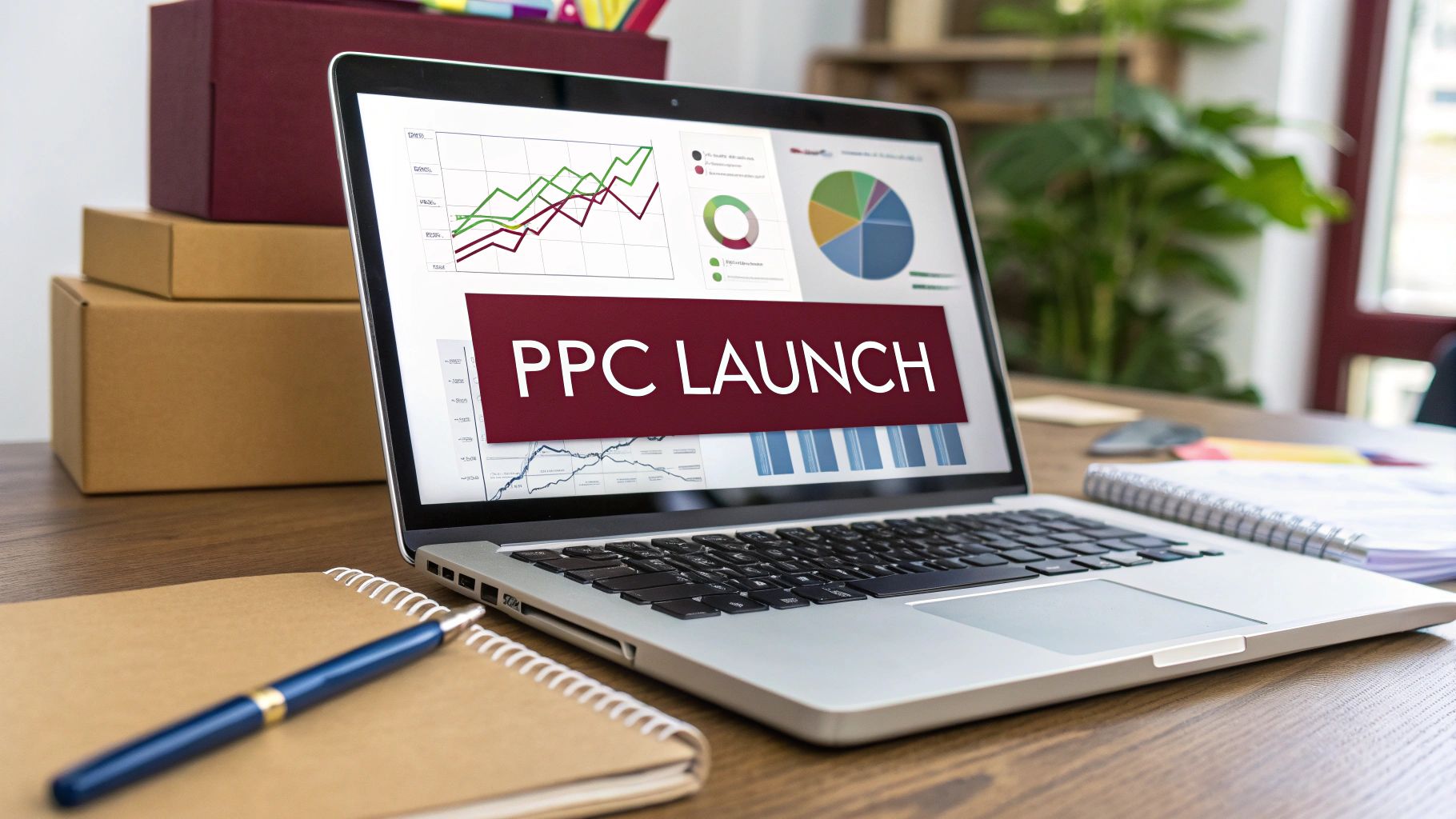
Amazon PPC (Pay-Per-Click) advertising lets sellers bid on keywords to display their products to Amazon’s massive audience.
With over 300 million active users on the platform, effective PPC campaigns are essential for new products that lack sales history or reviews. A well-structured Amazon PPC strategy accelerates visibility, drives early sales, and feeds Amazon’s ranking algorithms.
In this article we explore key components of Amazon PPC for product launches from campaign types and structure to keyword research, bidding, and optimization and then outline concrete launch strategies to maximize impact.
Why Amazon PPC is Critical for New Product Launches
New products on Amazon have no sales history or customer reviews, so organic discovery alone often isn’t enough. Amazon PPC jump-starts a launch by putting your product on the first page of search results and relevant product detail pages.
Paid ads generate the initial sales velocity that signals to Amazon’s algorithm that your product is relevant. Research shows that products with high sales in the first 30 days tend to achieve stronger long-term rankings. In practice, sellers should start PPC ads as soon as the listing goes live to gather data and drive early traffic.
In short, aggressive PPC early on is the most reliable way to give a new product its first sales and reviews, build relevance, and start an upward momentum.
Core Amazon PPC Campaign Types
Amazon offers several PPC ad types. For a new product, key types include:
1. Sponsored Products
These cost-per-click ads appear within search results and on related product pages. They are crucial for driving direct sales of the new item. Sponsored Products put your product into shopping results, boosting detail-page views and early reviews.
2. Sponsored Brands
Banner ads that appear within the search results and product pages with video and at the top of search results featuring your brand logo and up to three products. These enhance brand awareness and can feature your new launch alongside established SKUs. They are ideal for highlighting a new release or product line.
3. Sponsored Display
These are often used for remarketing e.g., re-engaging shoppers who viewed the new listing but didn’t buy. Sponsored Display ads help capture customers who discover your product indirectly and can expand reach beyond search.
4. Amazon DSP (Demand Side Platform)
A programmatic advertising platform that places video and display ads on and off Amazon. It’s more advanced, but for large brand launches, DSP can target relevant audience segments across the web.
Always adopt a full-funnel approach for launches: combining Sponsored Products with upper-funnel ads (video, display, OTT) builds both discovery and engagement.
New sellers should at least launch Sponsored Products campaigns immediately and consider Sponsored Brands and Display ads as budgets allow. Additionally, if eligible for Brand Registry, creating an Amazon Brand Store and using A+ Content can further boost conversions by highlighting product differentiators.
Structuring Your Launch Campaigns
A clear campaign structure helps manage budget and glean insights. A lot of sellers just run automatic campaigns, but a multi-campaign structure offers better control and faster data collection.
The principles behind a solid structure are universal, even across different categories. A great resource, even if you don’t sell books, is this guide on Amazon Advertising for Books, as it explains the core concepts of visibility and keyword strategy.
The goal is to create a system where campaigns work together. One campaign discovers new customer search terms, another tests their potential, and a third focuses on proven winners to drive sales.
1. Auto Campaign
Start with an automatic Sponsored Products campaign. Amazon will match your product to a wide range of search terms and product pages. Use a moderate budget (commonly 20–30% of your launch budget) and run it for about 7–10 days to collect data.
This approach “automatically target[s] relevant keywords to gather data about which search terms convert best.” Review the search term report to find high-performing keywords and negative terms.
2. Manual Campaigns
Set up manual campaigns targeting the 10-15 top keywords. Use Exact, Broad, and Phase match campaigns with top 5 high search volume keywords in single campaign for each match type.
Target the secondary keywords with no more than 5 keywords per campaign per match type.
Separate campaigns by match type (i.e., one campaign each for Exact match and Phrase match) for clear budget control. Structuring campaigns this way lets you see performance of each match type without cannibalization.
3. Sponsored Brands or Display
Run a Sponsored Brands campaign (if you have Brand Registry) to boost launch awareness and feature the new product. Use banner creative and a custom headline to “educate customers about your new product and its differentiators.”
Additionally, launch a Sponsored Display (retargeting) campaign after 6 to 7 weeks to re-engage anyone who viewed your detail page without buying.
4. Ad Group Organization
Within each campaign, organize by a single ad group. Limiting each campaign to one ad group helps focus the budget. Include handful of keywords (typically no more than 5) in each ad group.
For example, a campaign might contain one ad group with 3–5 related keywords. This ensures 100% of that campaign’s budget is focused on the one ad group’s keywords, improving control and maximizing spend on top terms.
Keyword Strategy
Effective keyword selection is at the heart of PPC success. Start with comprehensive research using Amazon’s keyword tools and third-party resources. Consider that Amazon keywords fall into three categories:
- High-volume keywords: Popular terms with large search volume. They drive traffic but are highly competitive and costly.
- Low-volume keywords: Less common but highly relevant terms. They can convert well at lower cost.
- Long-tail keywords: Longer, more specific phrases. These attract niche buyers with clear intent and typically have lower competition.
A balanced mix is key: high-volume terms boost visibility, while low-volume and long-tail keywords target focused audiences and optimize ROI.
For a launch, include all three types: use broad match (in Auto campaigns) to discover terms, then allocate your budget to the winning high-volume and high-intent phrases in Exact campaigns.
Use Amazon’s Search Term Report (found in Seller Central’s Campaign Manager) relentlessly. This report reveals which search queries triggered your ads and which led to conversions.
The report is a “goldmine” for finding top-performing keywords and identifying wasted spend. Regularly pull it from Auto campaigns to harvest new keywords, update your manual campaigns, and add negative keywords for irrelevant search terms.
Supplement Amazon data with third-party tools (Helium 10, Jungle Scout, etc.) to see search volume and competition. Use their reports and keyword suggestions to refine your list.
Also optimize your listing’s backend search terms and front-end content (title, bullets, description) with the selected keywords. A well-optimized listing (with keywords in copy and rich images/A+ content) boosts your organic and paid relevance simultaneously.
Bidding and Budgeting Strategies
New launches often require generous budgets and flexible bids. In the first weeks, you may accept a high Advertising Cost of Sales (ACoS) to maximize visibility.
A higher ACoS on a well-structured launch campaign is acceptable if it drives significant sales growth and long-term organic ranking. In practice:
- Allocate more budget to campaigns and keywords that show high conversion rate early on.
- Start with conservative bids on new keywords, then increase bids for the best performers.
- Use Amazon’s placement bid adjustments to favor top-of-search placement if it yields conversions.
Amazon offers several bidding strategies. Use dynamic bidding down-only which lets Amazon’s algorithm adjust bids in real time based on conversion likelihood. Dynamic bidding can reduce wasted spend by about 20% on average. Alongside dynamic bids:
- Constantly add negative keywords to eliminate irrelevant spend.
- Track multiple metrics: standard ACoS shows campaign efficiency, while Total ACoS (TACoS = ad spend ÷ total sales) reveals how ads support overall sales.
- For example, you may tolerate a high campaign ACoS if TACoS remains reasonable and organic sales are rising.
- Adjust budgets and bids weekly based on performance. If a campaign’s spend isn’t increasing sessions or if PPC sales are much higher than total sales, revisit targeting and bids.
Managing Your Campaigns in the First 30 Days
The first month of your product launch isn’t immediate profitability. It’s about data collection. Your goal is to spend your budget intelligently to understand how customers search for and buy your product. Every click and sale is a data point that will inform your future strategy.
1. Your Week-by-Week Action Plan
A structured approach during the first 30 days is essential. Don’t make random changes based on gut feelings. Follow a routine to gather data, analyze it, and act on your findings to avoid emotional decisions based on one bad day of high ACoS.
2. Week 1: Focus on Data Gathering
For the first seven days, your main job is to let your automatic and broad match campaigns run without major interference to collect clean data. Monitor your daily budget to ensure you’re not running out of funds before the day ends, as this will skew your results.
The key metrics to watch are Impressions and Click-Through Rate (CTR). If your impression count is low, your bids might be too timid. A poor CTR (below 0.4%) could signal issues with your main image, title, or price.
3. Week 2: Initial Optimizations
By week two, you should have enough data to start making smart tweaks. This is when the real work of managing your PPC begins.
- Keyword Harvesting: Dive into your Search Term Report to find customer search terms that have generated two or more sales. These are your proven winners.
- Adding Negative Keywords: In the same report, find terms that get clicks but zero sales. If a keyword has spent a significant part of your budget without converting, add it as a negative exact match to stop wasting ad spend.
This process involves moving high-performing search terms from your “discovery” campaigns (auto and broad) into your high-conviction exact match campaigns. You’re building a targeted campaign with keywords you already know work.
4. Analyzing Key Performance Metrics
As data comes in, you need to understand the story it’s telling. Your Click-Through Rate (CTR) and Conversion Rate (CVR) are the two most important health indicators for any new campaign. A strong CTR means your ad is compelling, while a strong CVR means your product detail page is persuasive.
Competition on Amazon is intense. While some data suggests average daily ad spend can be high, what matters is your own profitability. A reasonable ACoS target for a new seller is around 30% once the launch phase is over. Amazon Ads often have high conversion rates, with some reports showing averages around 9.96%. A well-managed campaign can be a powerful engine for growth.
If your CTR is low but your CVR is high, your listing is effective, but your ads aren’t reaching the right people. If your CTR is high but your CVR is low, your ads are attracting shoppers, but your listing isn’t converting them. To understand what’s working, you’ll need to master the various Amazon advertising reports.
Shifting from Data Gathering to Profitability
The first 30 days are done. You’ve spent money, gathered data, and learned how shoppers behave. Now, it’s time to use those lessons to start turning a profit. You’re moving from the “discovery” phase into the “optimization” phase. Your main goal now is to steer your campaigns toward your target Advertising Cost of Sale (ACoS).
1. Calculating Break-Even ACoS
Before you can think about profit, you must know your break-even point. Your break-even ACoS is the percentage where you are not making or losing money on ad spend. Any ACoS below this number is profit.
The formula is simple:
Break-Even ACoS = Your Pre-Ad Profit Margin (%)
For example, if you sell a product for $50 and your profit after all costs is $15, your profit margin is 30% ($15 / $50). Your break-even ACoS is 30%. This number is your guide for every bidding decision.
2. Adjusting Bids Based on Performance
With your break-even ACoS as your guide, you can fine-tune your bids. This is critical, as average cost-per-click (CPC) rates can range from $0.98 to $1.12, and in competitive niches, they can exceed $1.50. Wasted clicks at that price will quickly erode your profits. Your job is to reward the winners and cut the losers.
- For a profitable keyword: If its ACoS is well below your target, increase the bid slightly to get more visibility.
- For a keyword losing money: If the ACoS is too high, lower the bid. If it still doesn’t perform after adjustments, pause it.
For a deeper dive into this process, our guide on Amazon PPC bid optimization has advanced techniques you’ll want to review.
3. Shifting Your Budget to Top Performers
After a few weeks, you’ll see a pattern emerge. A small number of keywords in your exact match campaign will be driving most of your sales. This is your cue to reallocate your funds.
Gradually pull your budget from the broad and automatic “discovery” campaigns and funnel that money into your proven, high-converting exact match campaigns. You’re concentrating your ad spend where you know it works. This is how you maximize your Return on Ad Spend (ROAS) and build a foundation for sustainable growth.
Scaling Your Campaigns Beyond the Launch Phase
A successful launch is just the beginning. True growth in amazon ppc marketing is about sustainability and capturing more market share. This means moving beyond your initial Sponsored Products campaigns and using more sophisticated ad types.
Once you have a steady stream of sales and your ACoS is healthy, it’s time to incorporate Sponsored Brands and Sponsored Display ads into your strategy to build brand recognition and reach new shoppers.
1. Expanding Your Ad Portfolio
Sponsored Brands are the banner ads at the top of search results, showing your logo, a custom headline, and several products. They’re great for grabbing the attention of shoppers in the early stages of browsing and for defending your brand name from competitor bids.
Sponsored Display is another powerful tool. These ads can retarget shoppers who viewed your product but didn’t buy, both on and off Amazon. You can also use them for Product Targeting by placing your ad directly on a competitor’s product detail page. This tactic, often called ASIN targeting, allows you to capture a customer at the exact moment they are considering their options.
2. Strategic Keyword and Budget Scaling
Scaling also involves increasing investment in what’s already working. You should now have a list of keywords that consistently generate profitable sales. The next step is to carefully increase the budgets and bids for these proven winners.
Instead of making large changes, increase bids on top-performing keywords by 10-15% and monitor them for a week. If sales volume increases and performance remains strong, you can continue this gradual increase. This approach prevents your ACoS from getting out of control while you push for more traffic.
For a deeper understanding of how customers interact with these different ads, advanced analytics platforms are becoming more important. You can learn more about how the Amazon Marketing Cloud provides a comprehensive view of the entire customer journey.
Tips for New Product Launches
Launching a new product on Amazon requires more than just turning on ads. Success depends on combining PPC with a holistic launch strategy that addresses visibility, awareness, conversion, and ongoing optimization. A well-planned launch ensures early sales velocity, review generation, and long-term ranking gains. Key tactics include:
1. Thorough Product and Market Research
Validate demand and differentiation before launch. Analyze top competitors and best-seller data to ensure your product solves real customer needs.
2. Optimize Your Listing
Finalize a compelling title, bullet points, images, and backend keywords before launch. Highlight unique features and keywords so that your PPC clicks convert efficiently.
3. Start Ads on Day One
Activate Sponsored Products (Auto and Manual) as soon as the listing is live to begin data collection and visibility. Don’t wait for reviews – even without reviews, PPC can put your product in front of shoppers.
4. Aggressive Budget and Bids
In early launch, be willing to spend heavily on ads. Allocate higher budgets to new campaigns and raise bids on keywords that generate sales. Accept a higher ACoS initially, knowing that early sales and rank gains justify the spend.
5. Broad Targeting
Use a mix of broad, phrase, and exact match keywords to maximize discovery. Leverage product targeting ads to appear on competitors’ listing pages or related categories. For example, target established ASINs in your niche to capture market share.
6. Build Awareness
Run Sponsored Brands ads to showcase your brand and new product. If possible, create a short video ad introducing the product. The goal is to educate shoppers about your differentiators and build brand recall.
7. Secure Early Reviews
Enroll your product in Amazon Vine during the pre-launch phase to get early reviews from trusted reviewers. Aim for 15–20 reviews to build credibility and improve conversion rates. Pricing depends on the number of units sent, starting from around $75 for 3–10 units.
8. Deals & Coupons
Use launch promotions to drive early sales and improve your product’s ranking. Discounts of 10–20% or digital coupons attract buyers and increase click-throughs.
Amazon’s Coupons program highlights your deal in search results and on product pages, giving extra visibility that complements your PPC campaigns. Well-timed promotions can accelerate sales velocity and help your new product gain traction faster.
8. Drive External Traffic
Enlist influencers, run social ads, and post on blogs or forums to send interested buyers to your listing. External traffic can amplify your PPC by increasing overall sessions and can earn referral bonus credits.
9. Manage Inventory
Keep ample stock. A stockout early in a launch can cause your hard-won rank gains to vanish, with recovery taking over a week. Use FBA or efficient logistics to avoid delays.
10. Full-Funnel Focus
Remember Amazon’s multi-touch journey. Aim first for discoverability (getting listed), then for awareness (impressing shoppers), and finally for conversion (sales and reviews). Employ remarketing ads (Sponsored Display, DSP) after launch to capture shoppers who viewed your product but didn’t buy.
Common Product Launch Mistakes to Avoid
Your Amazon PPC strategy is only as strong as its execution. Common mistakes can quickly drain your launch budget and leave you with little to show for it. Avoiding these pitfalls is just as important as knowing what to do.
1. Setting Your Daily Budget Too Low
It’s tempting to start with a small daily budget of $10 or $20, but this is one of the most counterproductive things you can do during a launch. A low budget starves your campaigns of the data they need to optimize. If your ads stop running by noon, you miss out on all afternoon and evening shoppers, and Amazon’s algorithm never gets enough information to identify which keywords and placements work. A low budget provides incomplete data, leading to poor optimization decisions.
2. Relying Solely on an Auto Campaign
Using only an automatic campaign is a surefire way to waste ad spend. Auto campaigns are excellent for discovery, but they are not a complete strategy. They cast a wide net and will inevitably match your product to irrelevant keywords that get clicks but never convert. The auto campaign is your scout, not your army. You need manual campaigns to act on its findings and target high-intent shoppers with precision.
3. Neglecting Negative Keywords
This is the most common and expensive mistake. Every dollar spent on an irrelevant click is a dollar you can’t spend on a click that might lead to a sale. Your Search Term Report will quickly fill with searches loosely related to your product.
Forgetting to add negative keywords can be costly. For example:
- Your “leather dog collar” ad shows up for “vegan leather leash.”
- Your “iPhone 15 case” gets clicks from shoppers looking for a “cheap iPhone 12 case.”
- Your “organic coffee beans” ad appears for “coffee grinder.”
Each click costs money with almost no chance of a sale. Adding these irrelevant terms as negative keywords is a critical, ongoing process and the simplest way to improve your ACoS.
Frequently Asked Questions About Launch PPC
1. How much should I spend on PPC for a new product?
The biggest mistake is spending too little. For a launch, you’re buying data as much as sales. A good starting point is $50 to $100 per day for the first month. This is typically enough to get the click volume needed to see which keywords are driving sales. Think of this initial spend as an investment in the data that will fuel your future profitability.
2. How long until I see results from Amazon PPC?
You’ll see impressions and clicks within the first 24 to 48 hours, but profitable sales and an organic rank boost take time.
Here’s a realistic timeline:
- First 1-2 Weeks: This is for data collection. Monitor your CTR to see if you’re getting initial interest.
- First 30 Days: Trends should emerge. You’ll identify your best keywords and can start making your first optimizations.
- 60-90 Days: With consistent management, things should stabilize. You should see a more predictable ACoS and a noticeable lift in your product’s organic ranking.
3. What is a “good” ACoS for a product launch?
For a new product, your typical ACoS targets don’t apply initially. Your launch ACoS is supposed to be high. It’s normal to see an ACoS between 40% and 80% during the first month, and sometimes higher in competitive categories.
The goal isn’t profit; it’s sales velocity. You’re paying a premium to get the sales history and keyword data needed to improve your organic rank. Once you have that momentum, you can pivot your strategy to bring your ACoS down to a profitable level, which for most sellers is in the 25% to 35% range.