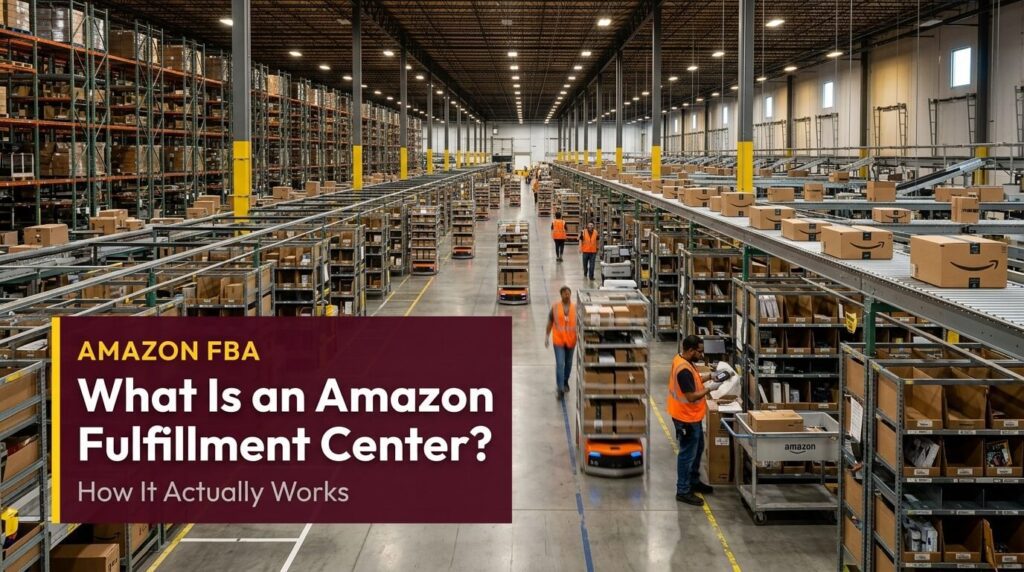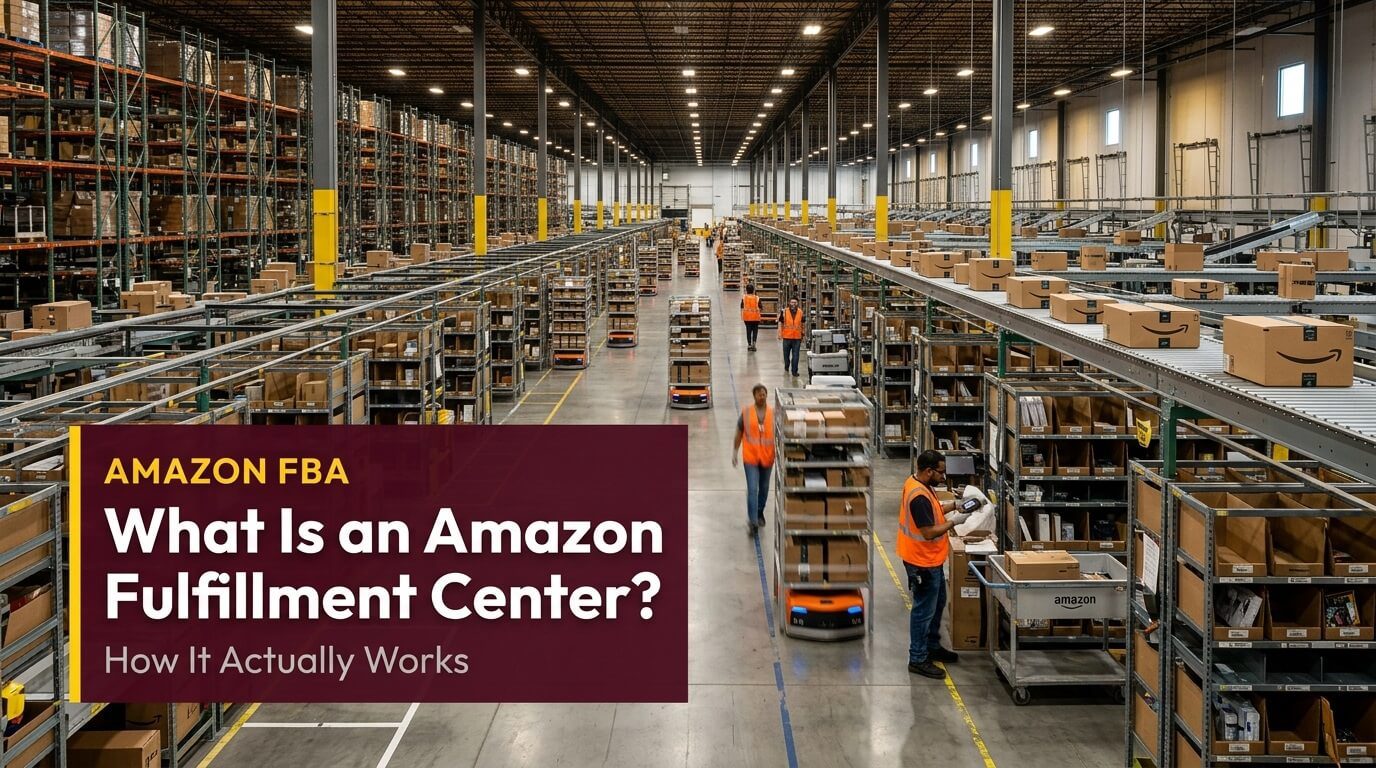
An Amazon fulfillment center is a large warehouse operated by Amazon where products are stored, picked, packed, and shipped to customers. These facilities are the engine behind every Prime delivery, every next-day package, and every listing marked “Fulfilled by Amazon” on the marketplace.
For sellers, fulfillment centers are what make FBA work. You ship your products to Amazon. They store everything on their shelves. When a customer places an order, a fulfillment center handles pulling the item, boxing it, printing the shipping label, and getting it on a delivery truck. Amazon also handles customer service and returns for those orders.
But calling these buildings “warehouses” sells them short. A typical Amazon fulfillment center covers 800,000 to over 1 million square feet. It runs around the clock, employs 1,000 to 5,000 workers per shift, and moves hundreds of thousands of packages every day. Inside, robotic systems carry entire shelving units to workers, computer vision inspects packaging, and algorithms decide which box size fits each product.
Amazon does not run a handful of warehouses. It runs one of the largest logistics operations in history. Here is the scale you are working with when you send products to FBA:
- 110+ fulfillment centers in the United States alone, tracked by MWPVL International
- Over 1,000 total facilities across the US including sortation centers, delivery stations, and other node types
- 400+ million square feet of global logistics space
- Over 60% of units sold on Amazon come from third-party sellers, and most use FBA
- 5.9 billion packages shipped in the US during 2023 according to the Pitney Bowes Parcel Shipping Index
- Fulfillment centers operate in over 20 countries including the US, UK, Germany, Japan, India, Australia, and the UAE
These facilities are not randomly placed. Amazon positions them near major population centers to hit one-day and same-day delivery windows. That is why California, Texas, New Jersey, Florida, Ohio, and Pennsylvania have the heaviest concentration of FCs in the country.
What Happens Inside a Fulfillment Center
Every product that enters a fulfillment center goes through a six-stage process. Understanding each stage matters if you sell through FBA because mistakes in the first two stages are where most problems (and surprise fees) originate.
1. Receive
Your shipment arrives at the FC by truck. Dock workers unload your pallets or boxes and scan each one into the system. Every unit gets checked against the shipping plan you created in Seller Central.
This is the stage where prep issues get caught. If your labels are wrong, your packaging does not meet Amazon’s requirements, or your quantities do not match the plan, Amazon may reject units, apply prep fees, or flag your account. Products requiring expiration dates, poly bagging, or suffocation warnings are the most common sources of receiving problems.
2. Stow
After check-in, workers place each item onto shelves or into mobile storage pods. In newer FCs, robotic drive units (Amazon’s Kiva robots, now called Amazon Robotics) carry entire shelving pods to workers at stow stations. The worker scans each item and slots it into a specific bin. The system records the exact location.
One thing that surprises most sellers: your products are not stored together. Amazon uses a method called random stow, where your units are scattered across dozens of locations inside the building. This looks disorganized, but it is intentional. Spreading inventory means there is almost always one of your units near a pick station, which reduces retrieval time.
3. Pick
When a customer places an order, the system locates the nearest unit to an available picker. In robotics-enabled FCs, the shelving pod carrying your product drives itself to the pick station. The picker scans the item, pulls it from the shelf, and drops it into a tote bound for the packing area.
Picking speed inside Amazon FCs is measured in seconds. The target at most facilities is under 30 seconds from order assignment to item-in-tote.
4. Pack
The item reaches a packing station where a worker selects the right box or mailer. Amazon’s system recommends the packaging type and size based on the product dimensions. The packer assembles the box, secures the item, applies the shipping label, and sends it down the line.
If you have ever received a small item in a comically large box, that is the system making a suboptimal call. Amazon has been improving this over time and reports reducing per-shipment packaging material by over 40% since 2015.
5. Ship
Packed orders roll down conveyors, sorted by delivery region and shipping speed. They get loaded onto trucks headed to sortation centers or, for local orders, straight to delivery stations.
For Prime orders, the timeline here is tight. From the moment a customer clicks “Buy Now” to the moment the package leaves the FC, the target is typically two to four hours.
6. Returns
When a customer returns an item, it ships back to the FC or a separate returns processing center. Amazon inspects the product to determine if it is still sellable. If yes, it goes back on the shelf. If no, Amazon marks it as unfulfillable and notifies you. At that point, you can create a removal order to have it shipped back to you, or let Amazon dispose of it.
Types of Amazon Facilities
Not every Amazon building is a fulfillment center. Amazon’s logistics network uses several facility types, each one handling a different link in the delivery chain. Knowing the difference matters because your inventory may pass through more than one type of facility before it lands on an FC shelf.
| Facility Type | What It Does | Typical Size | Role in the Chain |
|---|---|---|---|
| Fulfillment Center (FC) | Stores inventory, picks, packs, ships orders | 600,000 to 1M+ sq ft | Core order processing |
| Sortation Center (SC) | Sorts packages by zip code and delivery region | 200,000 to 600,000 sq ft | Between FC and delivery station |
| Delivery Station (DS) | Stages packages for last-mile delivery vans | 100,000 to 200,000 sq ft | Final stop before the customer |
| Receive Center (RC) | Processes incoming seller shipments | Varies | Before the FC |
| Inbound Cross-Dock (IXD) | Splits bulk shipments and redistributes to multiple FCs | Varies | Between seller and FCs |
| Amazon Air Hub | Handles air freight for cross-country shipments | 800,000+ sq ft | Long-distance transit |
| Sub-Same-Day (SSD) | Handles ultra-fast delivery for high-velocity items | 50,000 to 200,000 sq ft | Dense urban areas |
When you create an FBA shipment, your products may not go directly to a fulfillment center. Amazon sometimes routes them through a receive center or IXD first, where the shipment is broken apart and forwarded to multiple FCs. This is why your shipment status in Seller Central might show “delivered” to the facility days before inventory actually becomes available for sale.
Where Fulfillment Centers Are Located
Amazon places fulfillment centers close to where customers live. Population density, highway access, airport proximity, and labor availability all factor into site selection.
Top US States by FC Count
The states with the most Amazon fulfillment centers as of 2025:
- California: 20+ facilities
- Texas: 15+ facilities
- New Jersey: 10+ facilities
- Florida: 10+ facilities
- Pennsylvania: 8+ facilities
- Ohio: 8+ facilities
- Tennessee: 7+ facilities
- Indiana: 6+ facilities
Each FC has a unique facility code that you will see in Seller Central when creating shipments. PHX6 is in Phoenix, Arizona. JFK8 is in Staten Island, New York. BFI4 is in Kent, Washington. The codes follow a pattern: a three-letter airport or city code, followed by a number.
Outside the US
Amazon operates fulfillment centers across Europe (UK, Germany, France, Spain, Italy, Poland, Czech Republic), Asia (Japan, India, Singapore), the Middle East (UAE, Saudi Arabia), and Australia. Sellers enrolled in programs like Pan-European FBA or North America Remote Fulfillment can have their inventory stored and shipped from FCs outside their home country without opening separate seller accounts in each marketplace.
How Sellers Use Fulfillment Centers
Fulfillment by Amazon (FBA) is the program that gives third-party sellers access to Amazon’s FC network. You send your inventory to Amazon, and they take over the entire fulfillment process from storage through delivery.
Here is what FBA handles for you:
- Inventory storage
- Order picking and packing
- Shipping to the customer
- Customer service on FBA orders
- Returns processing
- Prime badge eligibility
You need a Professional Seller account on Amazon ($39.99 per month) to make FBA practical. Individual accounts can technically use FBA, but the $0.99 per-item selling fee on top of fulfillment costs makes the math difficult for most products.
Why the Prime Badge Matters
The single biggest reason sellers use FBA is the Prime badge. Products fulfilled by Amazon automatically qualify for Prime shipping, and Prime members represent Amazon’s highest-spending customer segment. Amazon reported over 200 million paid Prime members globally in 2024.
Products with the Prime badge consistently convert at higher rates than those without it. For competitive categories, not having Prime can mean losing the Buy Box to sellers who do, even if your price is lower.
Beyond visibility, FBA eliminates the daily grind of packing and shipping. Sellers doing $10,000 to $100,000+ per month in revenue often find that the time savings alone justify the fees.
What It Costs
FBA is a paid service, and the fees add up. Sellers who do not calculate their all-in costs before sending inventory to a fulfillment center are the ones who end up losing money. Here is what Amazon charges.
| Fee | What It Covers | How It Is Charged |
|---|---|---|
| Referral fee | Amazon’s marketplace commission | 8% to 15% of sale price (15% in most categories) |
| FBA fulfillment fee | Pick, pack, ship, and customer service | Per unit, based on product size and weight |
| Monthly storage fee | Space your inventory occupies in the FC | Per cubic foot, billed monthly |
| Inbound placement service fee | Distributing your inventory across multiple FCs | Per unit, varies by size and shipment config |
| Aged inventory surcharge | Penalty for stock sitting longer than 180 days | Per cubic foot, increases at 271 and 365+ days |
| Low-inventory-level fee | Applied when you keep too little stock relative to sales velocity | Per unit shipped |
Monthly storage rates for standard-size products are $0.87 per cubic foot from January through September and $2.40 per cubic foot from October through December. That Q4 spike catches new sellers off guard every year.
Sample Cost Calculation
Numbers always tell the story better than descriptions. Here is a realistic per-unit calculation for a standard FBA product:
Product: Silicone kitchen spatula set
Sale price: $22.99
Packaged weight: 10 oz
Packaged dimensions: 12″ x 4″ x 2″
Size tier: Large standard
Category referral rate: 15%
| Fee Type | Amount |
|---|---|
| Referral fee (15% of $22.99) | $3.45 |
| FBA fulfillment fee (large standard, 8 to 12 oz) | $4.09 |
| Monthly storage (0.056 cu ft x $0.87, 1 month) | $0.05 |
| Inbound placement service fee | $0.27 |
| Total Amazon fees | $7.86 |
| You receive | $15.13 |
If your landed product cost (manufacturing plus shipping to Amazon) is $6.00 per unit, your pre-advertising profit is $9.13 per unit. That is a 39.7% margin before ad spend.
Use the FBA Revenue Calculator inside Seller Central to run these numbers for your specific product. You can search any live ASIN or enter custom dimensions and weight.
How to Send Inventory to a Fulfillment Center
Amazon’s inbound process has been updated several times. The current system in Seller Central is called “Send to Amazon.” Here is the workflow step by step.
1. Create Your Shipping Plan
Log in to Seller Central. Navigate to Inventory > Send to Amazon. Select the products you want to ship, enter quantities for each, and confirm your ship-from address.
2. Prep and Label Products
Amazon specifies what prep each product needs based on its category and condition. Some items require poly bagging. Others need bubble wrap or “sold as set” stickers. Every FBA unit needs either a manufacturer barcode (UPC/EAN) or an Amazon FNSKU barcode label. If you want Amazon to label for you, the fee is $0.55 per unit.
3. Review Placement and Fee Options
Amazon tells you how many destinations your shipment will be split across. You can accept Amazon’s default split (lower inbound placement fee) or choose fewer destinations (higher fee per unit). For a 1,000-unit standard-size shipment, the fee difference between options can range from $210 to $680+. Calculate which option actually saves money based on your shipping costs.
4. Print Labels and Ship
Print box content labels and carrier labels. Amazon offers discounted shipping through its Partnered Carrier Program, typically UPS for small parcel (SPD) shipments. For palletized loads, LTL and FTL freight options are available at partnered rates. Book the pickup, and your shipment is on its way.
5. Track Receiving
Monitor your shipment status in Seller Central under Shipments. Receiving typically takes 3 to 7 business days. During Q4 peak season (October through December), expect 10 to 14+ days. Your inventory becomes sellable only after Amazon finishes checking it in.
FBA vs. Self-Fulfillment
FBA is not the right choice for every product. Here is how it compares to Fulfilled by Merchant (FBM), where you handle storage, packing, and shipping yourself.
| Factor | FBA | FBM |
|---|---|---|
| Prime eligibility | Automatic | Only through Seller Fulfilled Prime (limited access) |
| Shipping speed | 1 to 2 day Prime delivery | Depends on your carrier and warehouse location |
| Storage costs | Amazon’s monthly fees + aged inventory surcharges | Your own warehouse or storage costs |
| Customer service | Amazon handles it | You handle it |
| Returns | Amazon processes and inspects | You process everything |
| Packaging control | Amazon controls box and branding | Full control over unboxing experience |
| Best for | Fast-selling, standard-size products | Oversized, heavy, slow-moving, or fragile items |
Many experienced sellers use both. They keep top sellers on FBA for the Prime badge and conversion advantage, then handle long-tail SKUs or oversized products through FBM where storage fees would destroy margins.
The breakeven point depends on your product size, turnover rate, and order volume. A good rule of thumb: if your product sells fewer than 2 units per month and is larger than a shoebox, FBM probably saves you money.
Technology Inside the Facilities
Amazon fulfillment centers are not standard warehouses with people pushing carts down aisles. The level of automation directly affects how fast your products get processed and shipped.
1. Amazon Robotics
Amazon bought Kiva Systems in 2012 for $775 million. Today, over 750,000 mobile robots operate across Amazon’s global network. These squat, orange drive units slide under shelving pods and carry them to workers. Associates no longer walk to products. Products come to them. This alone cut pick times dramatically.
2. Sequoia
Launched in late 2023, Sequoia is Amazon’s newest fulfillment system. It combines robotic arms, mobile robots, and redesigned workstations to process inventory up to 75% faster than previous setups. Amazon reported it also reduces the time to identify and list incoming inventory by up to 75%.
3. Sparrow and Robin
Sparrow is a robotic arm that uses computer vision to identify and handle individual products out of bins. It can recognize millions of different items. Robin focuses specifically on sorting packages into delivery routes. Both reduce manual labor in the most repetitive stages of fulfillment.
4. Predictive Inventory Placement
Before you even run out of stock, Amazon’s algorithms are analyzing order patterns by region and pre-positioning inventory across FCs. This is why Amazon can offer same-day delivery on so many products. Your stock is already sitting in a fulfillment center 30 miles from the customer before the order is placed.
For sellers, this technology stack means FBA generally delivers faster and more reliably than any third-party logistics (3PL) provider or in-house operation could match at the same cost.
Mistakes That Cost Sellers Money
Selling through FBA is straightforward in theory. In practice, there are a handful of mistakes that consistently drain seller margins.
1. Overstocking the Fulfillment Center
Amazon charges monthly storage fees, and those fees nearly triple during Q4. Sending six months of stock to FBA feels safe, but it can quietly eat through your profit. Aim for 60 to 90 days of supply. Monitor your Inventory Performance Index (IPI) in Seller Central. If your IPI drops below 400, Amazon restricts how much inventory you can send in.
2. Skipping Prep Requirements
Each product type has specific prep rules. Glass items need bubble wrap. Poly-bagged products need suffocation warnings. Anything with an expiration date must have the date printed on the outside of the packaging. Skip these steps and Amazon charges $1.00 to $2.20 per unit for prep, or rejects the shipment entirely.
3. Ignoring the Full Fee Stack
New sellers often look at the FBA fulfillment fee and assume that is their total cost. It is not. The referral fee, storage fees, inbound placement fee, and potential aged inventory surcharges all add up. Run everything through the FBA Revenue Calculator before you commit to a product. If your all-in margin is below 20% before advertising, your product or pricing needs work.
4. Paying for Convenience on Inbound Splits
When building a shipment, you can choose to send all your inventory to a single FC location for simplicity. But the inbound placement service fee for that convenience can add $0.30 to $0.68+ per unit. On a 2,000-unit shipment, that is $600 to $1,360 in extra fees. Compare that against the cost of shipping to multiple locations before choosing.
5. Letting Inventory Age Past 180 Days
Amazon’s aged inventory surcharge kicks in at 181 days and escalates at 271 days and again at 365+ days. If a product is not moving, create a removal order or run a promotion before crossing that 180-day mark. Sitting on dead stock in a fulfillment center is one of the fastest ways to turn a profitable product into a loss.
Frequently Asked Questions
How many fulfillment centers does Amazon have?
Amazon operates over 110 fulfillment centers in the United States and over 175 globally. Including sortation centers, delivery stations, and air hubs, the total US facility count exceeds 1,000.
What is the difference between a fulfillment center and a warehouse?
A warehouse stores products. A fulfillment center stores, picks, packs, ships, processes returns, and handles customer service. Amazon’s FCs also use advanced robotics and machine learning systems that traditional warehouses do not have.
How big is an Amazon fulfillment center?
Most range from 600,000 to over 1 million square feet. The largest facilities exceed 1.2 million square feet, roughly equivalent to 28 football fields.
Can anyone send products to an Amazon fulfillment center?
No. You need an active Amazon Seller account and must enroll your products in FBA. Inventory cannot be shipped to an FC without a valid shipping plan created through Seller Central.
How long does it take for inventory to become available after arriving at an FC?
Typically 3 to 7 business days. During peak season (October through January), receiving can take 10 to 14 or more business days.
Does Amazon choose which fulfillment center receives my inventory?
Yes. Amazon’s system determines the optimal FC locations based on projected demand, existing stock distribution, and proximity to customers. You cannot select a specific fulfillment center, but you can influence the number of destinations through inbound placement options.
What happens if Amazon loses or damages my product in a fulfillment center?
Amazon reimburses sellers for items confirmed lost or damaged while in FBA custody. Reimbursement is based on your item’s sale price minus applicable fees. You can file claims through Seller Central’s FBA inventory reimbursement tool if automatic reimbursements do not appear within the expected timeframe.
Is FBA worth it for small sellers in 2026?
For products that sell consistently, fit standard size tiers, and benefit from Prime visibility, FBA is typically worth it even at low volumes. The key is running the math beforehand. Use Amazon’s Revenue Calculator, factor in all fees including storage and advertising, and confirm your margin supports the cost structure before you ship a single unit.
What is the difference between a fulfillment center, sortation center, and delivery station?
A fulfillment center stores inventory and processes orders. A sortation center receives packaged orders from FCs and sorts them by delivery region. A delivery station is the last stop before a package reaches the customer. All three work in sequence to complete a single delivery.
Can I visit an Amazon fulfillment center?
Amazon offers public tours at select fulfillment centers through its Amazon Fulfillment Center Tours program. Availability varies by location. You can check for open tour slots on Amazon’s tours website.